Help center
All collections
Contacts
How to Add Tags in Bulk
How to Add Tags in Bulk
Learn how to save time and stay organized by applying multiple tags at once.
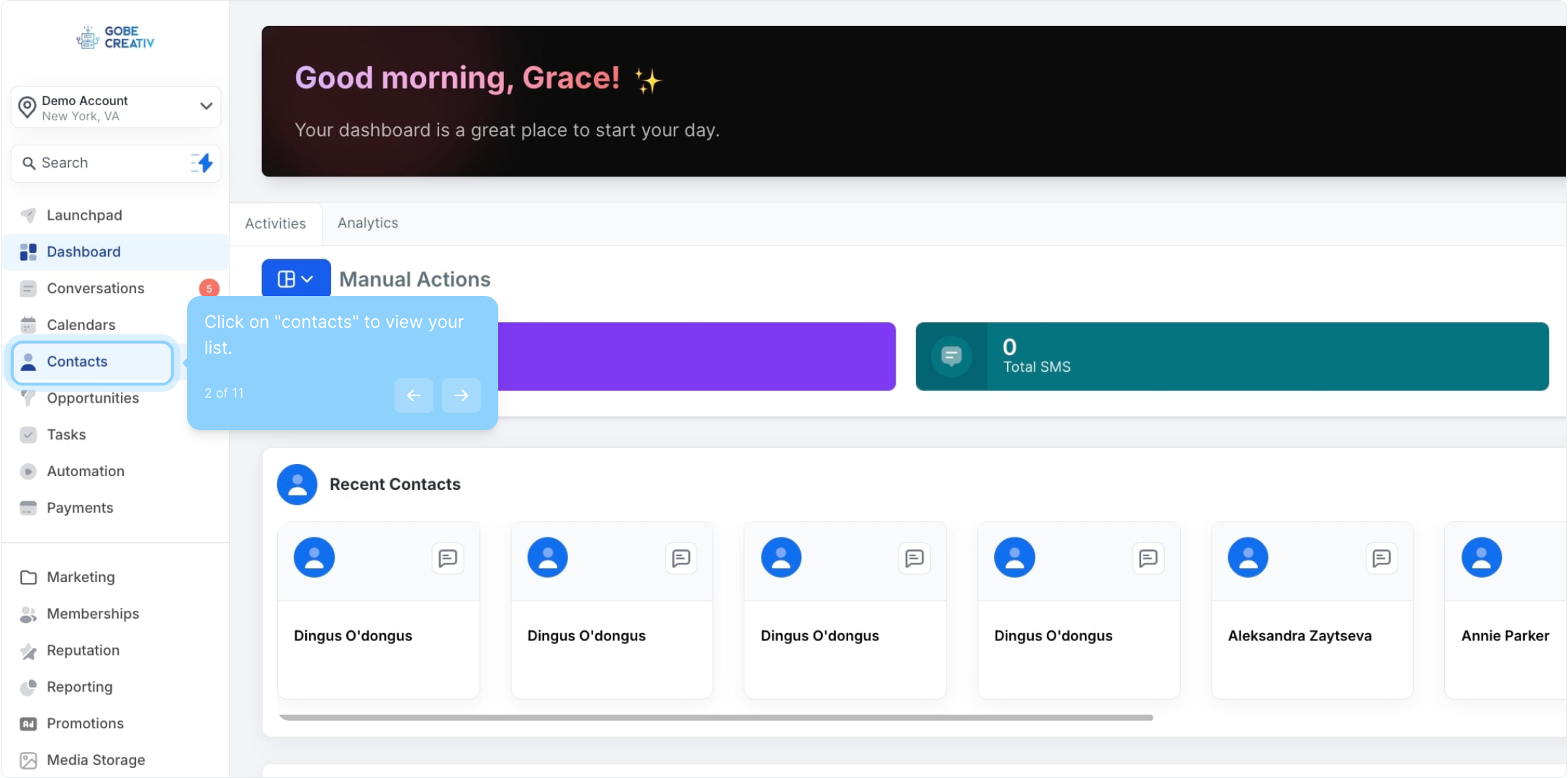
2. Click on "contacts" to view your list.
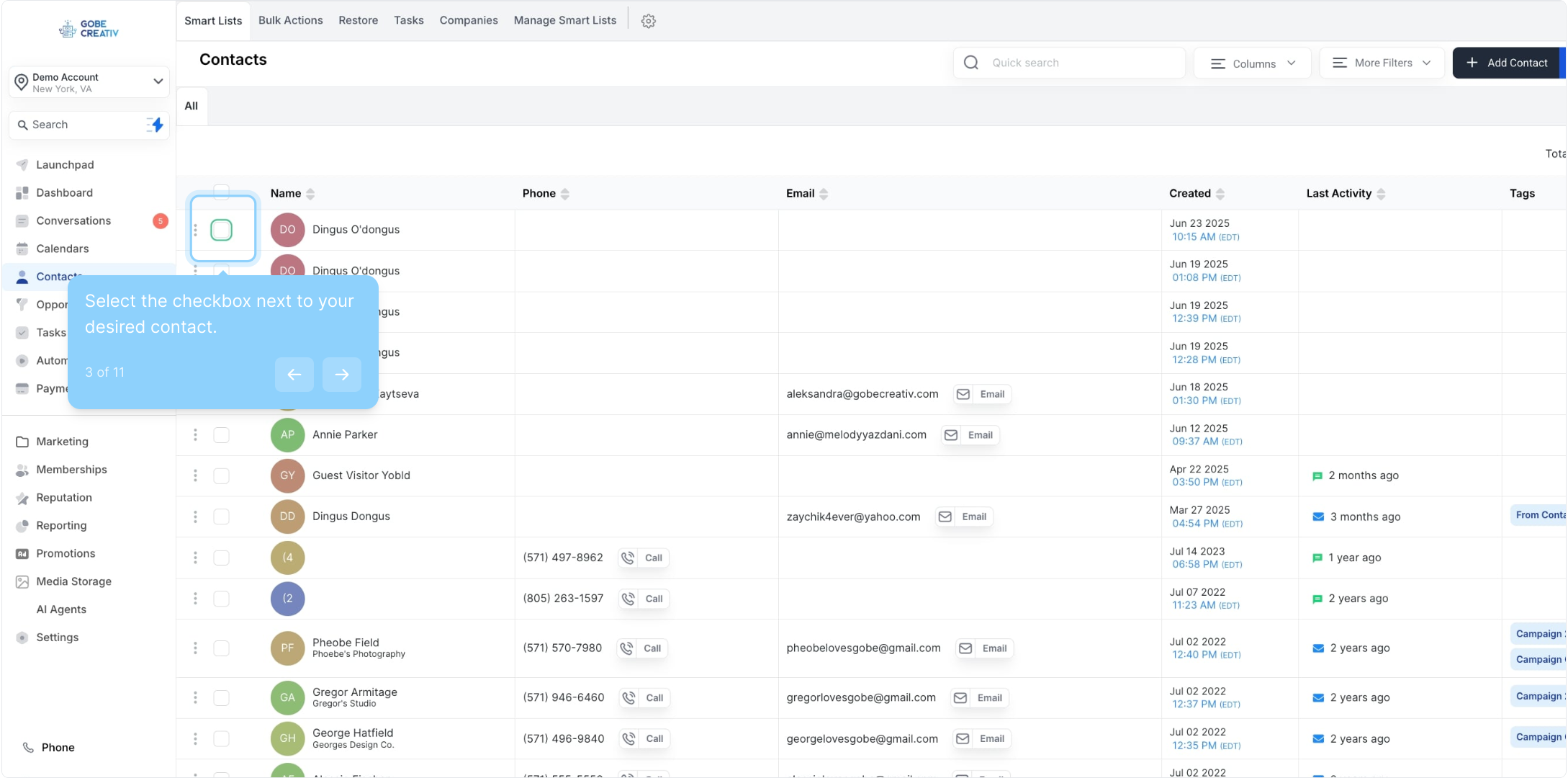
3. Select the checkbox next to your desired contact.
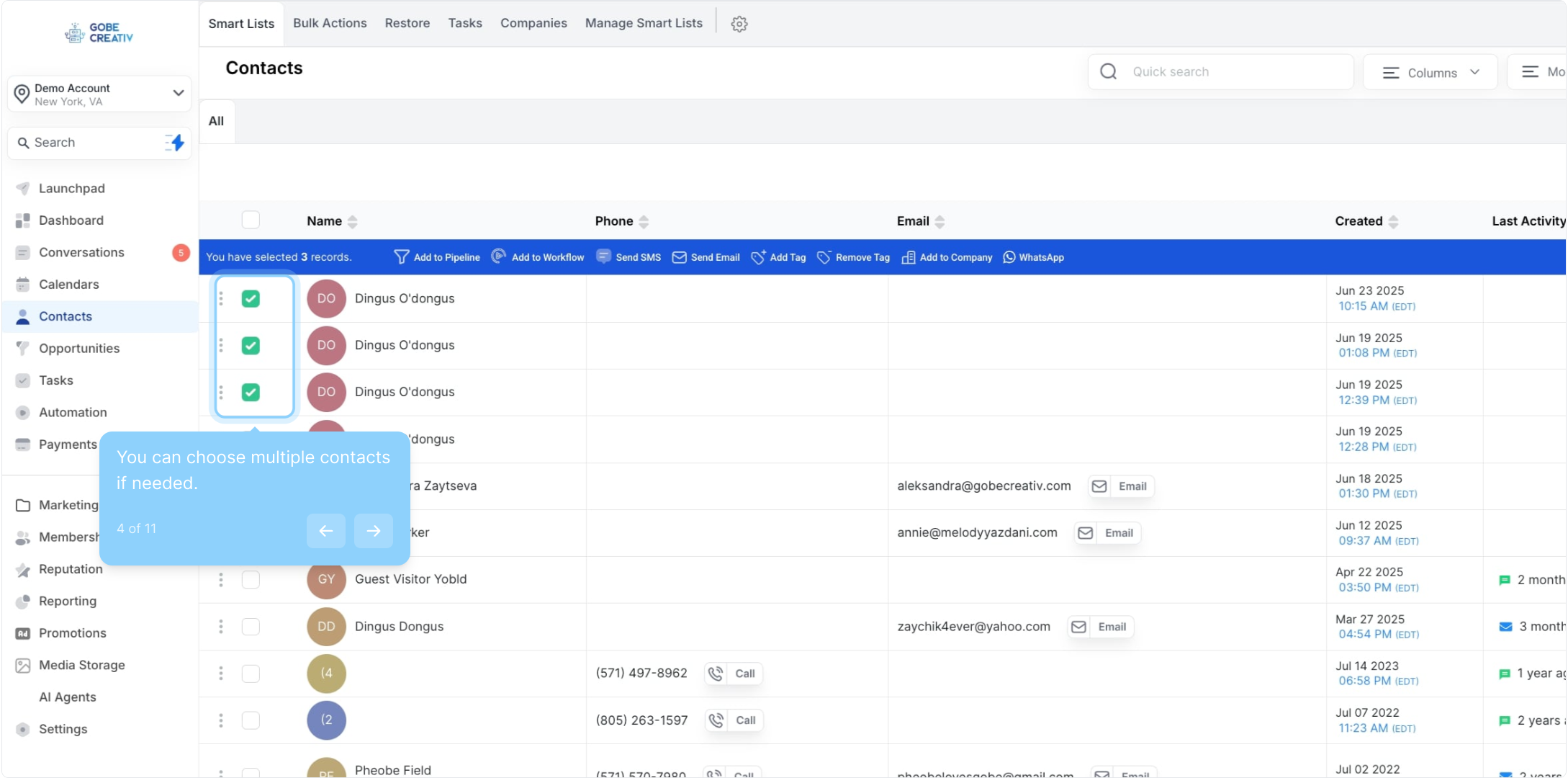
4. You can choose multiple contacts if needed.
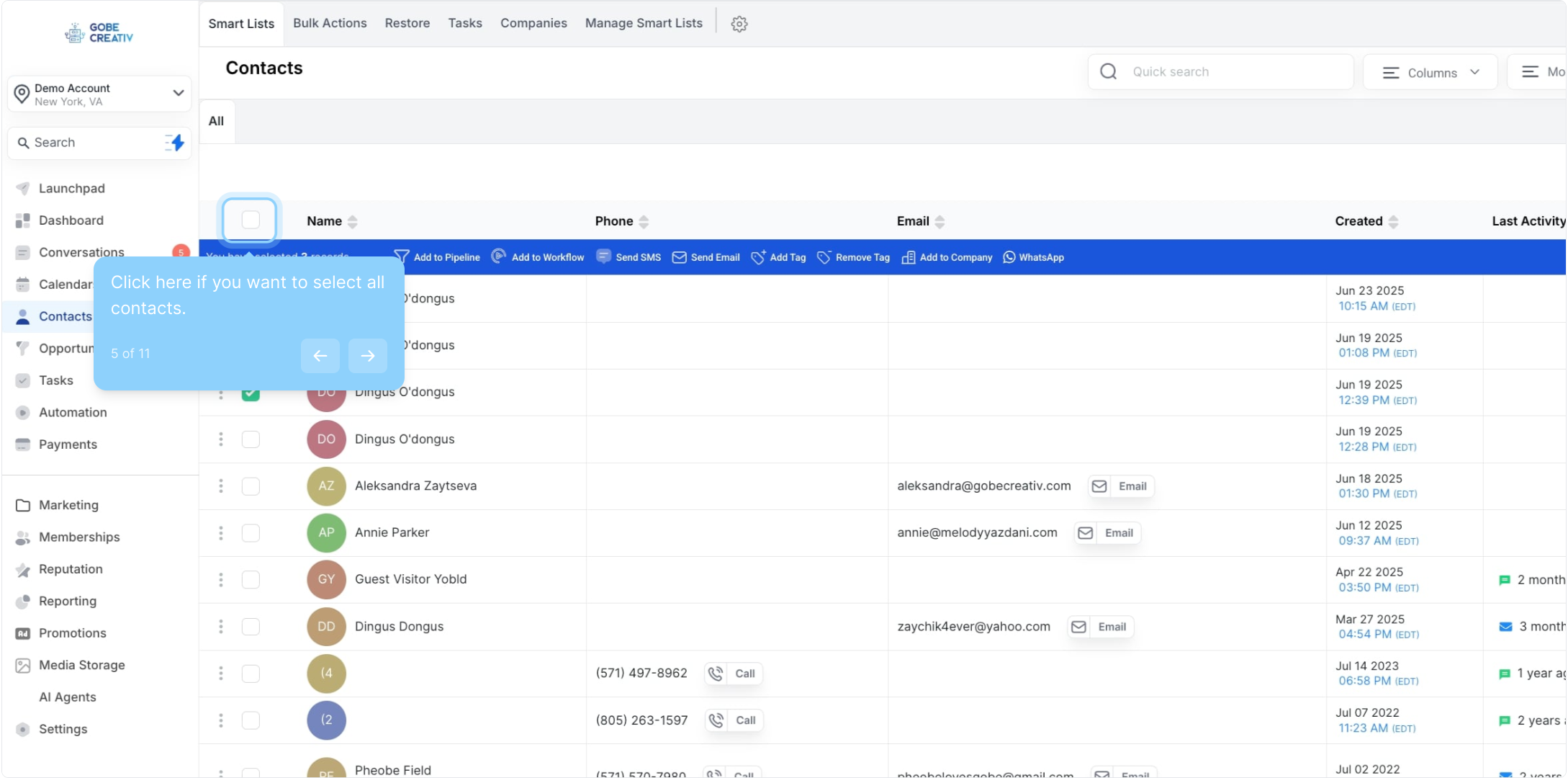
5. Click here if you want to select all contacts.
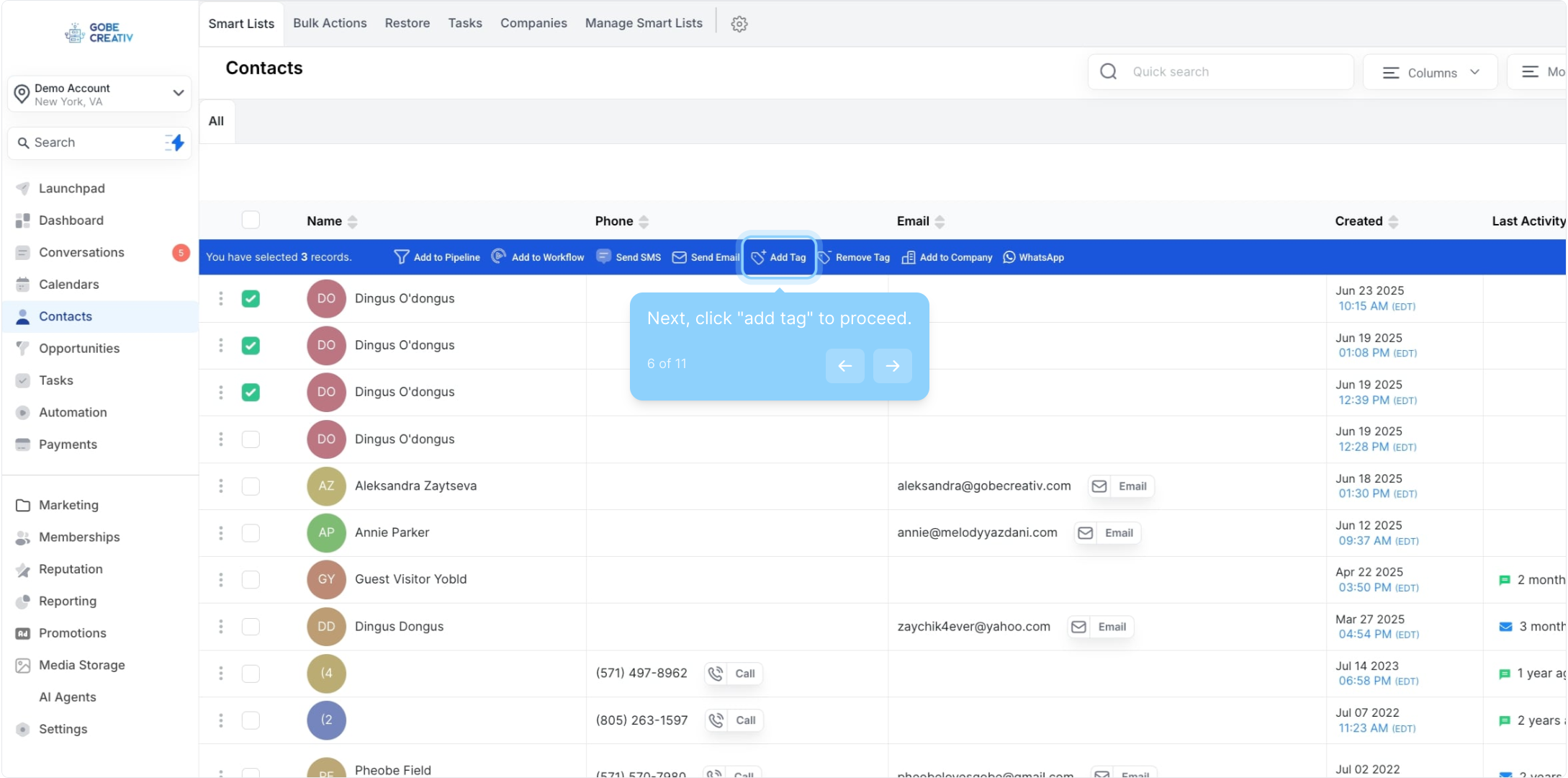
6. Next, click "add tag" to proceed.
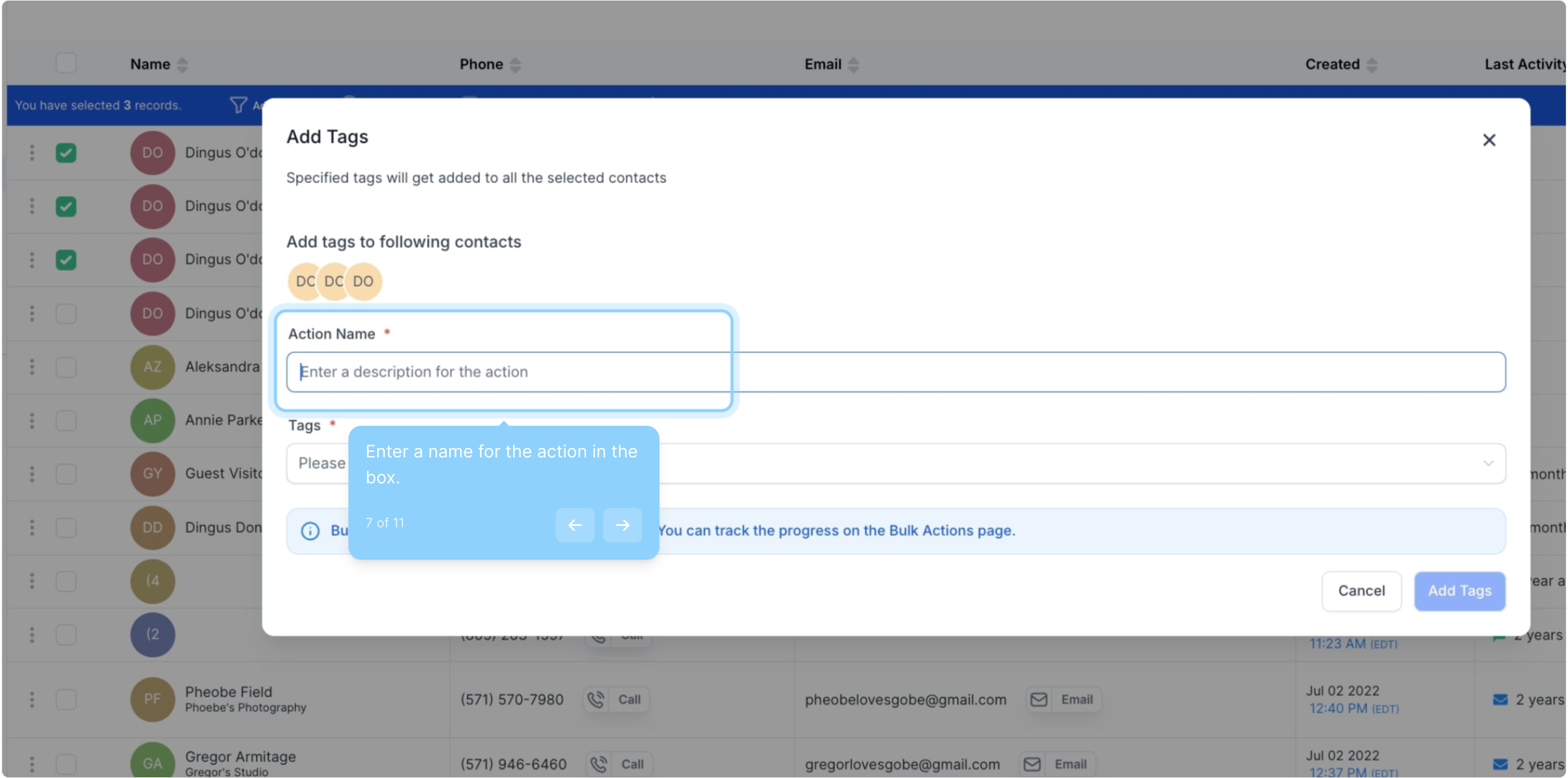
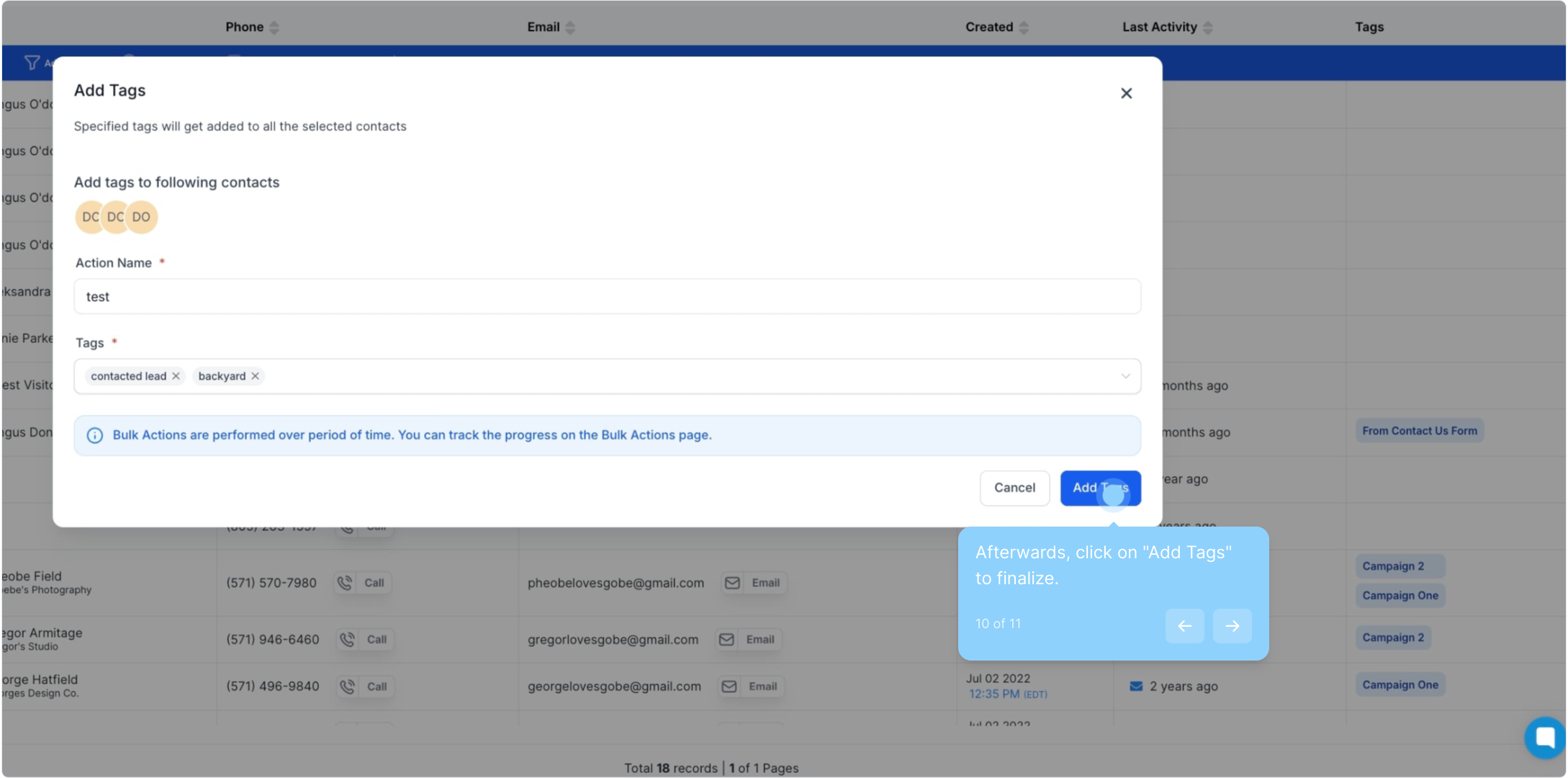
7. Enter a name for the action in the box.
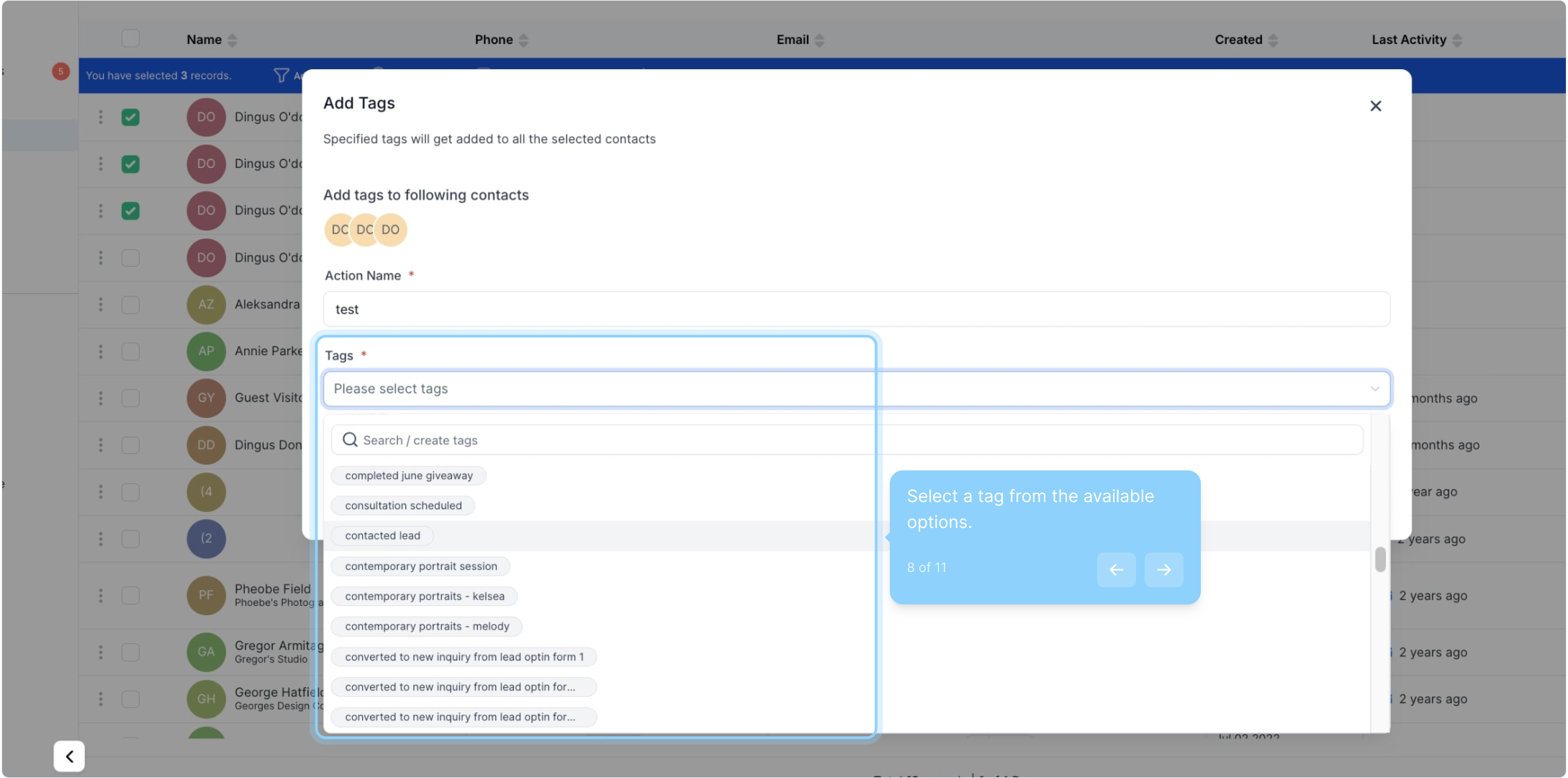
8. Select a tag from the available options.
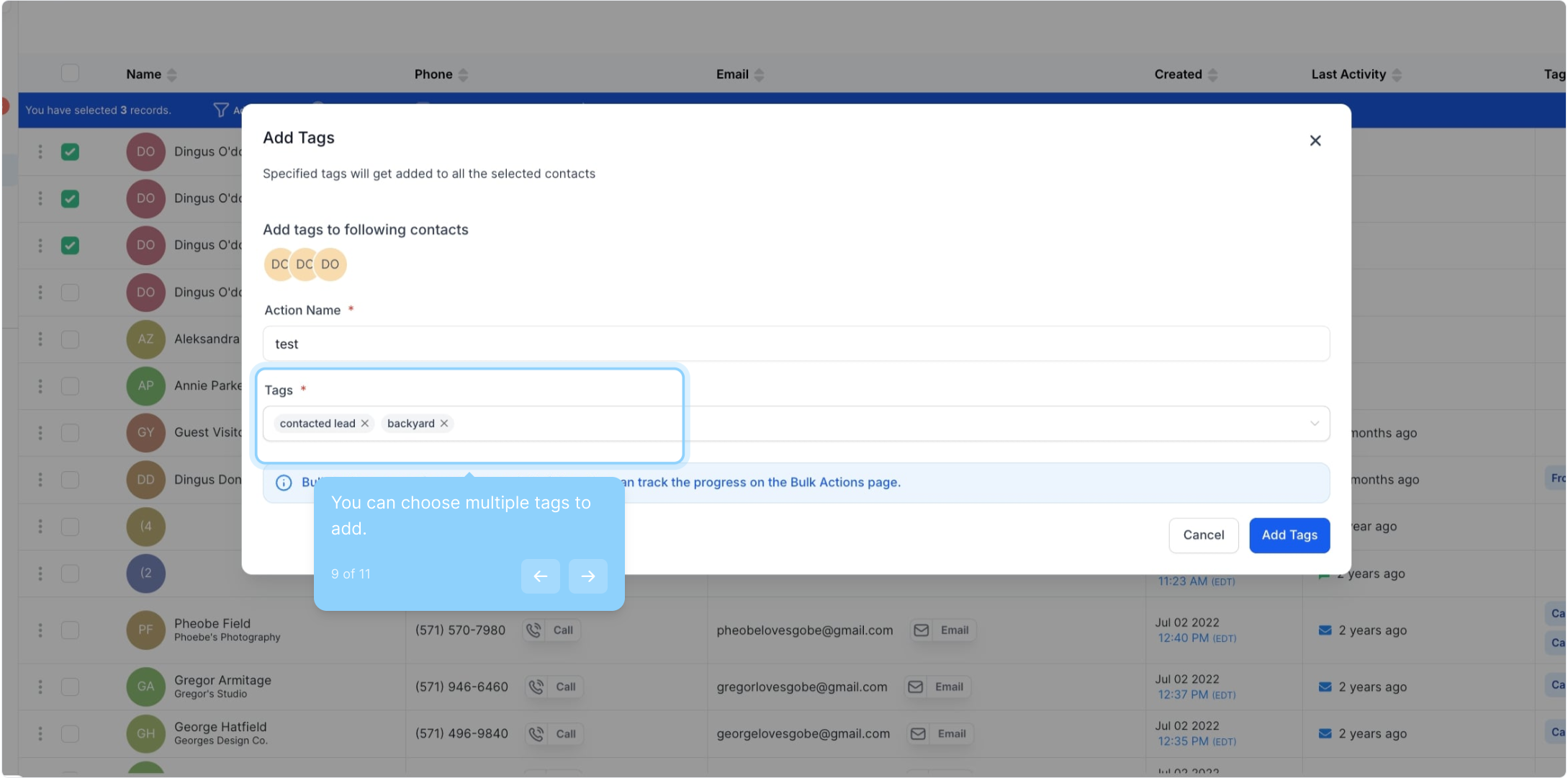
9. You can choose multiple tags to add.
10. Afterwards, click on "Add Tags" to finalize.
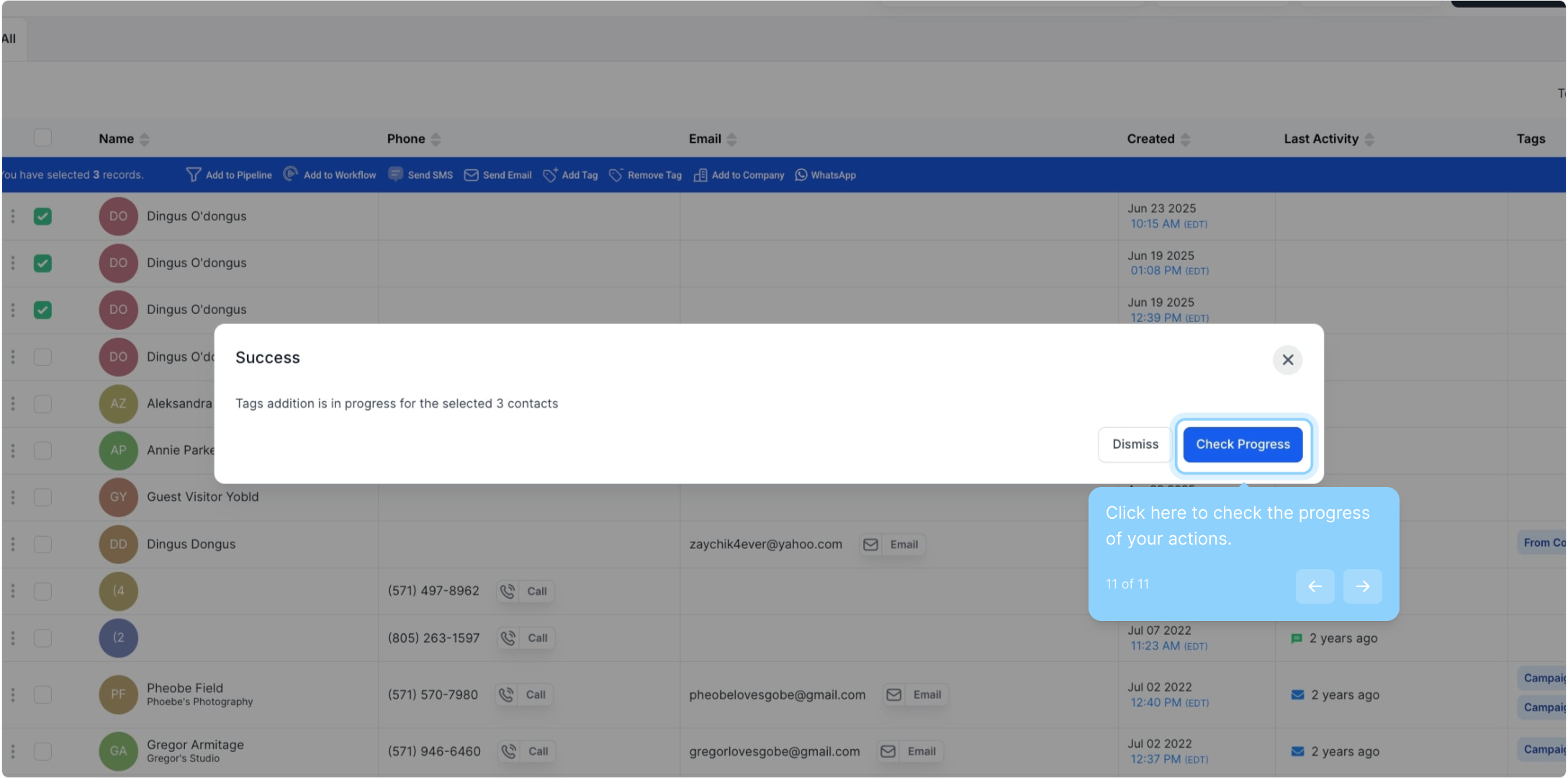
11. Click here to check the progress of your actions.
Did this answer your question?
😞
😐
😁
How to Add Tags in Bulk | Gobe Creativ