Help center
How to Send Email in Bulk | Gobe Creativ
All collections
Contacts
How to Send Email in Bulk
How to Send Email in Bulk
This article provides a simple, step-by-step guide on how to send emails in bulk
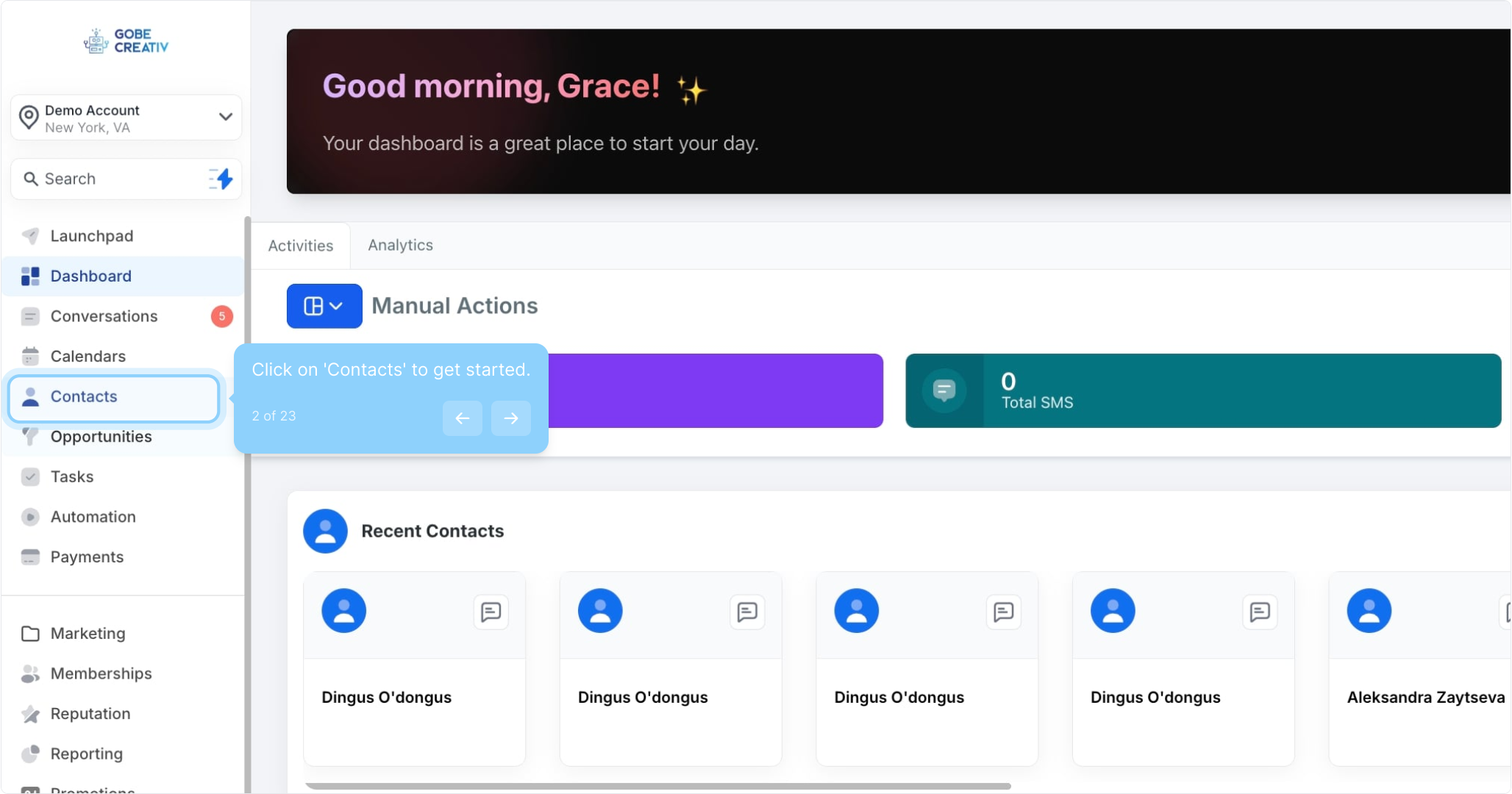
2. Click on 'Contacts' to get started.
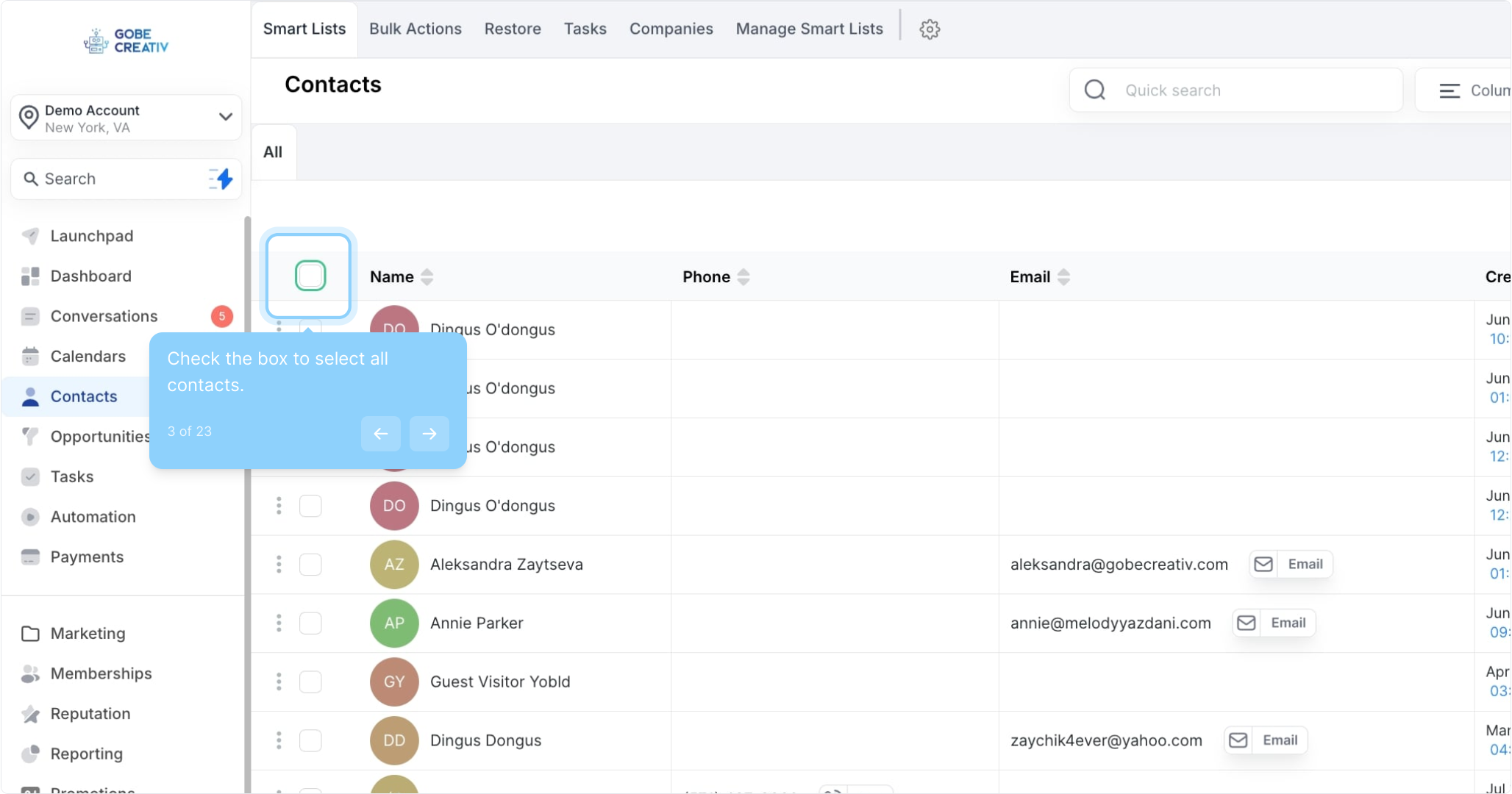
3. Check the box to select all contacts.
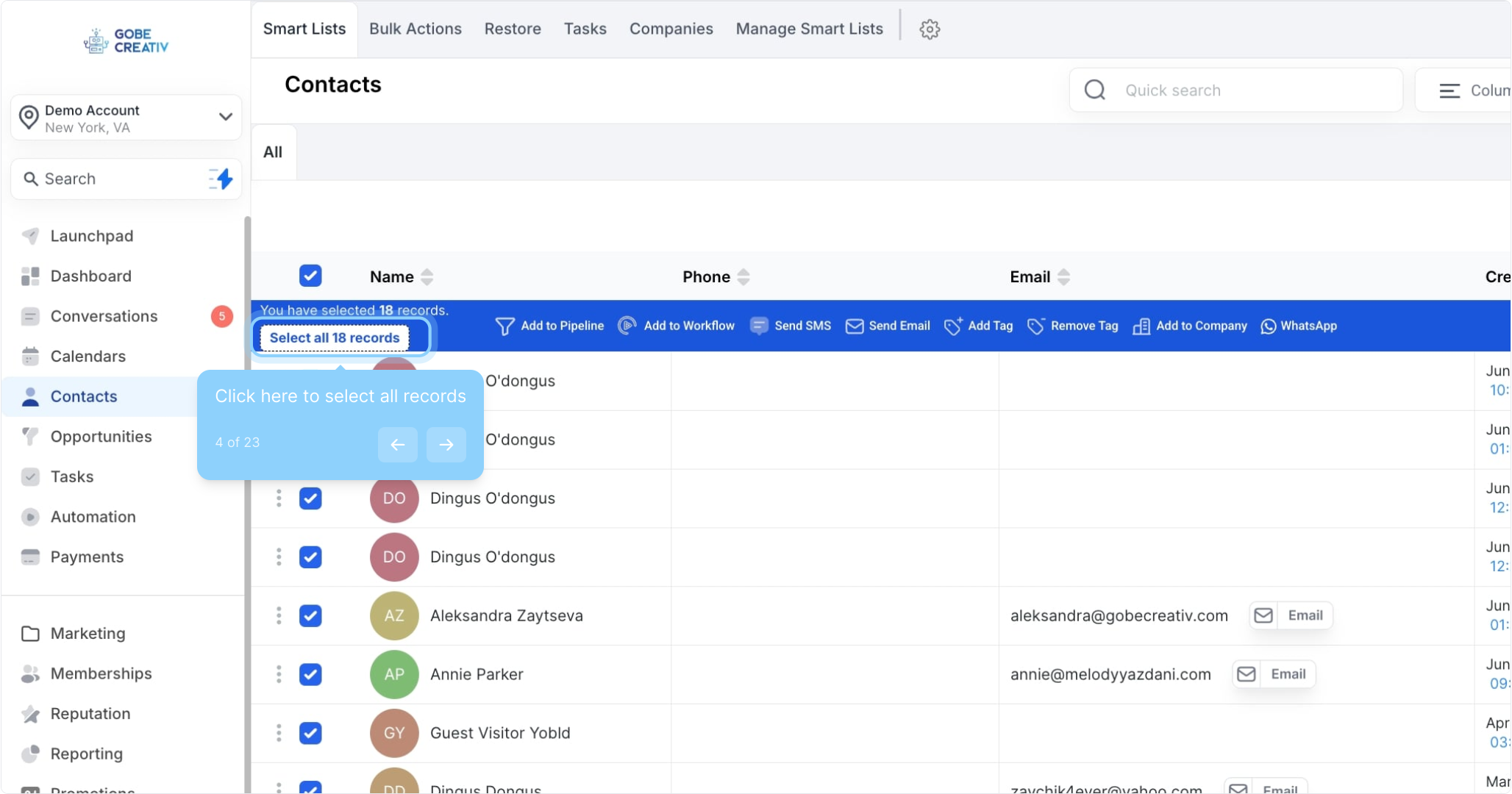
4. Click here to select all records
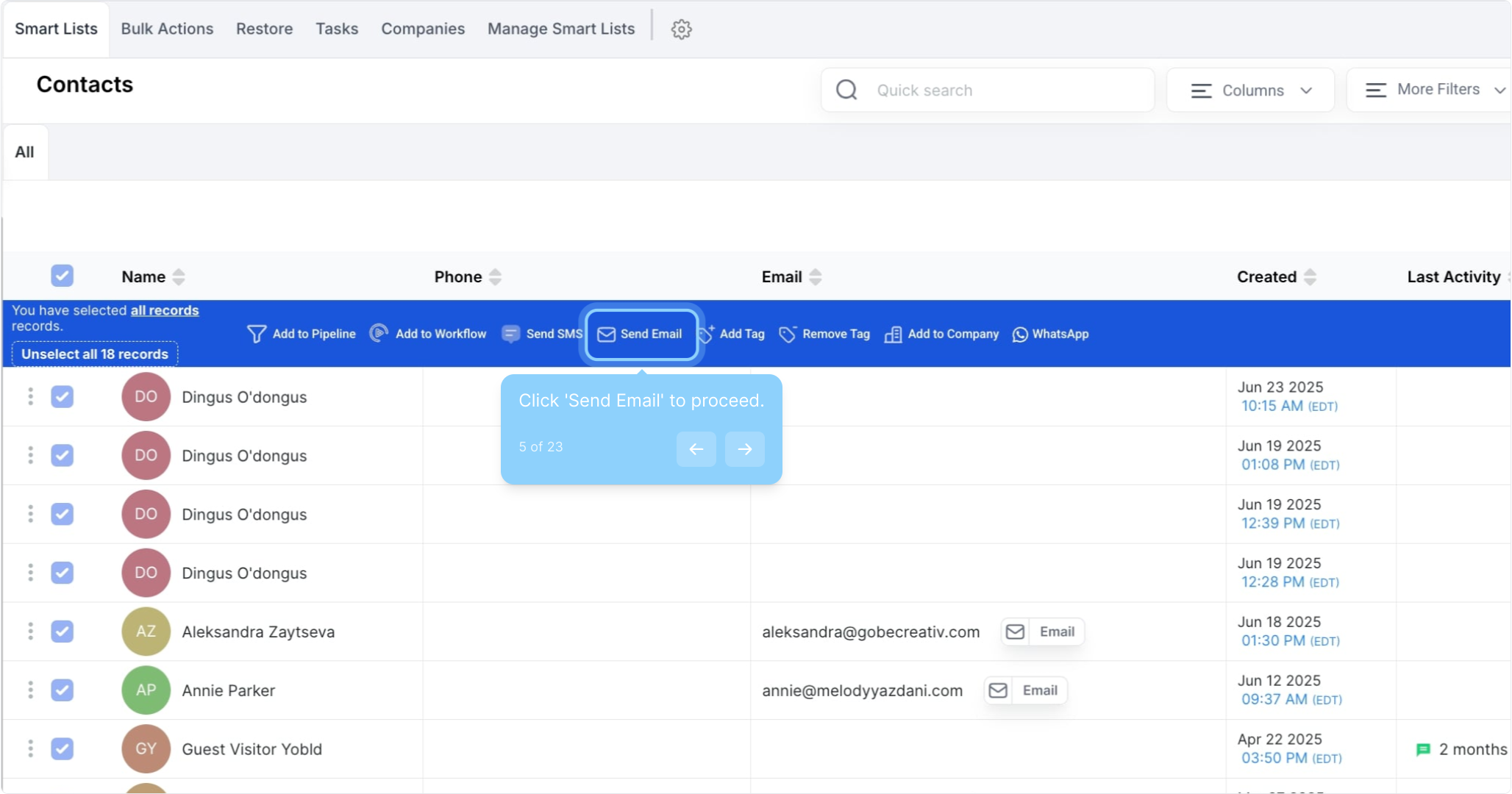
5. Click 'Send Email' to proceed.
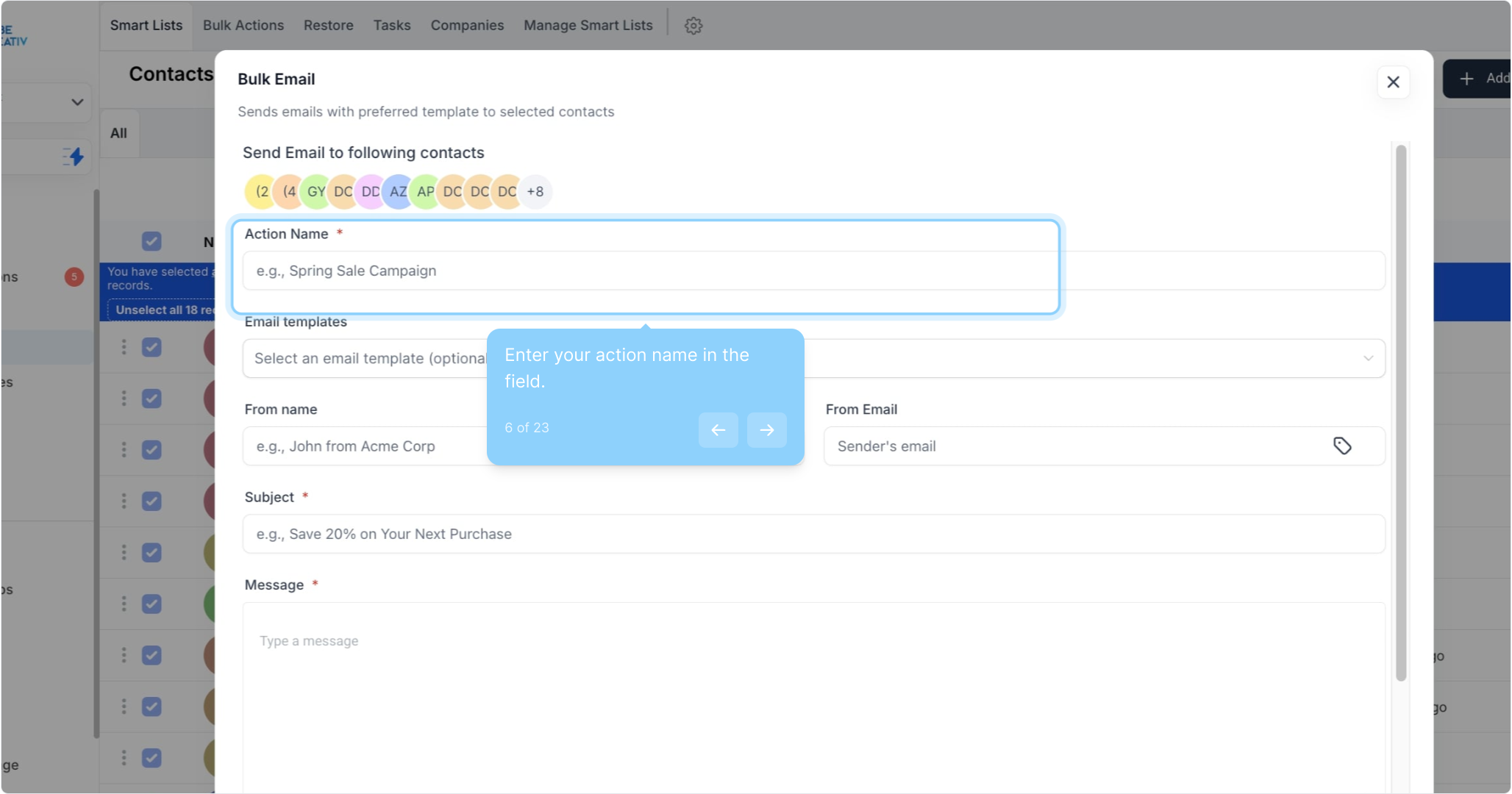
6. Enter your action name in the field.
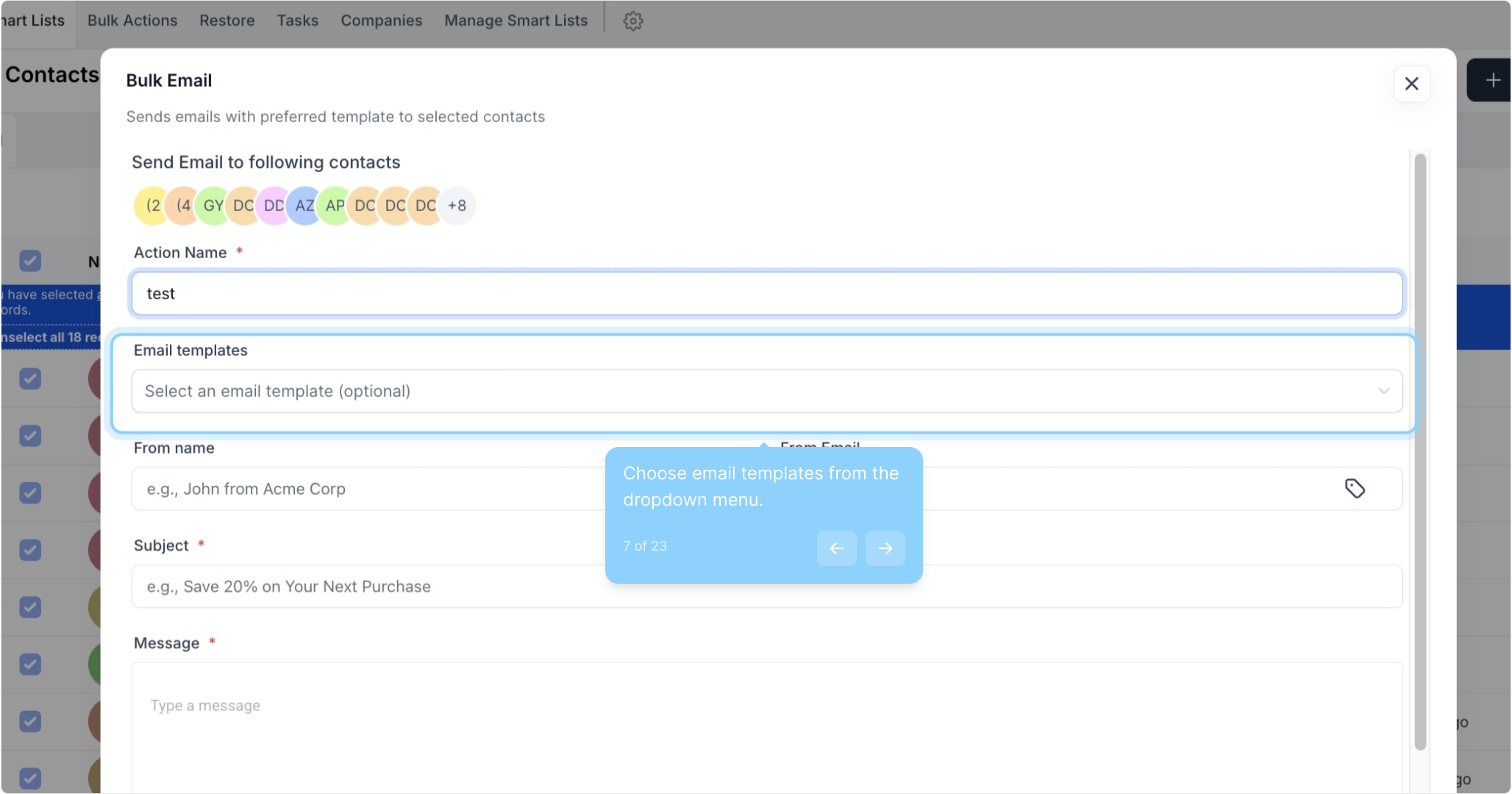
7. Choose email templates from the dropdown menu.
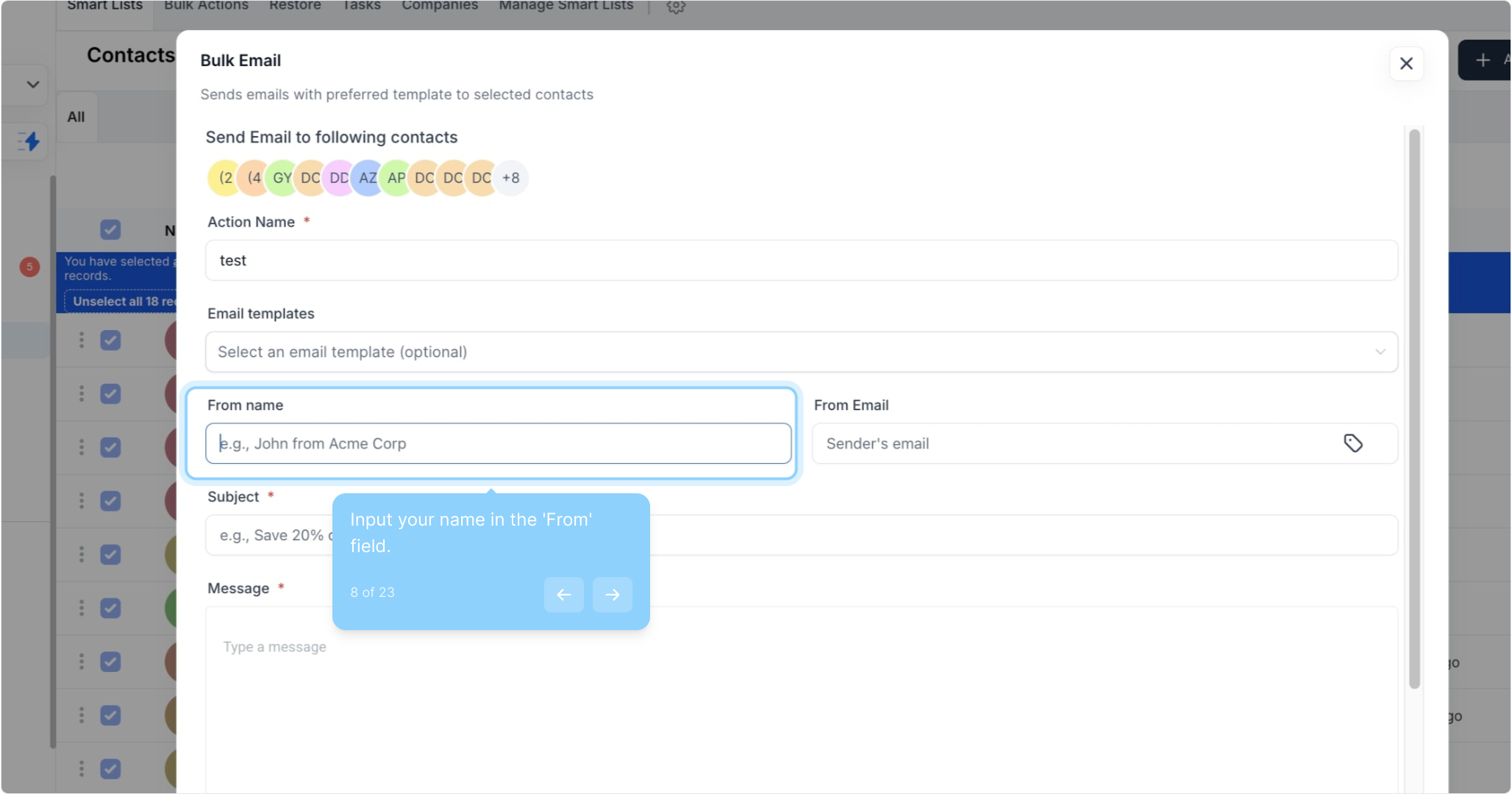
8. Input your name in the 'From' field.
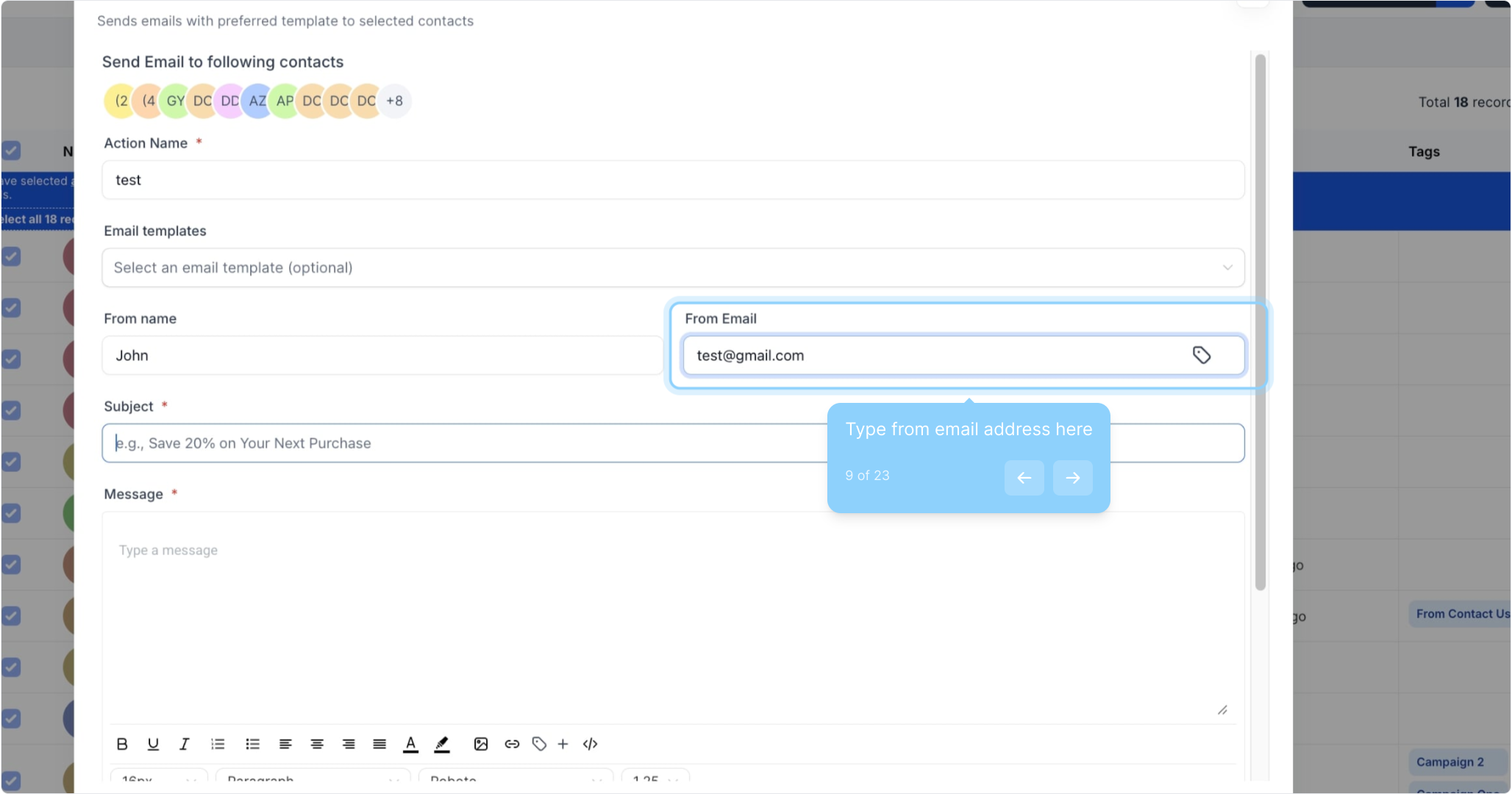
9. Type from email address here
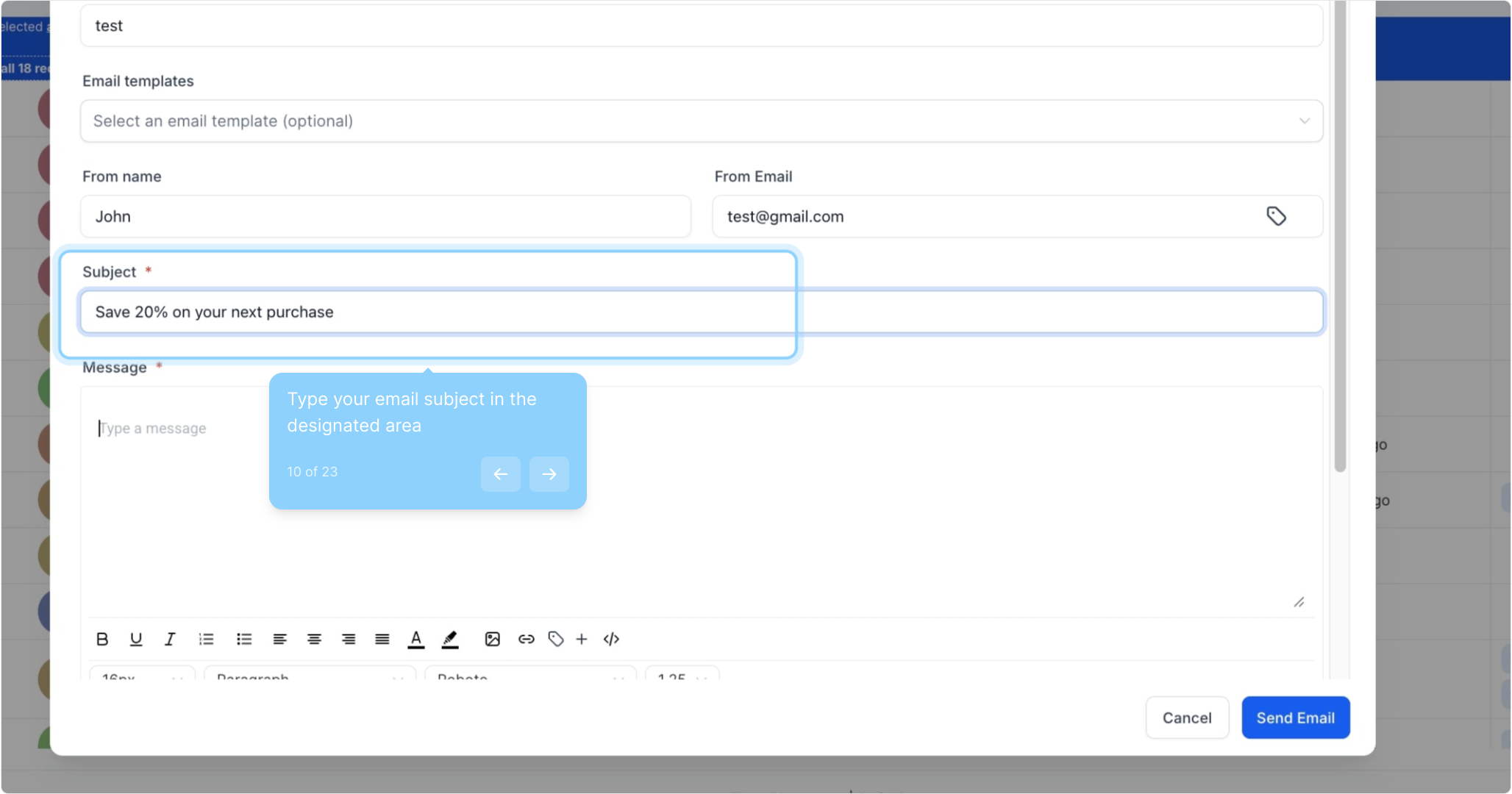
10. Type your email subject in the designated area
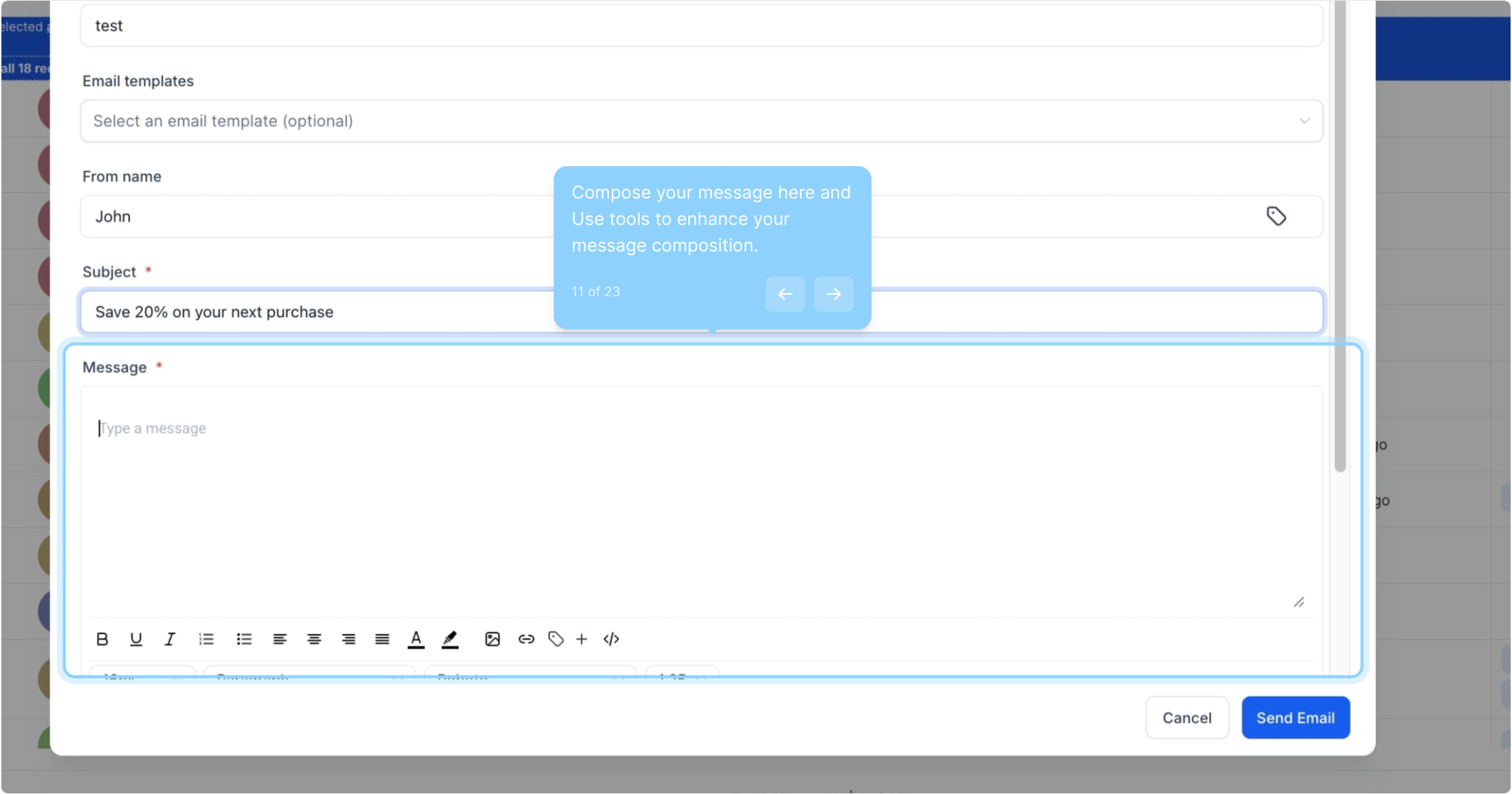
11. Compose your message here and Use tools to enhance your message composition.
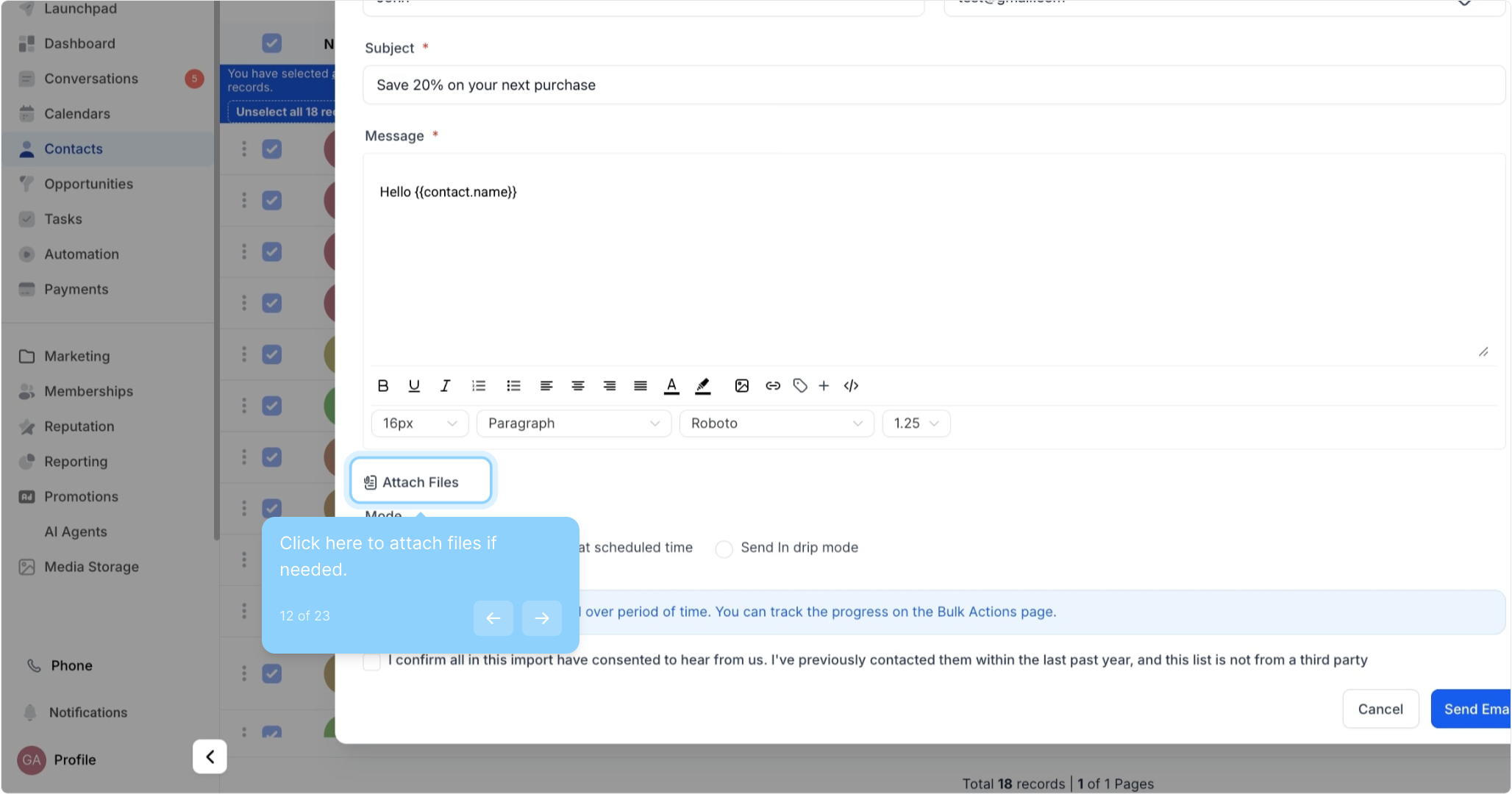
12. Click here to attach files if needed.
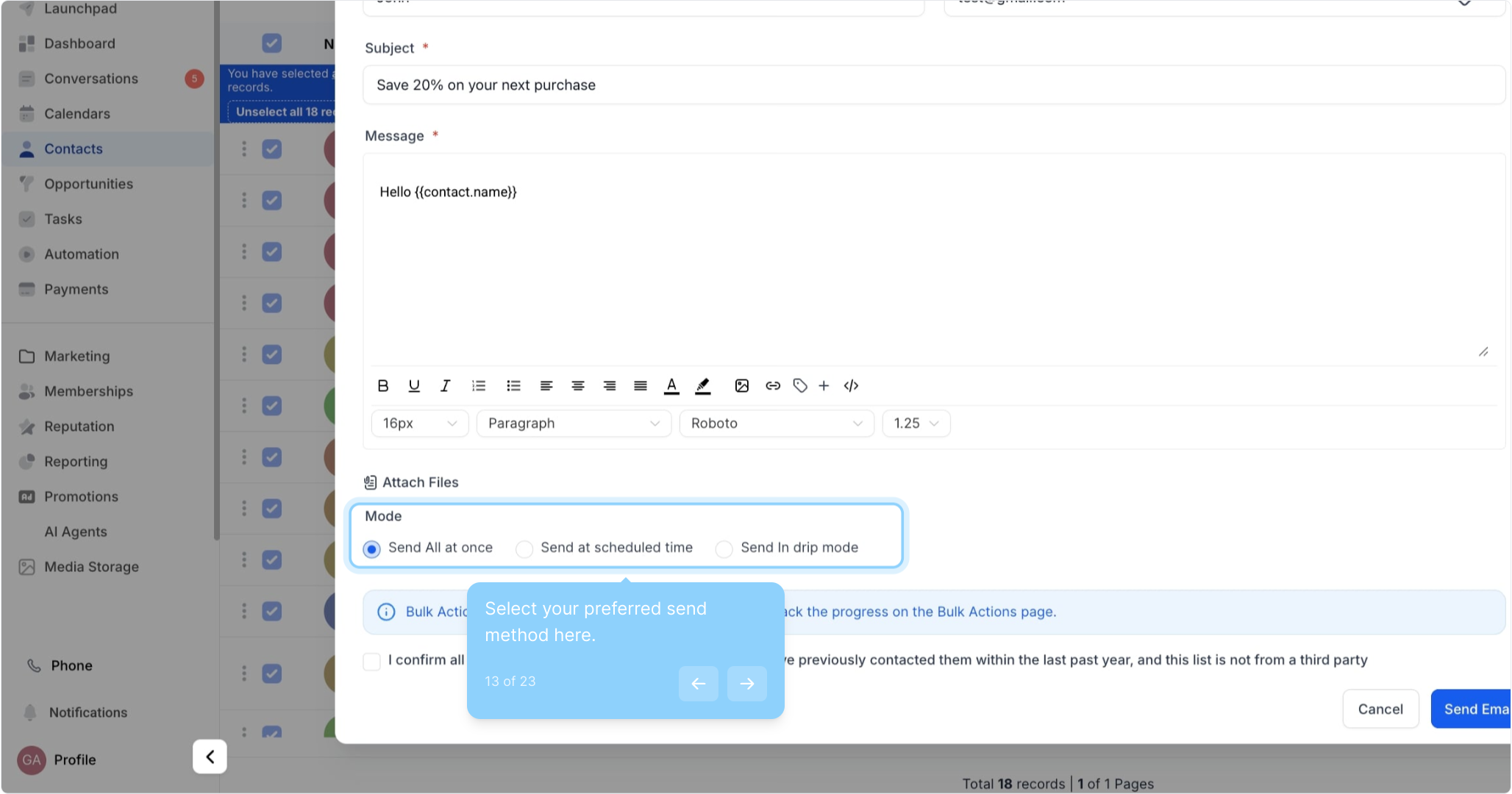
13. Select your preferred send method here.
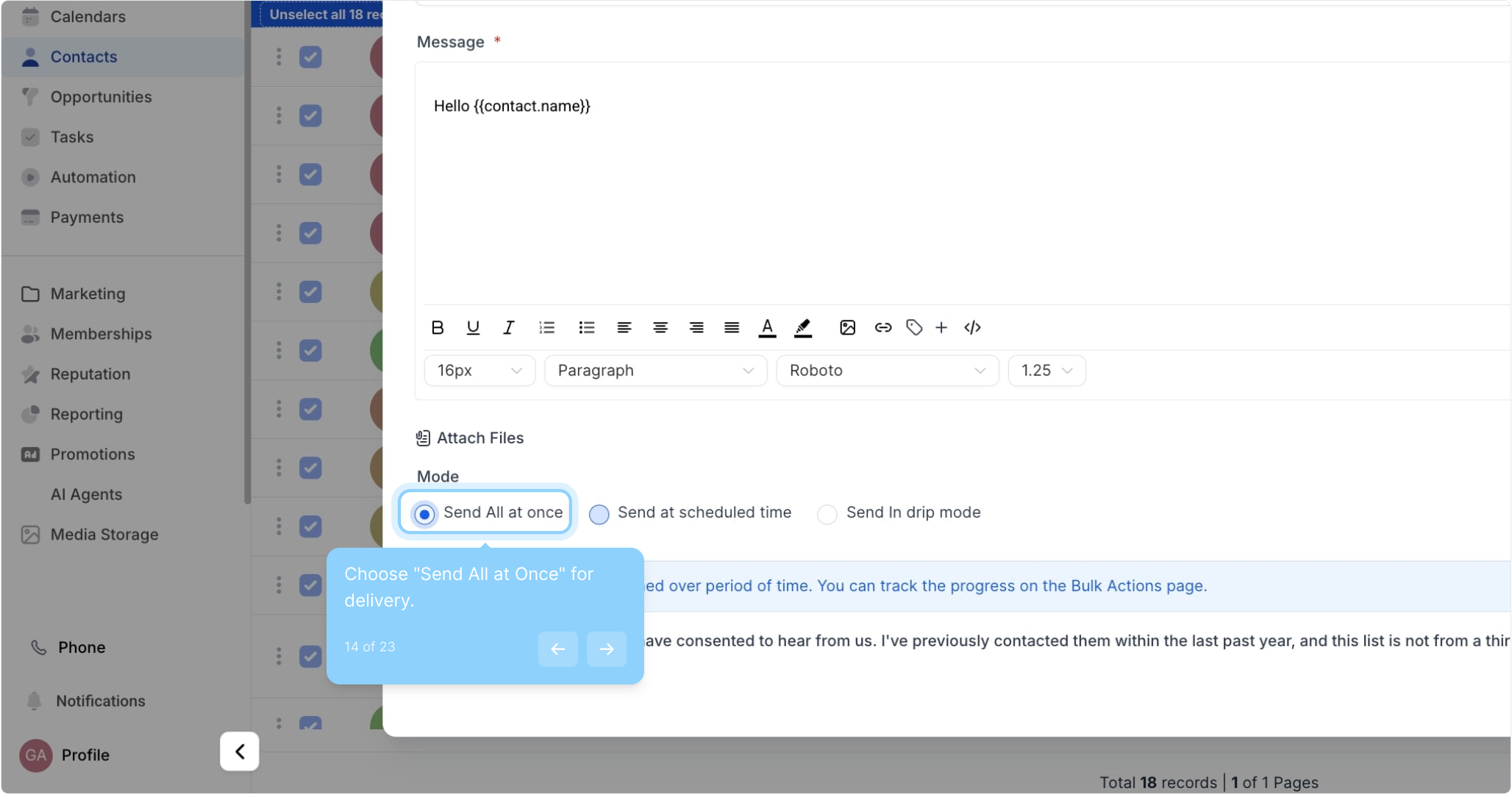
14. Choose "Send All at Once" for delivery.
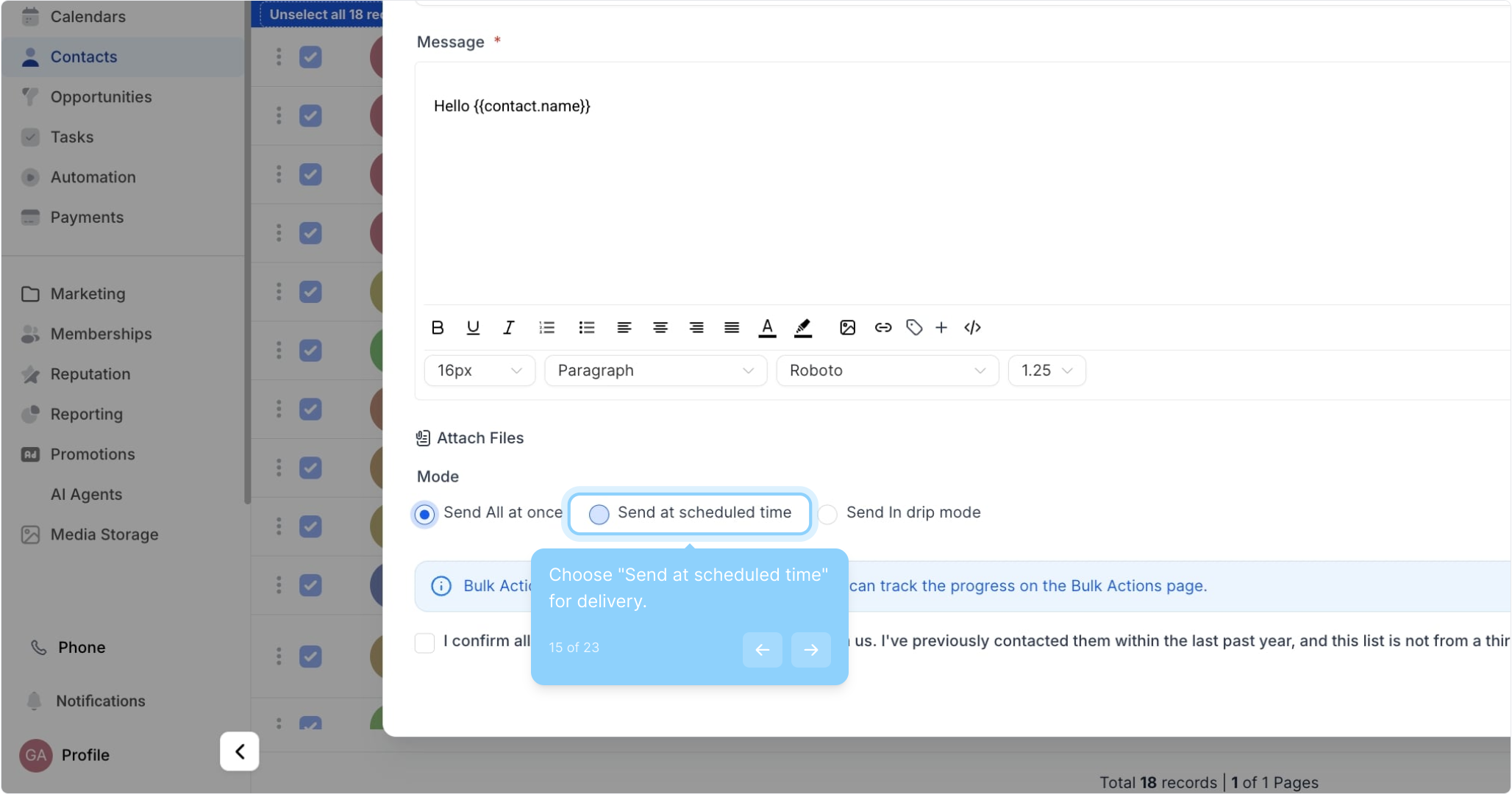
15. Choose "Send at scheduled time" for delivery.
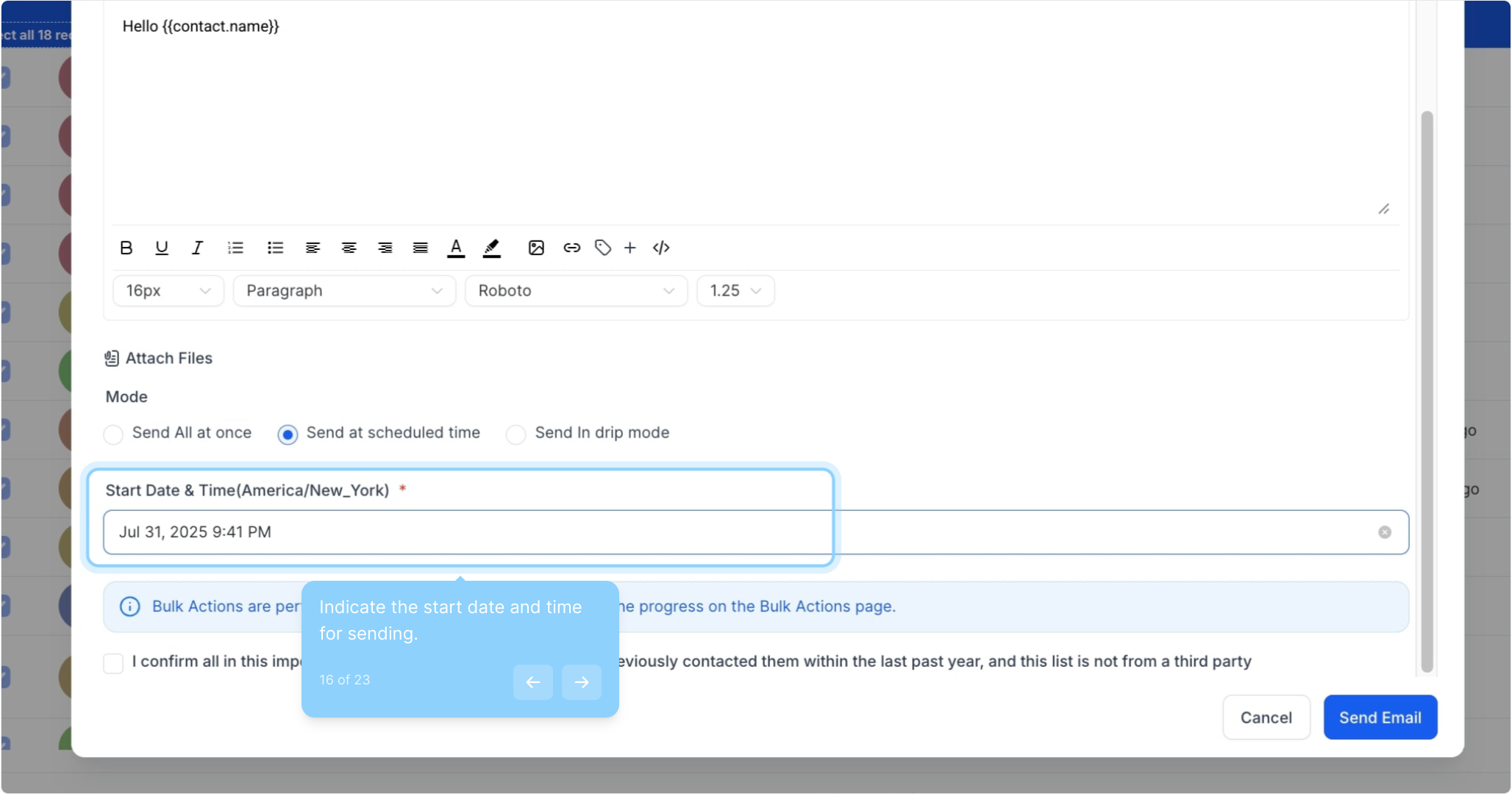
16. Indicate the start date and time for sending.
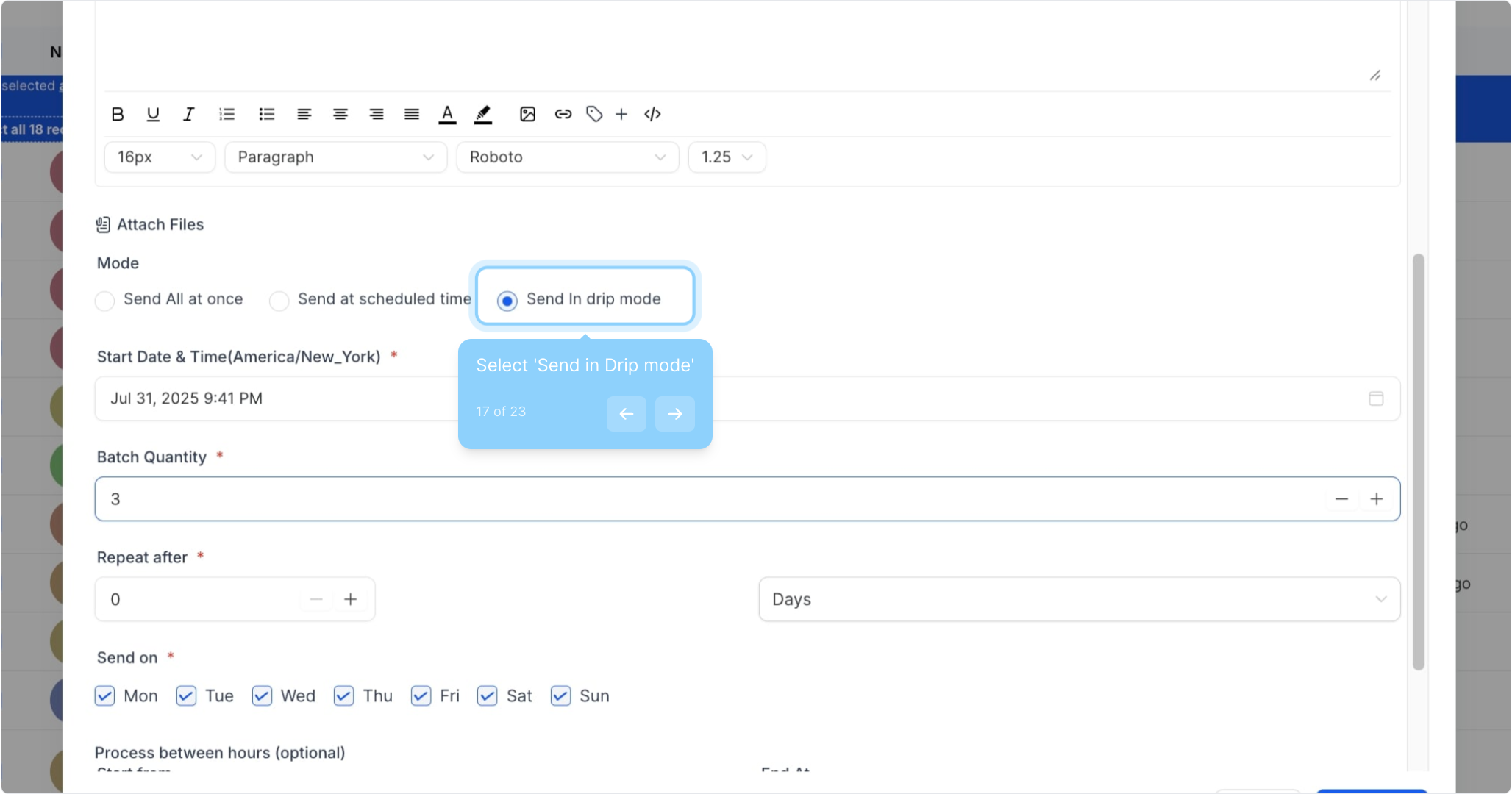
17. Select 'Send in Drip mode'
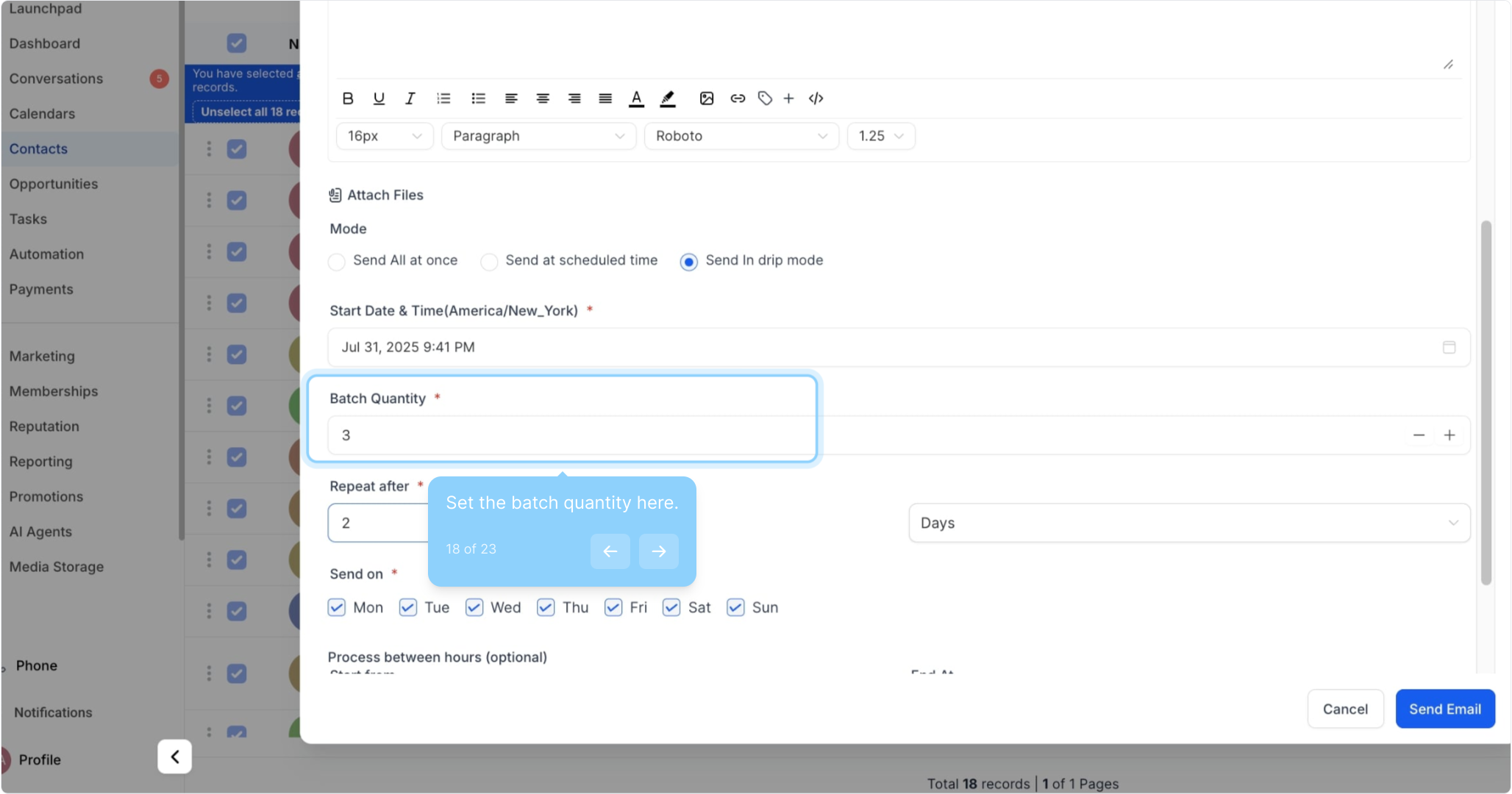
18. Set the batch quantity here.
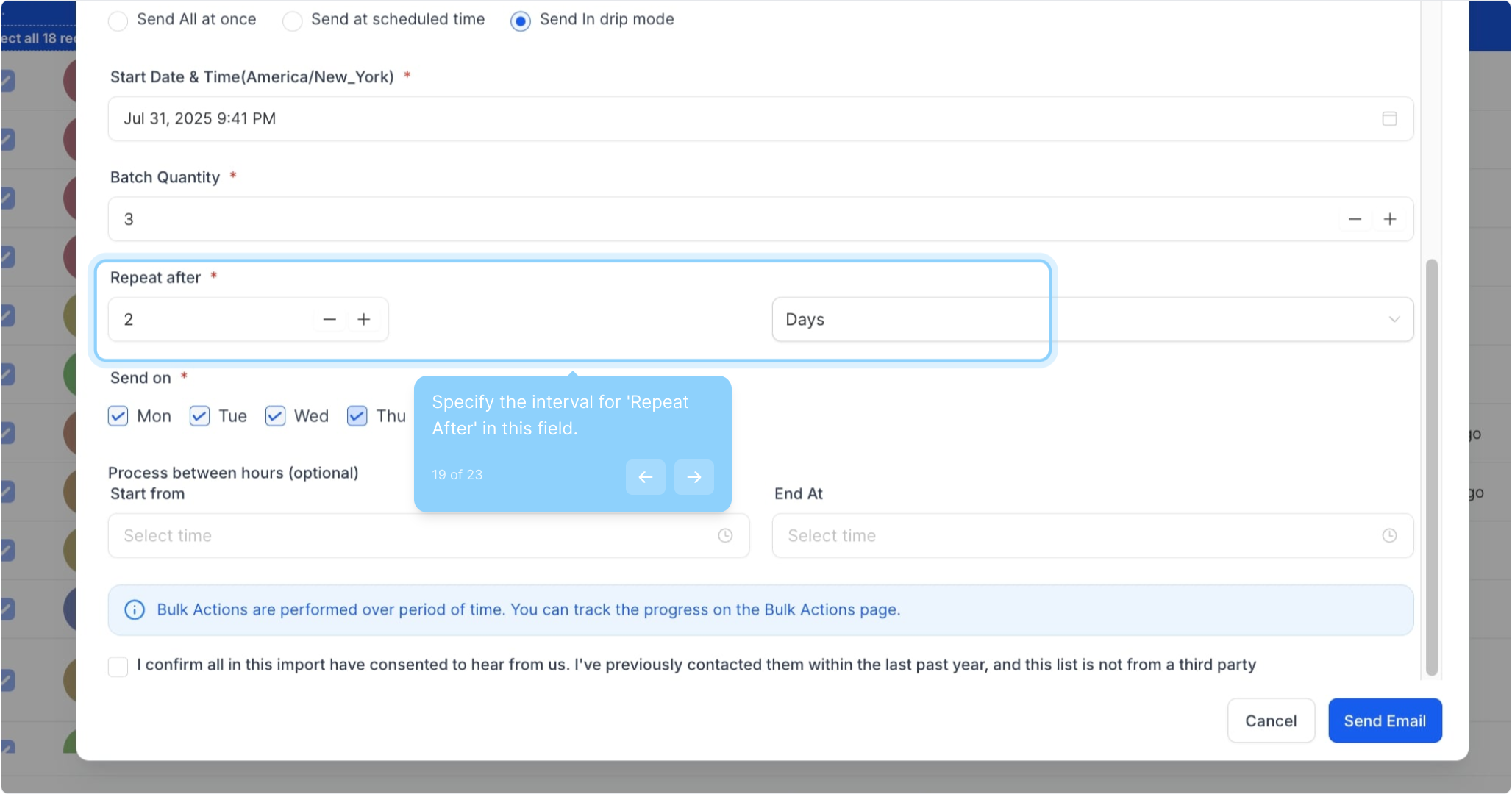
19. Specify the interval for 'Repeat After' in this field.
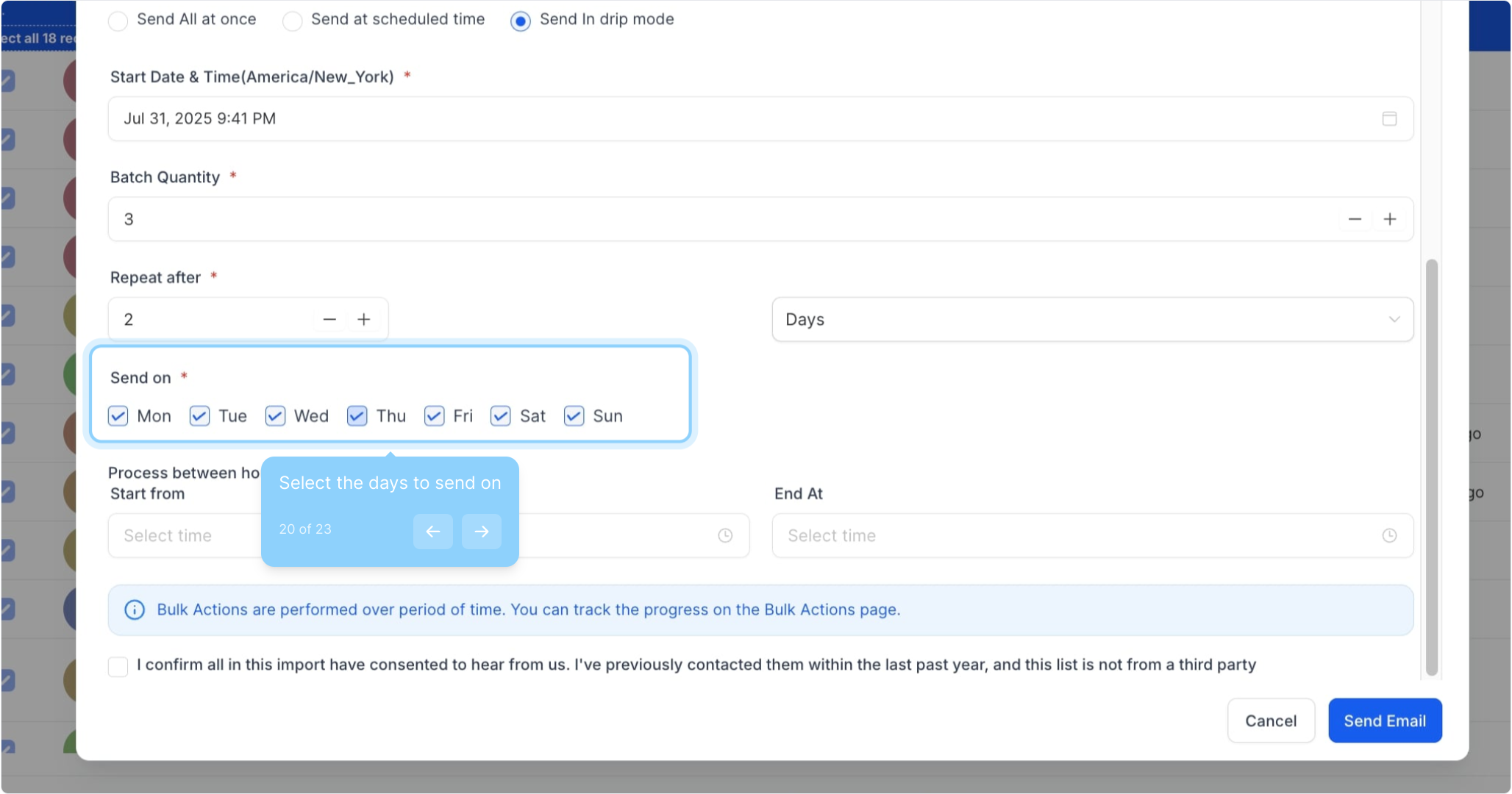
20. Select the days to send on
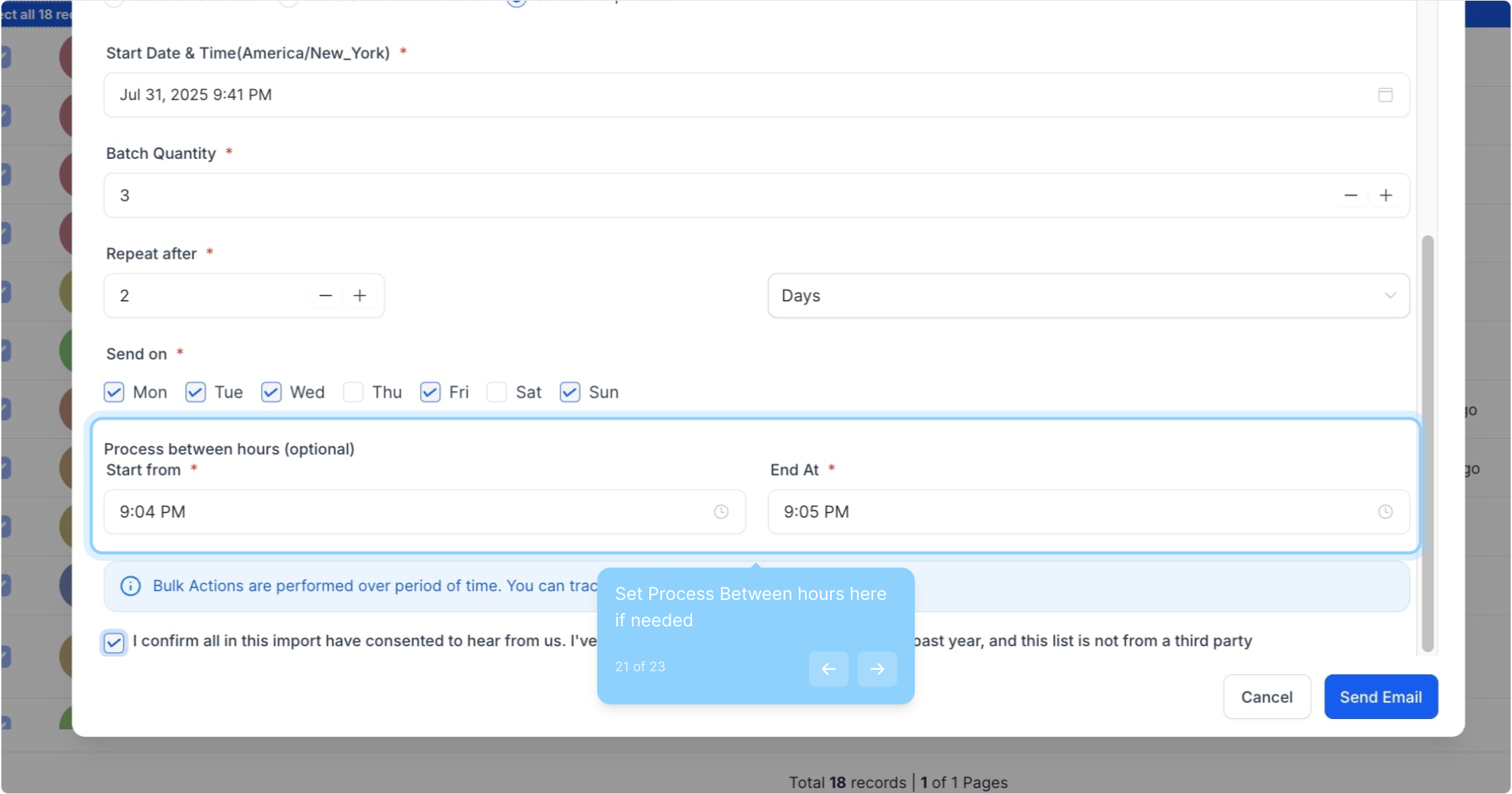
21. Set Process Between hours here if needed
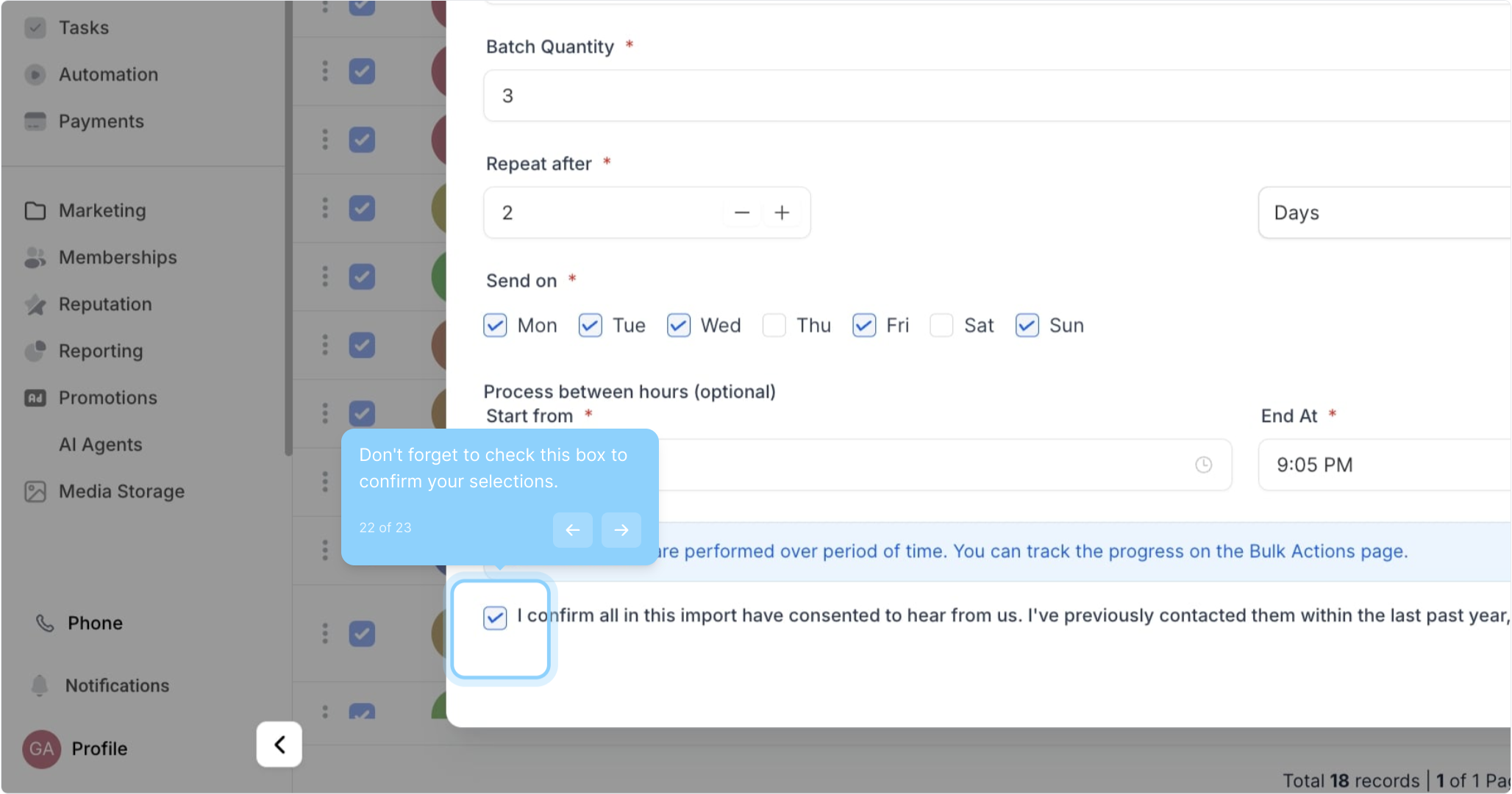
22. Don't forget to check this box to confirm your selections.
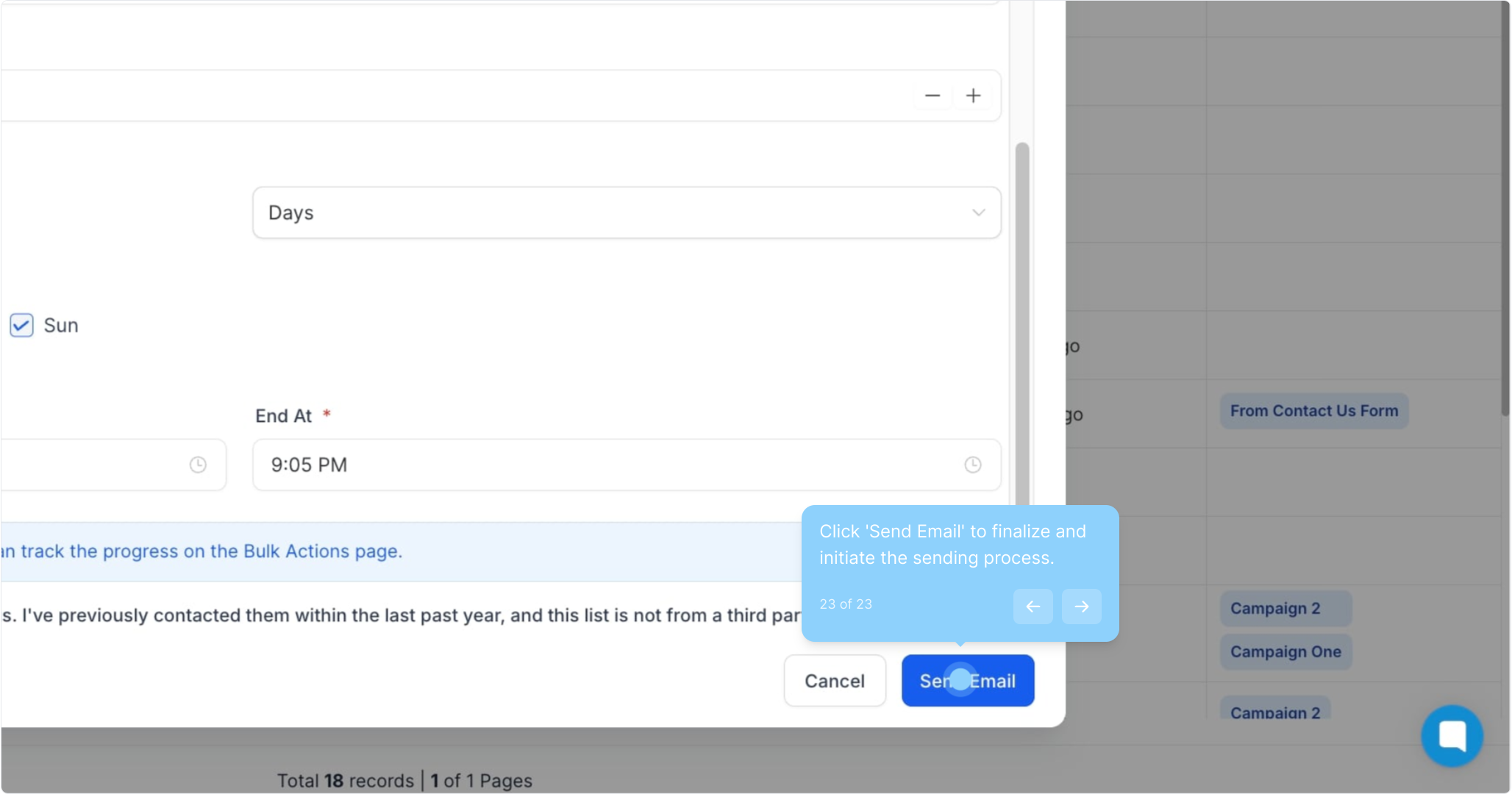
23. Click 'Send Email' to finalize and initiate the sending process.
Did this answer your question?
😞
😐
😁