Help center
All collections
Contacts
How to Add Task
How to Add Task
This article provides a step-by-step guide on how to add a task within your workspace, helping you stay organized and manage your to-do items efficiently.
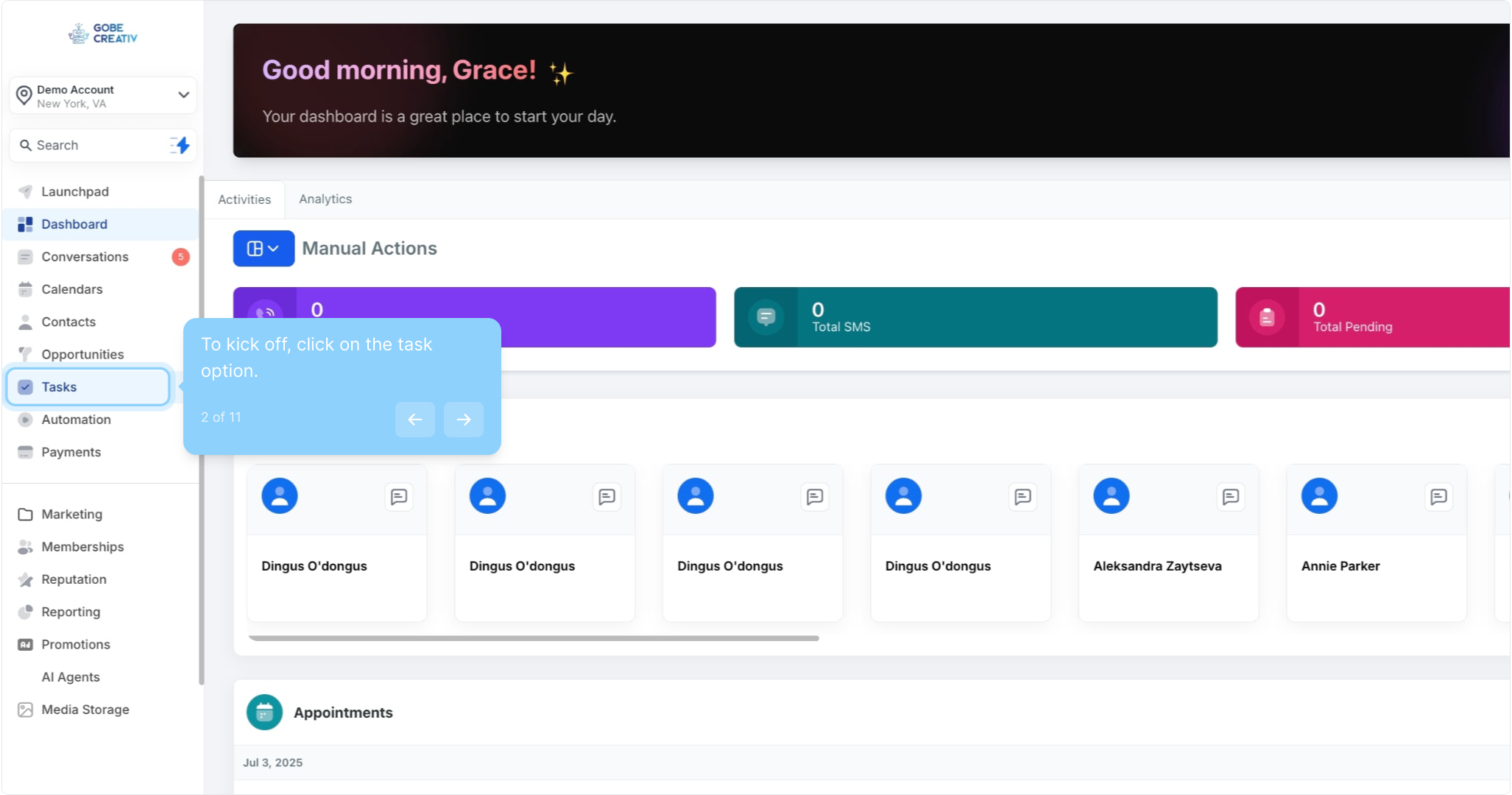
2. To kick off, click on the task option.
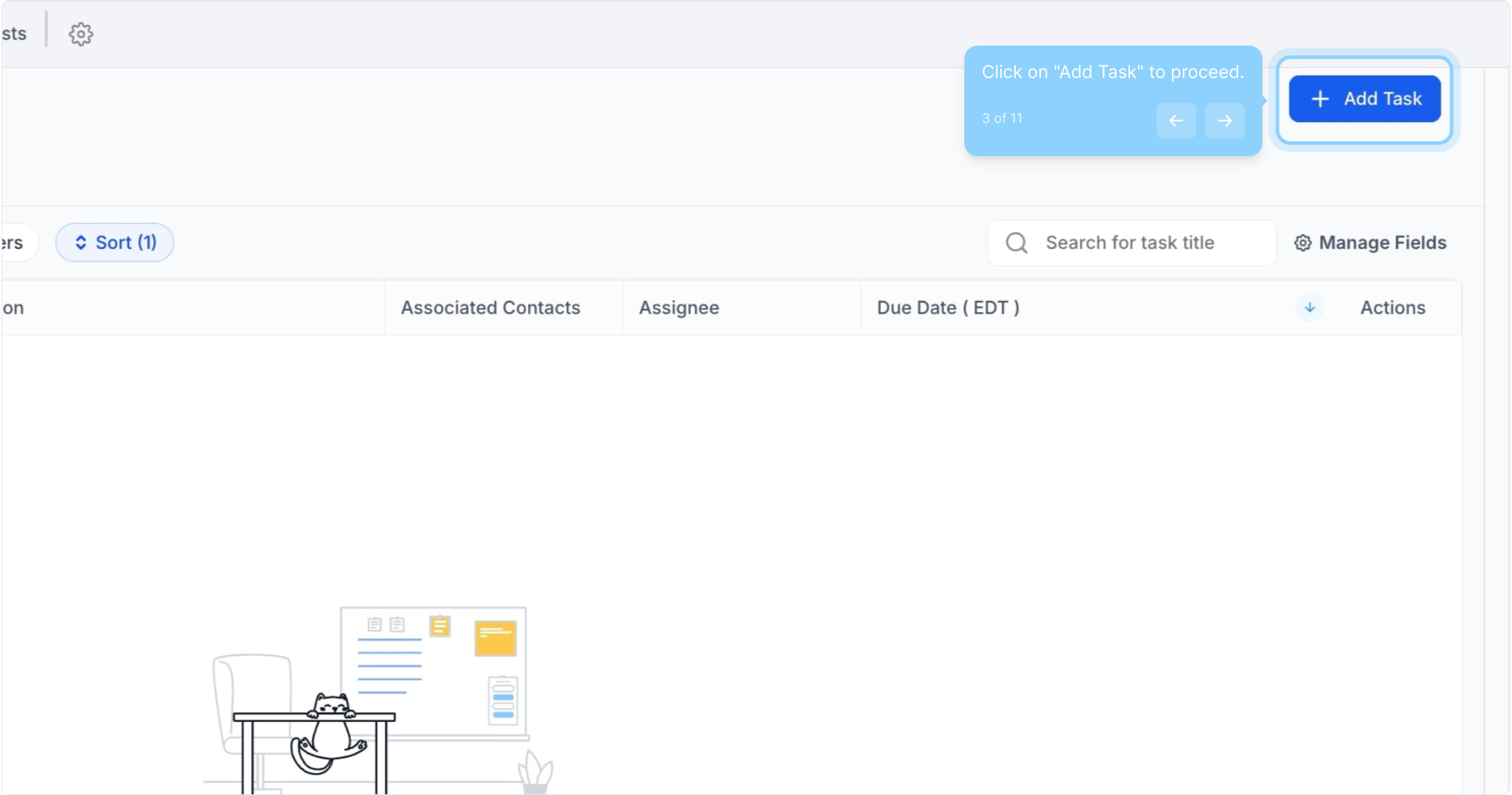
3. Click on "Add Task" to proceed.
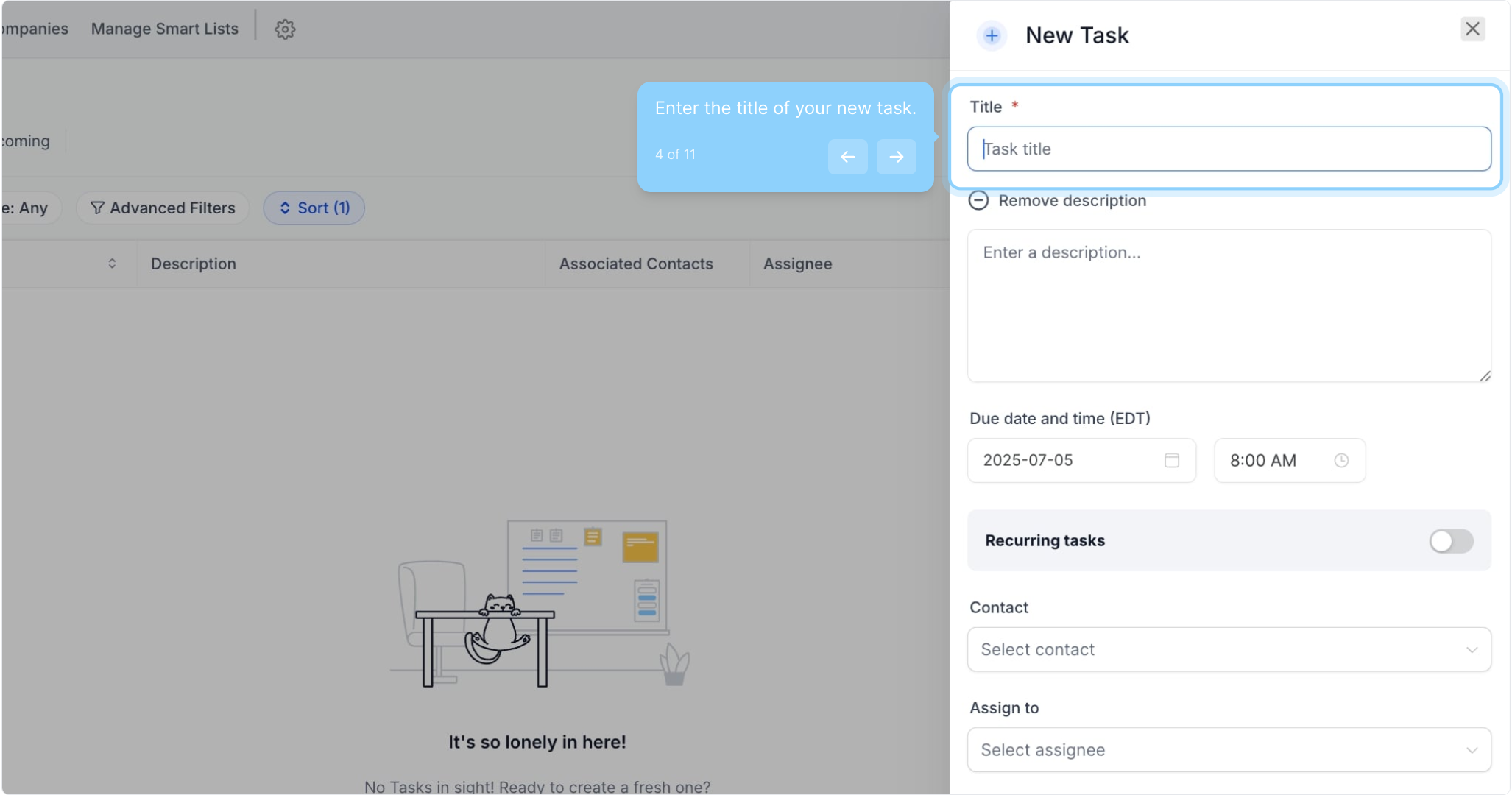
4. Enter the title of your new task.
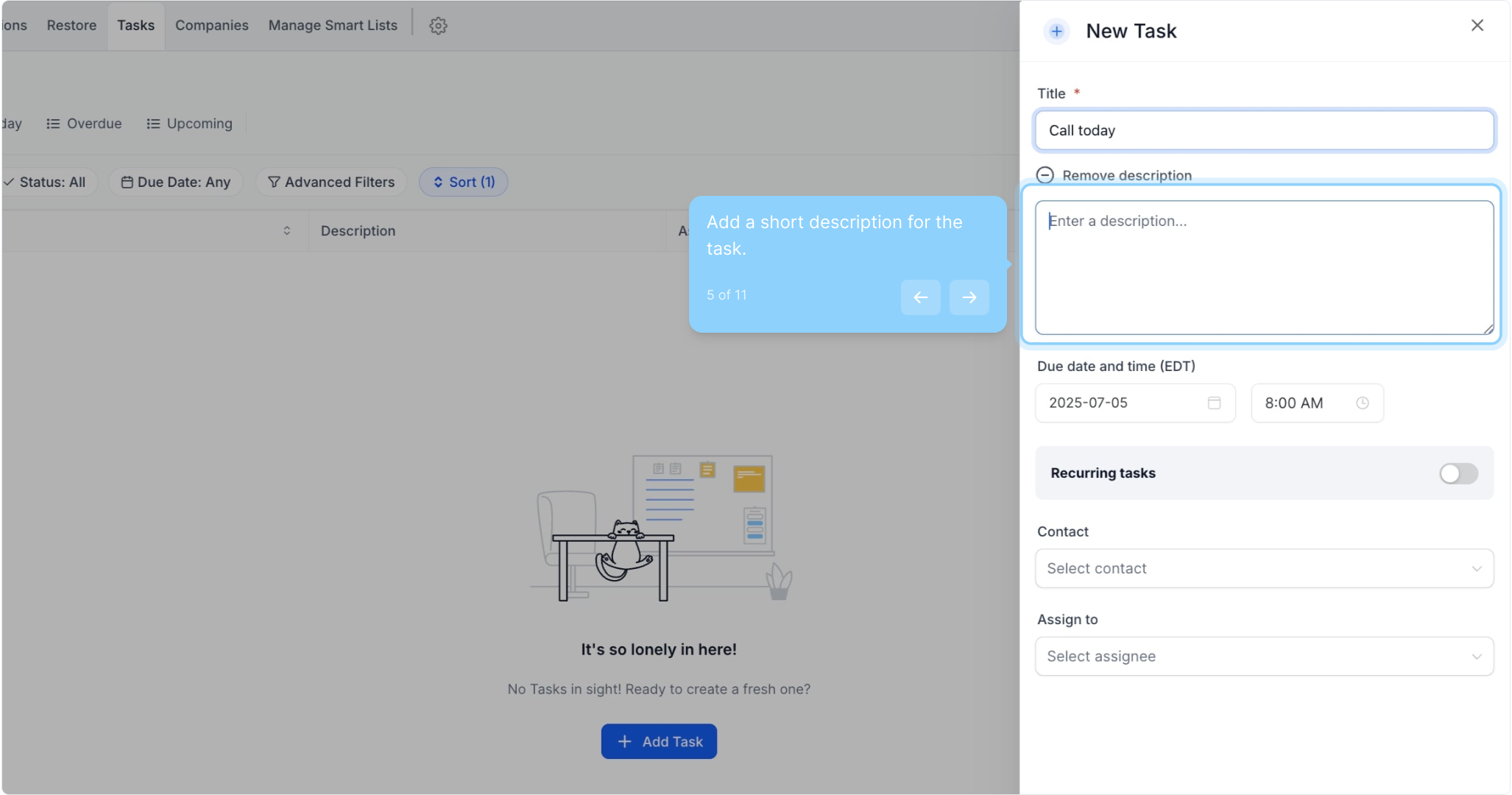
5. Add a short description for the task.
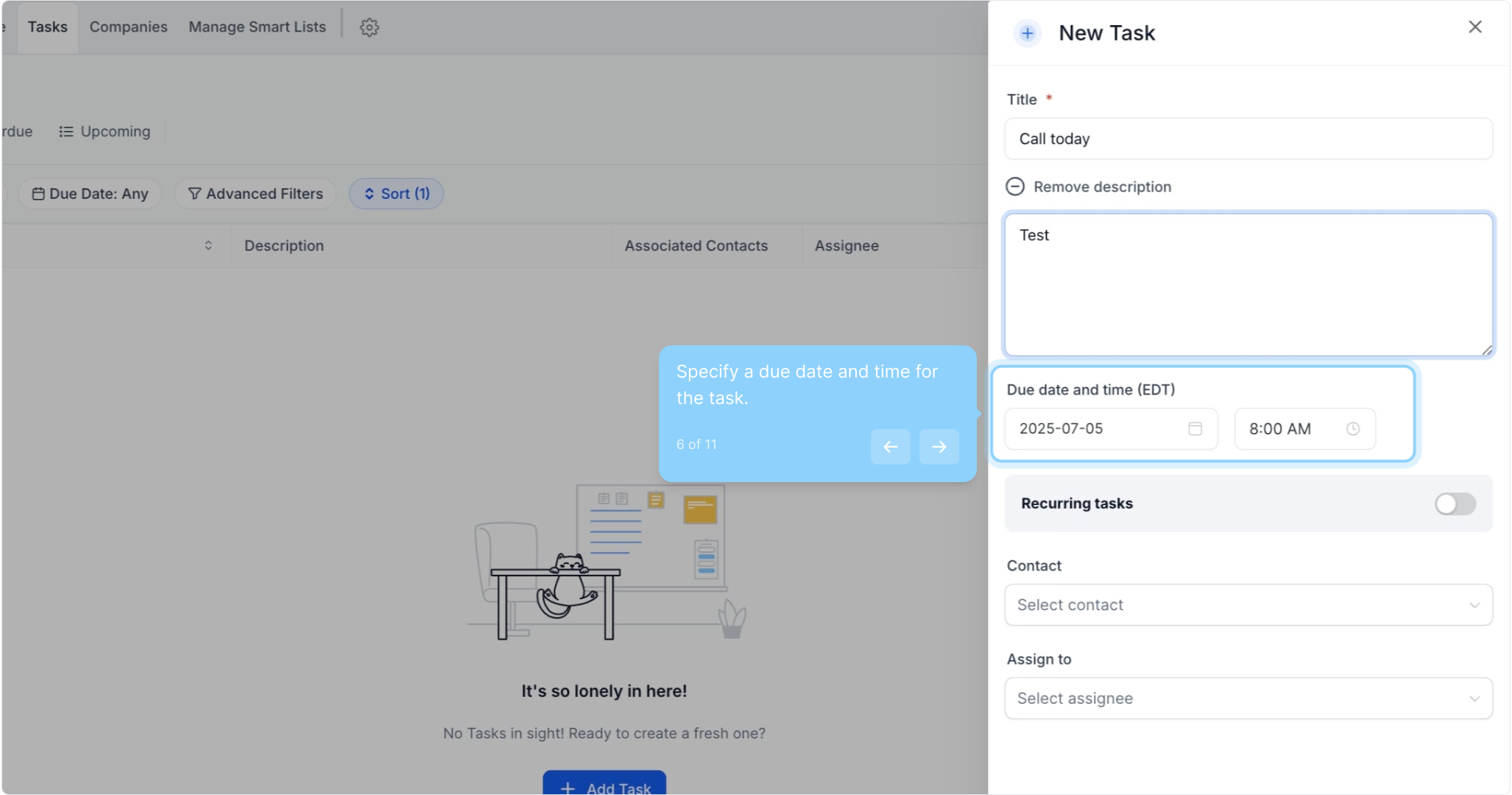
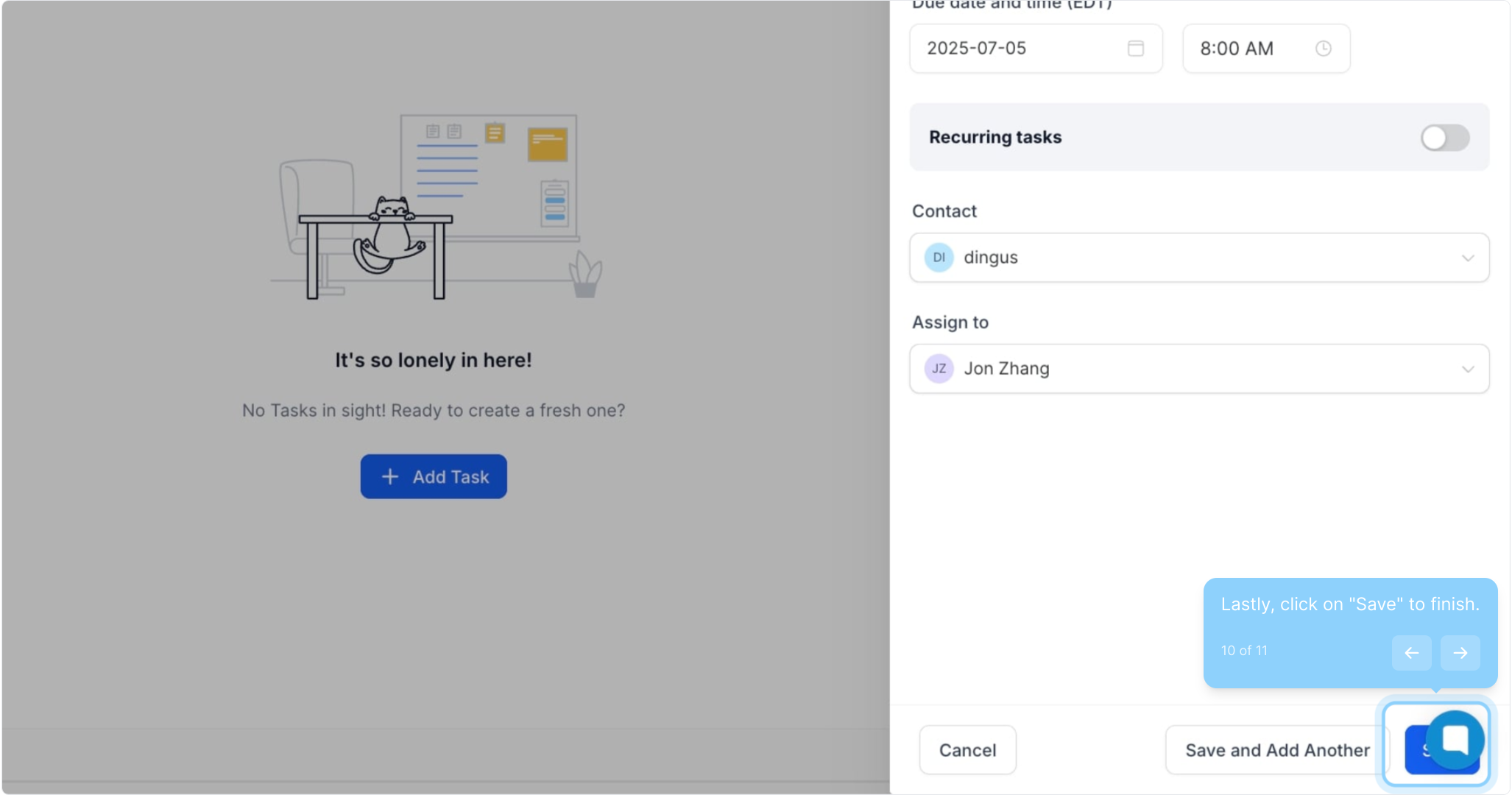
6. Specify a due date and time for the task.
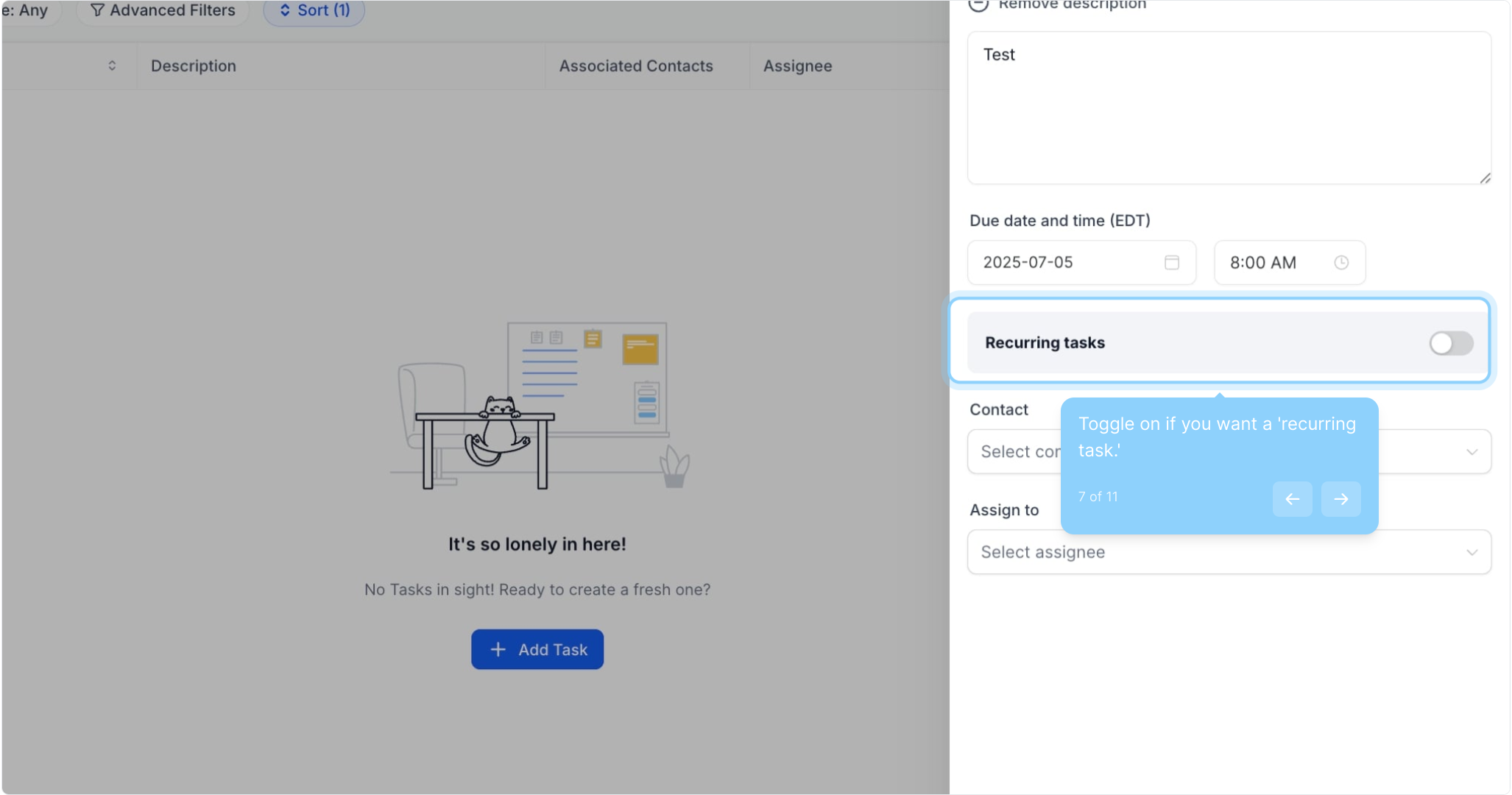
7. Toggle on if you want a 'recurring task.'
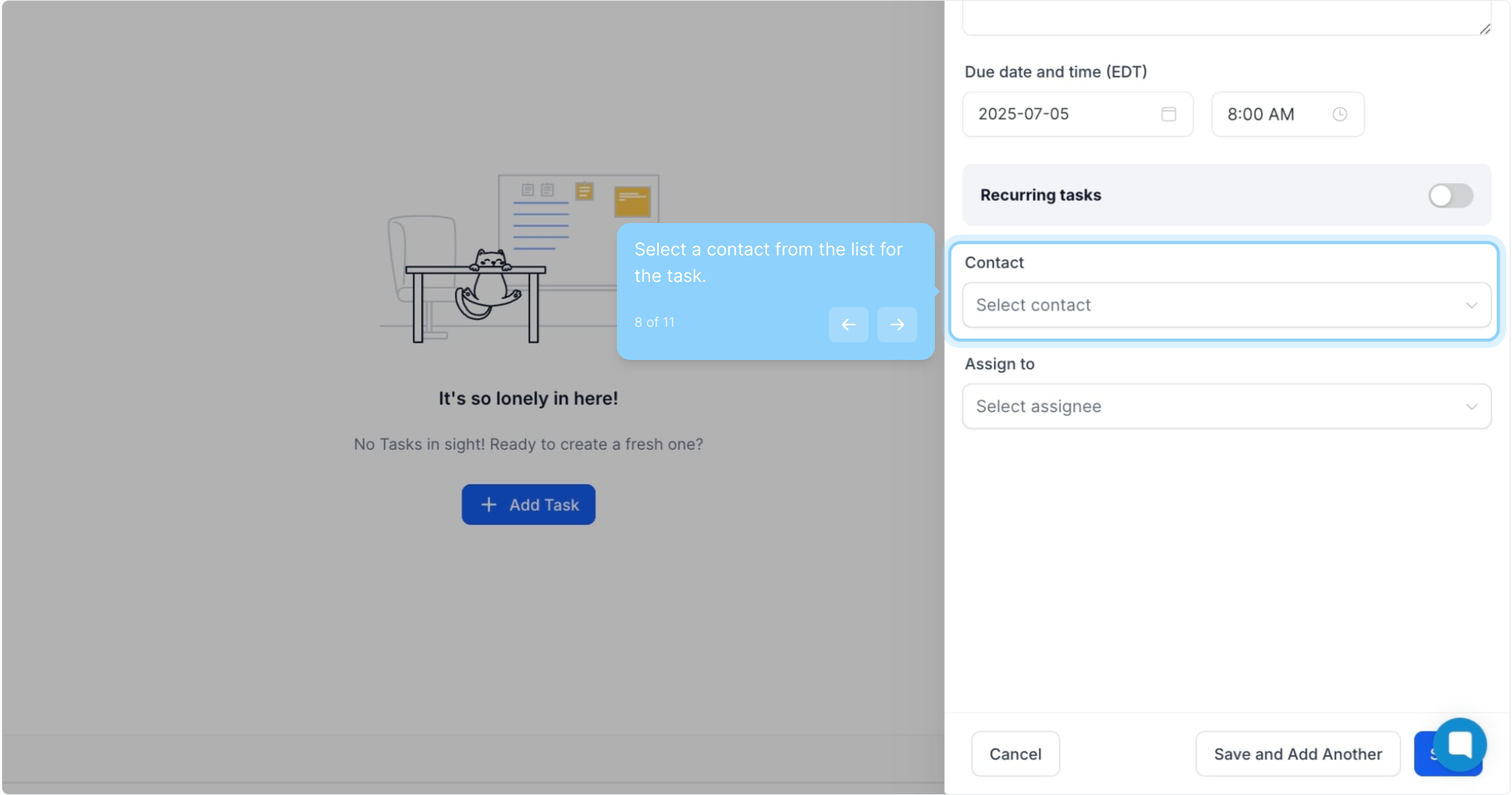
8. Select a contact from the list for the task.
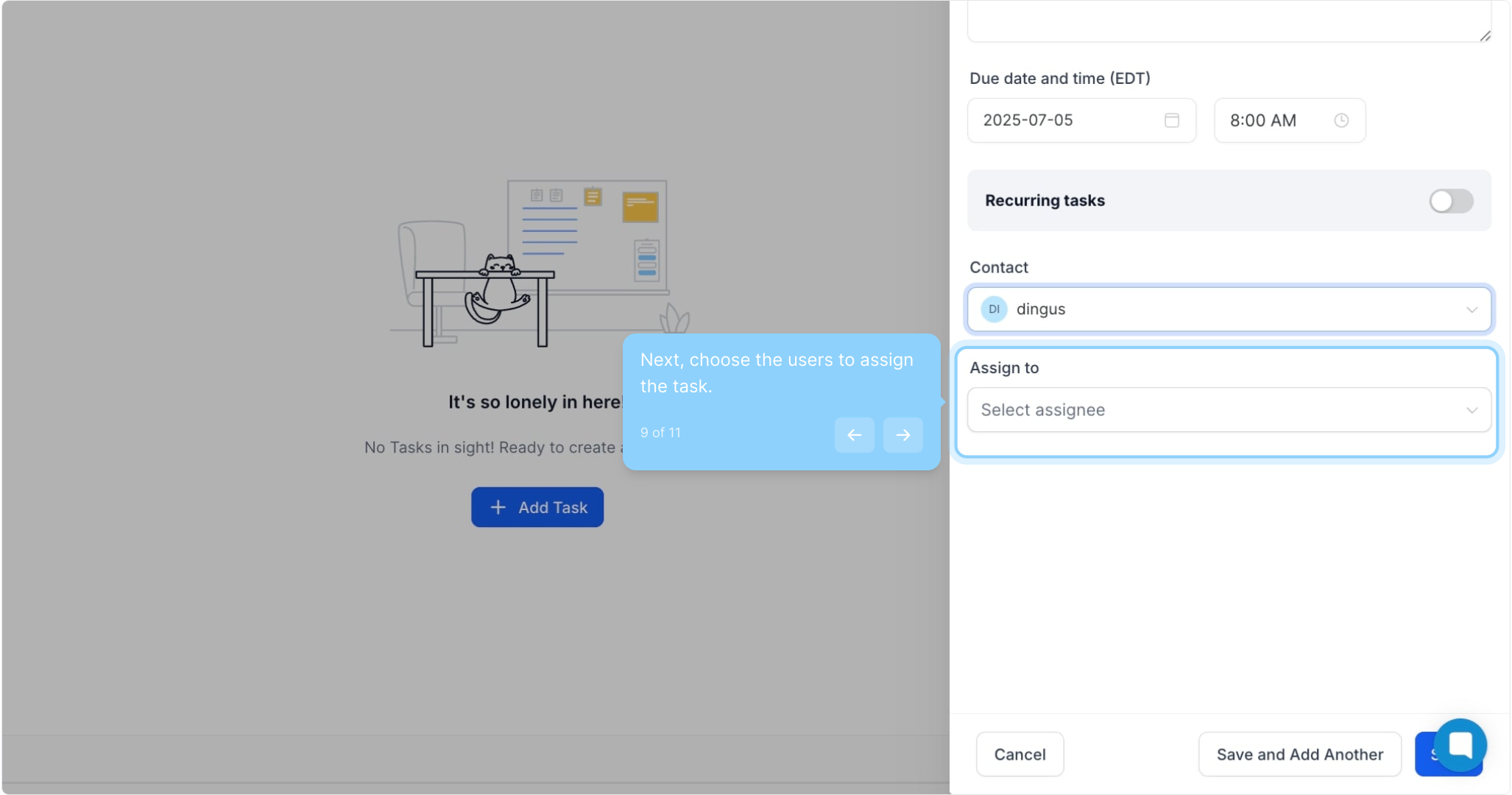
9. Next, choose the users to assign the task.
10. Lastly, click on "Save" to finish.
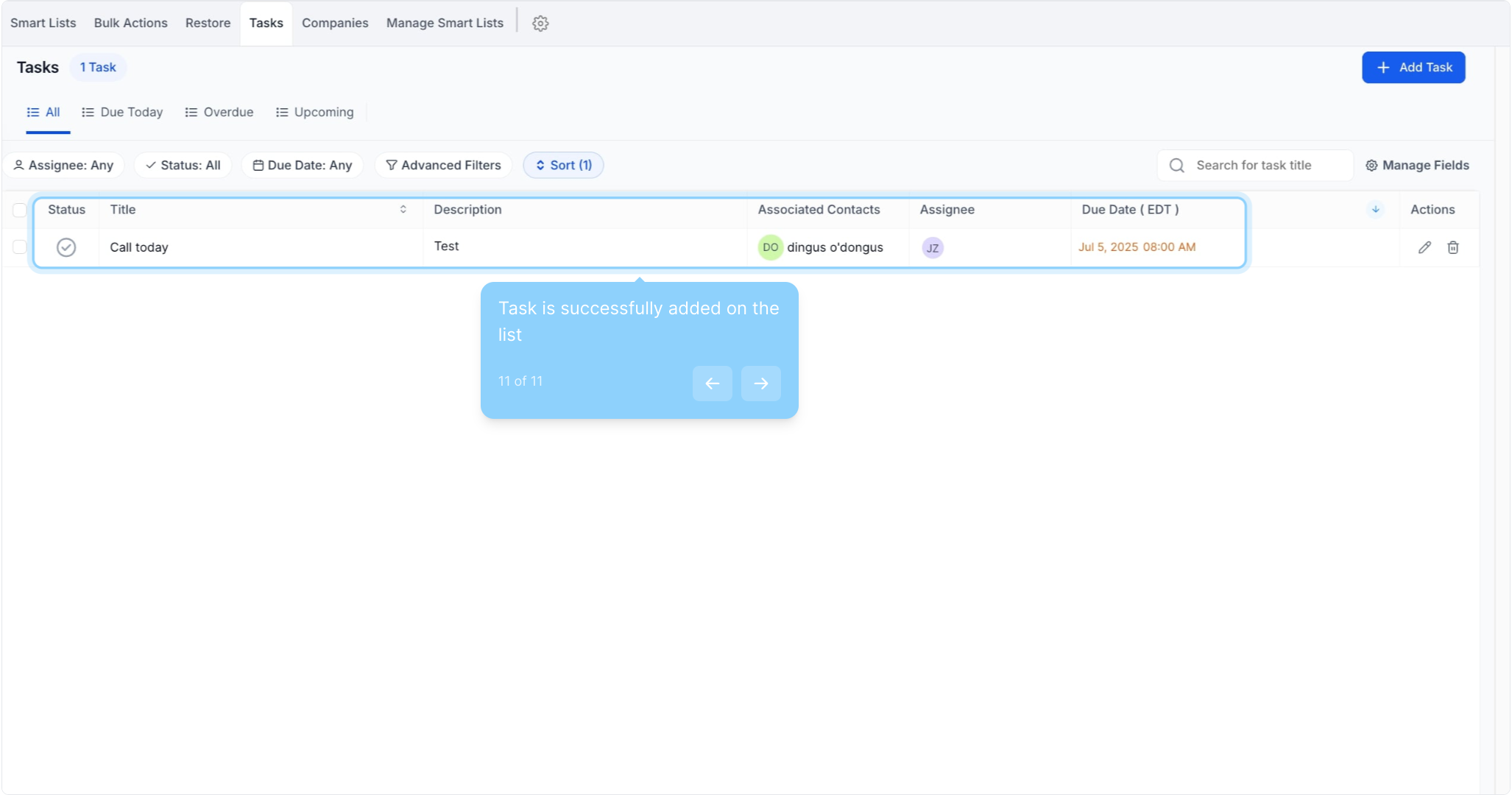
11. Task is successfully added on the list
Did this answer your question?
😞
😐
😁
How to Add Task | Gobe Creativ