Discover how to easily create a new company in your CRM. This step-by-step guide shows you how to add company details to link contacts, and organize information for efficient account tracking and management.
1. How to Create a New Company in Gobe Creativ
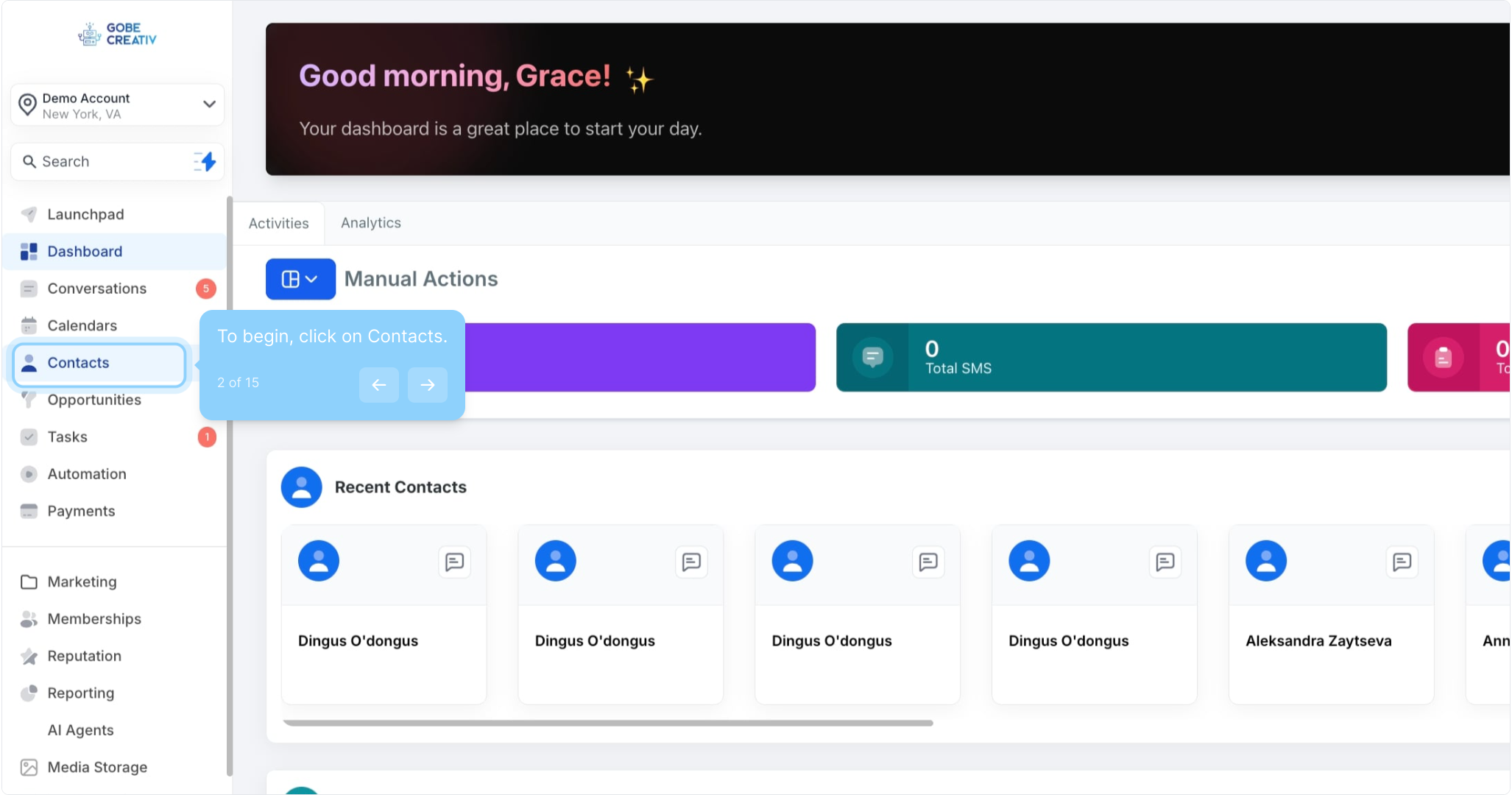
2. To begin, click on Contacts.
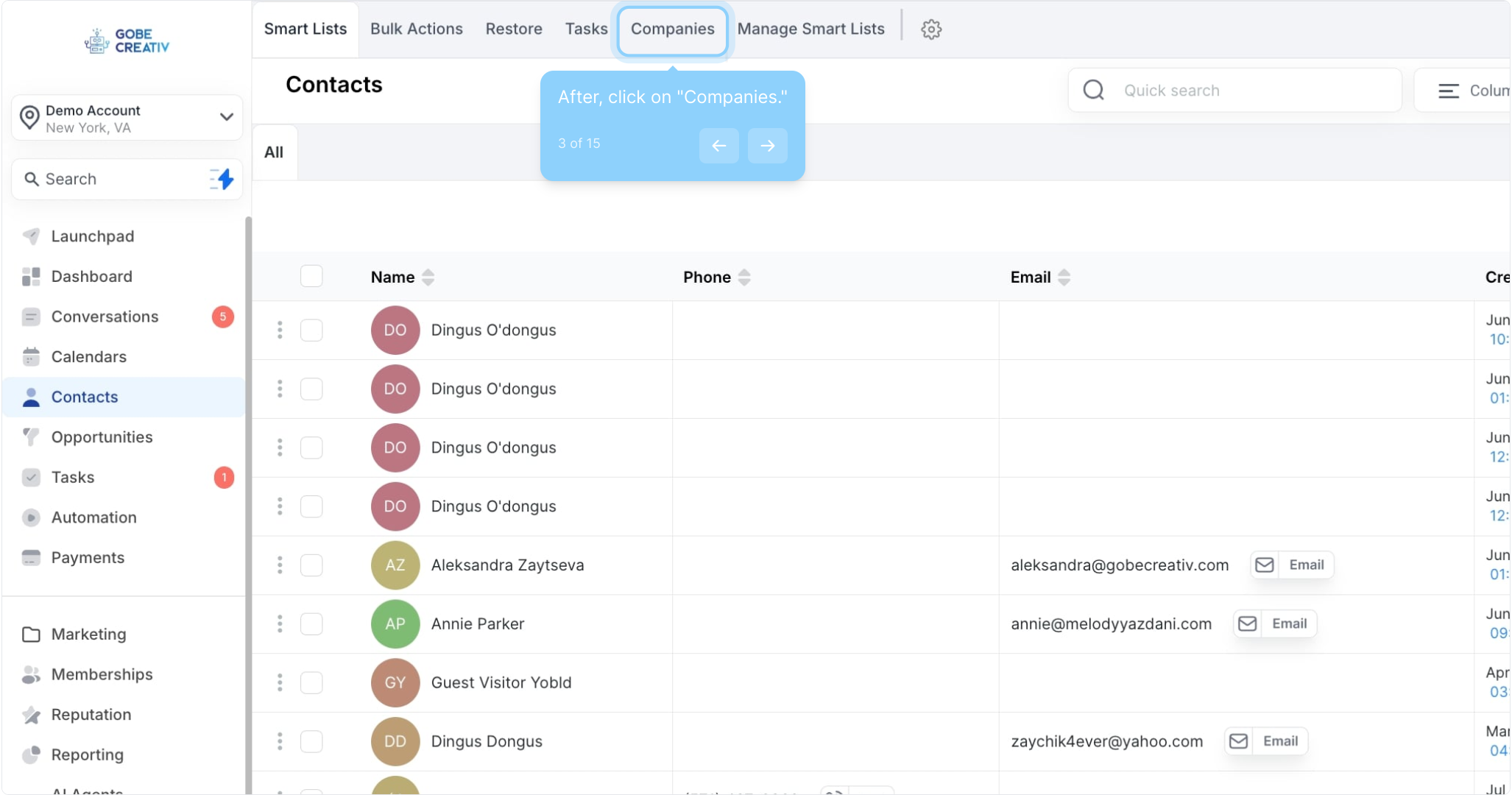
3. After, click on "Companies."
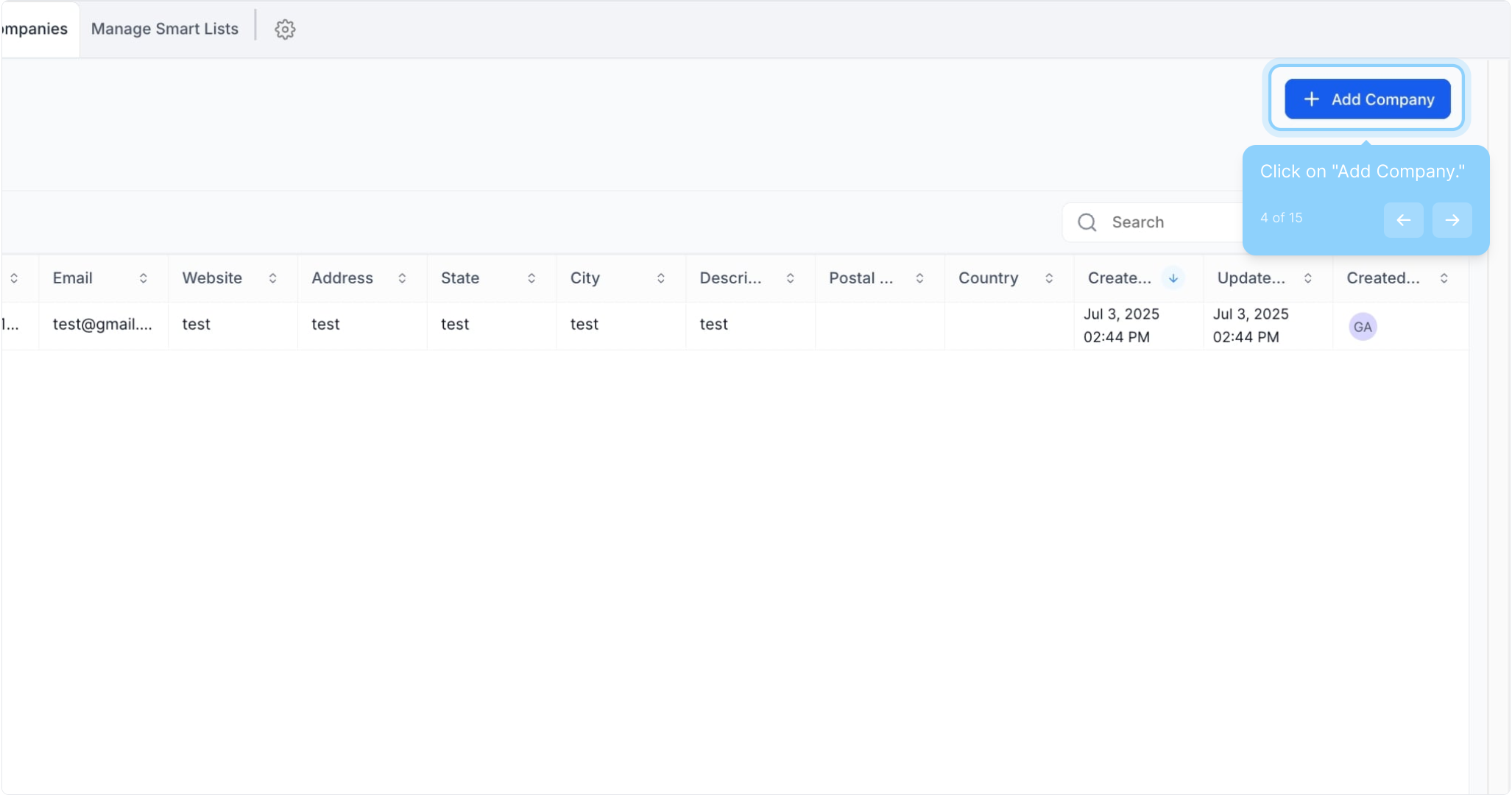
4. Click on "Add Company."
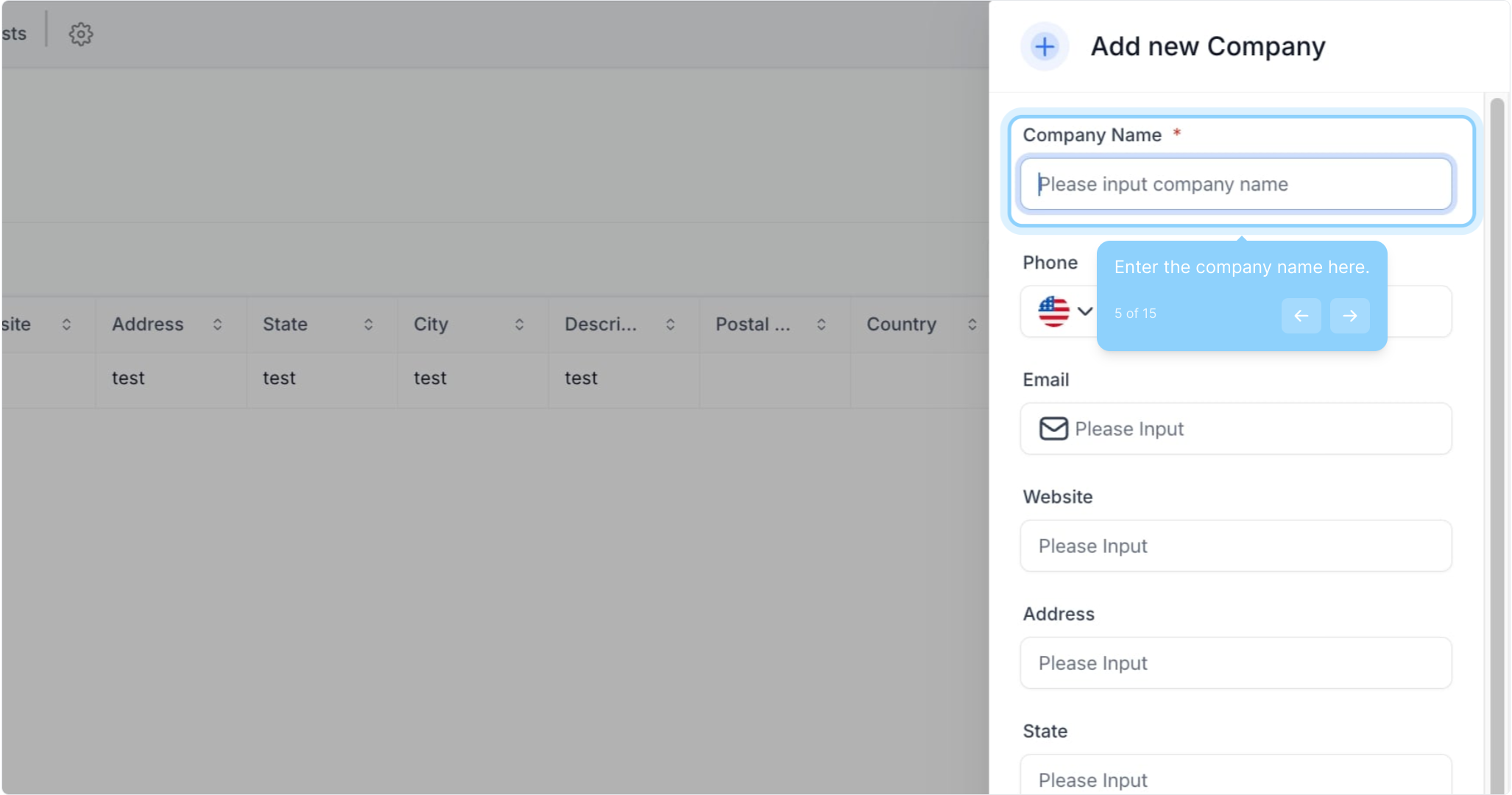
5. Enter the company name here.
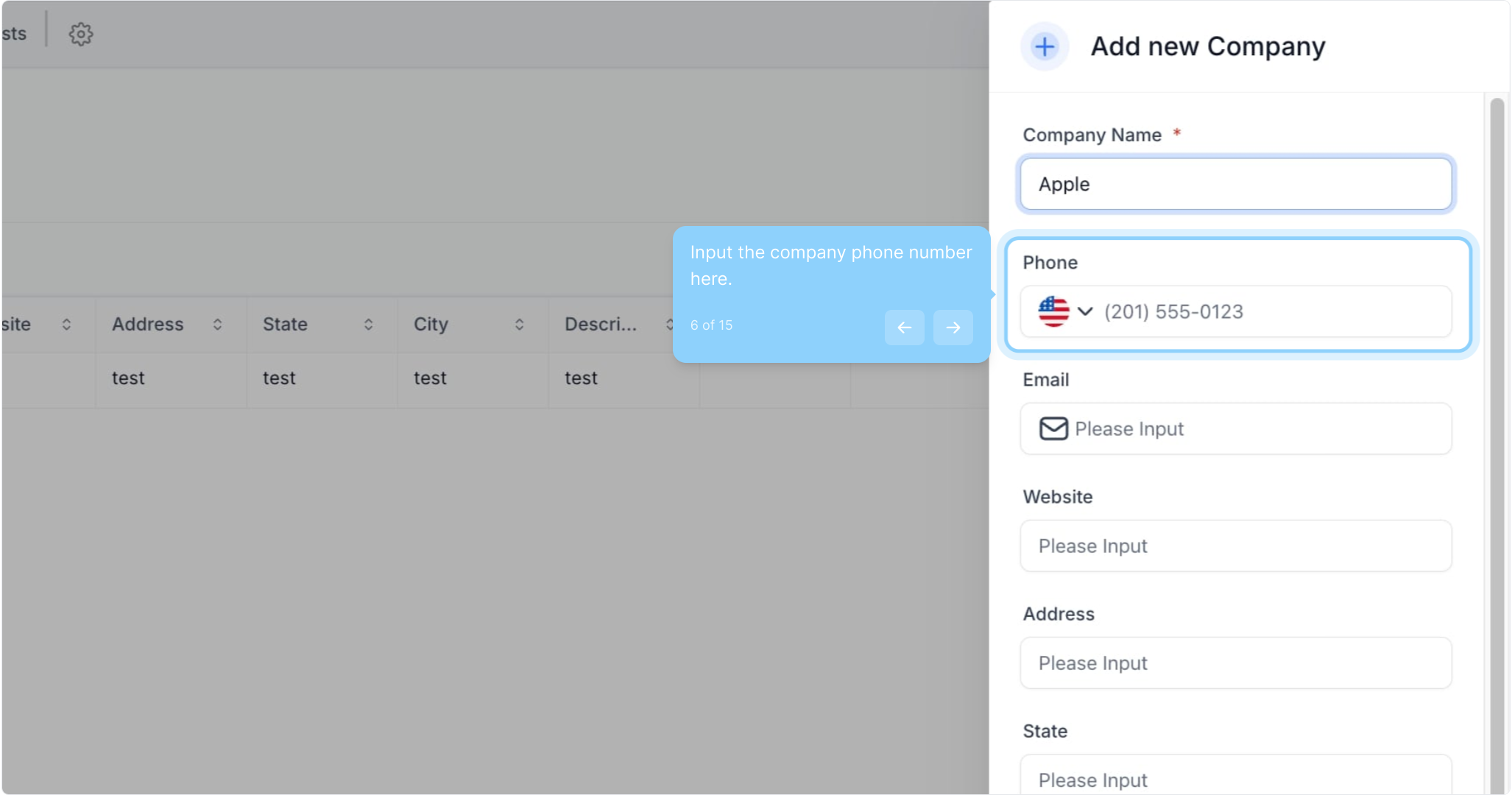
6. Input the company phone number here.
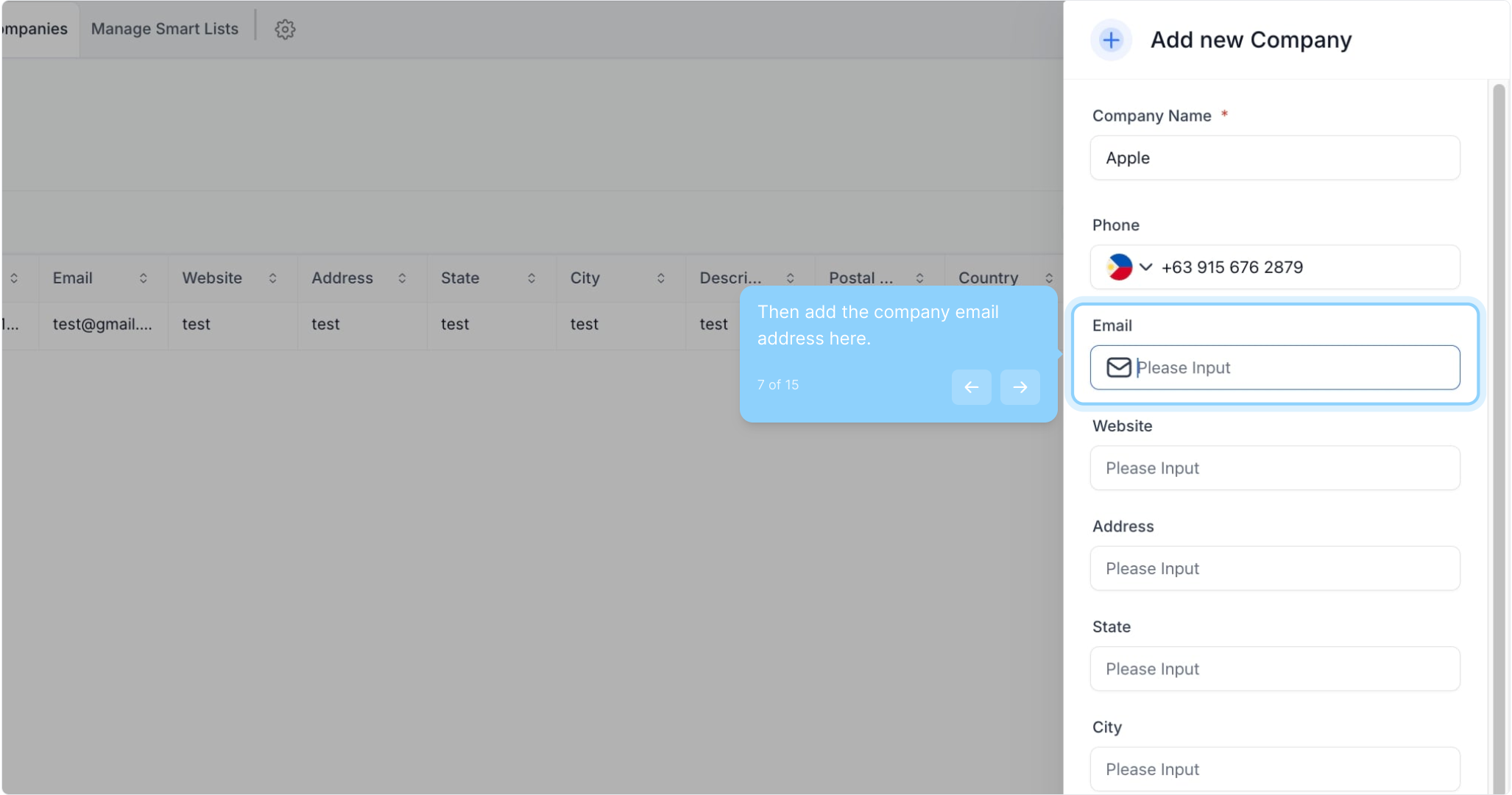
7. Then add the company email address here.
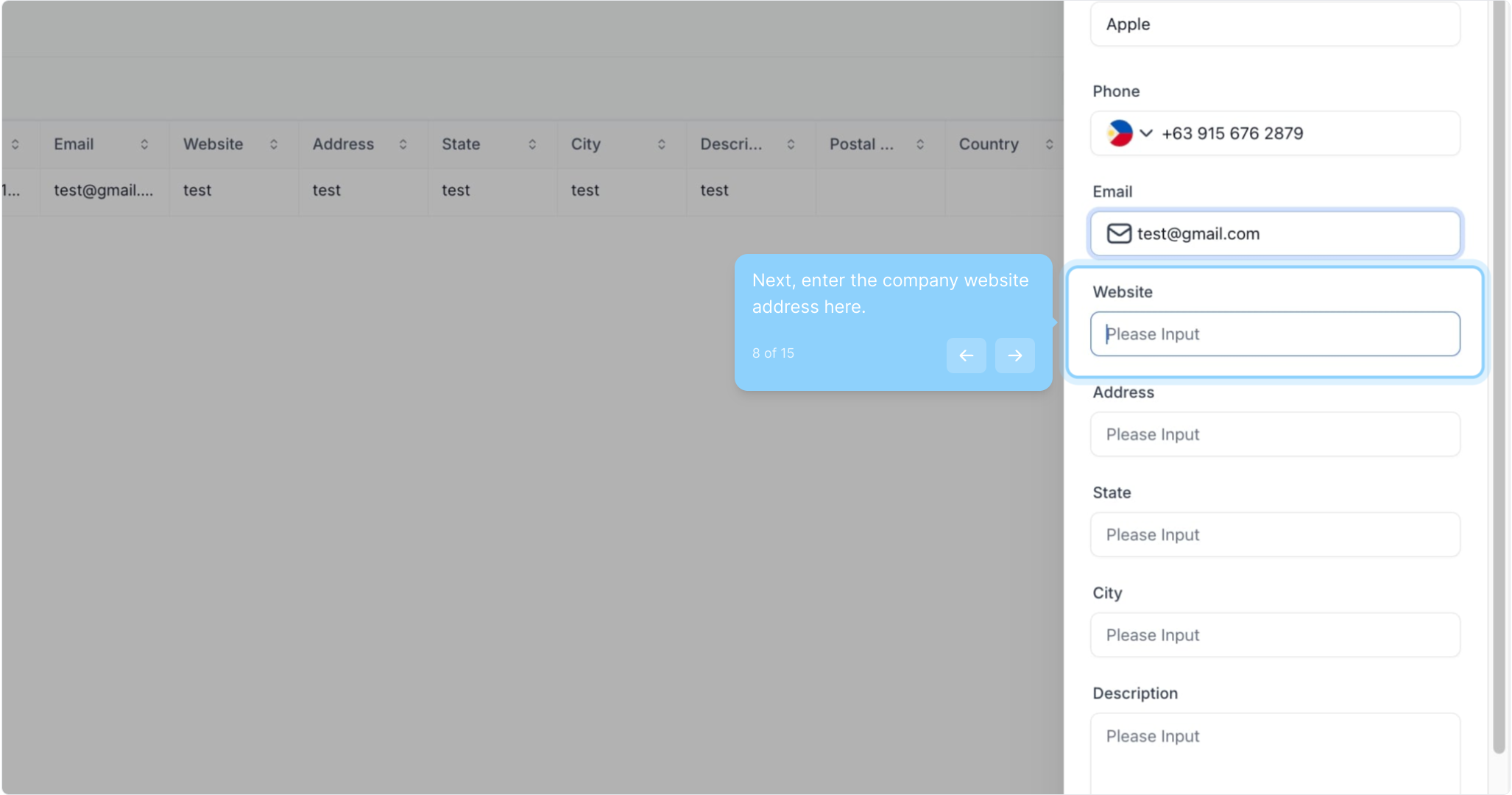
8. Next, enter the company website address here.
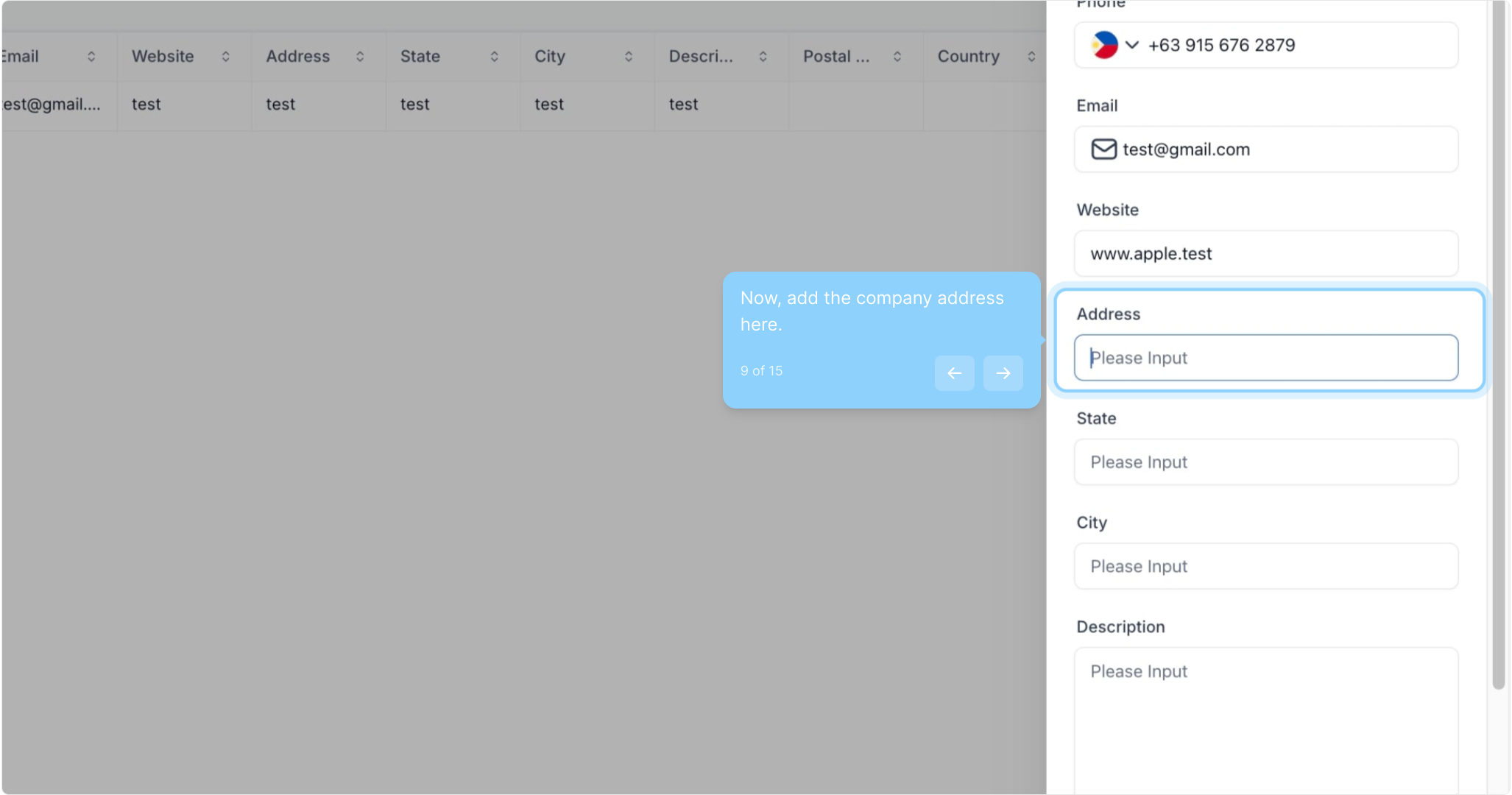
9. Now, add the company address here.
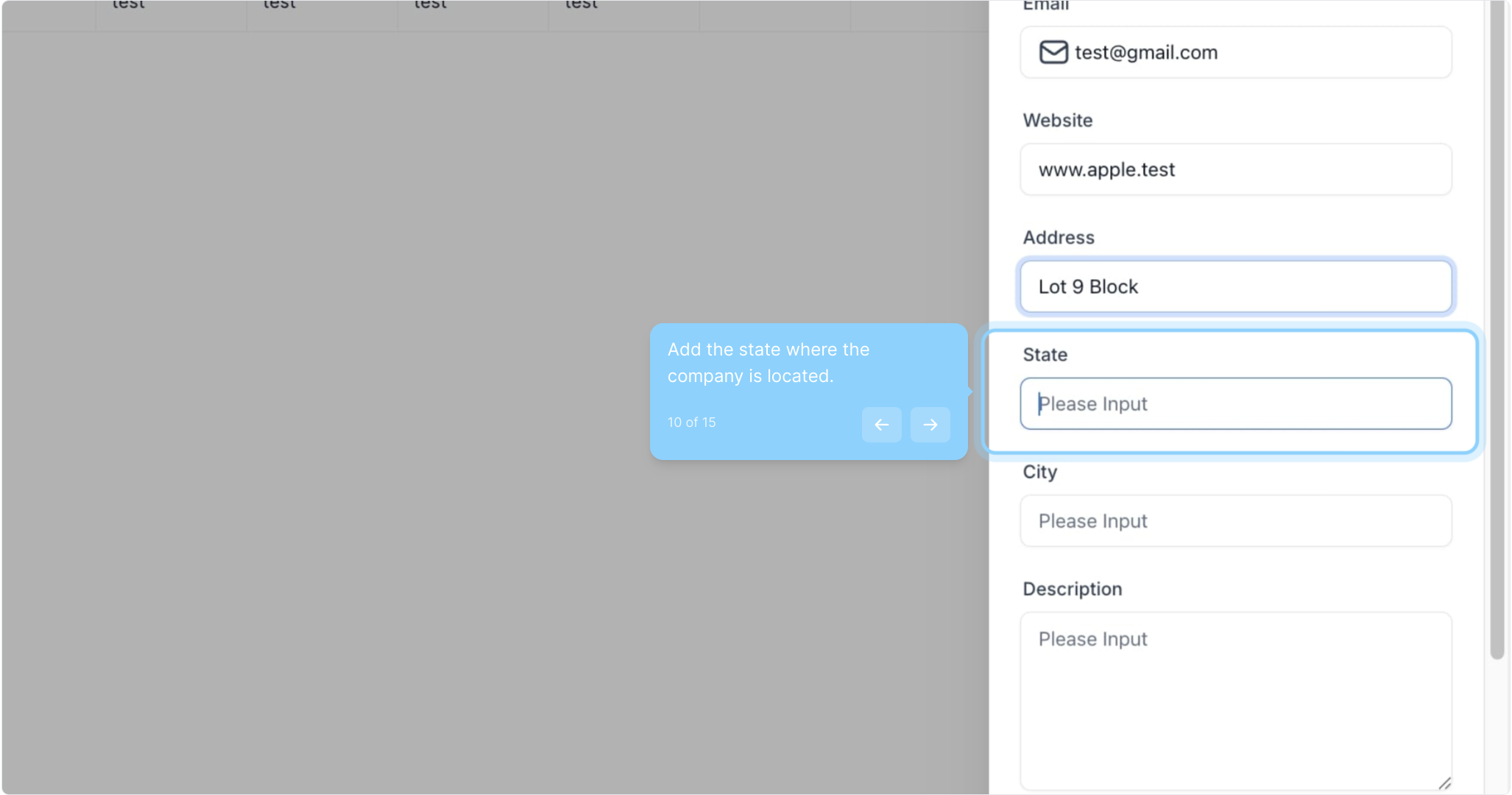
10. Add the state where the company is located.
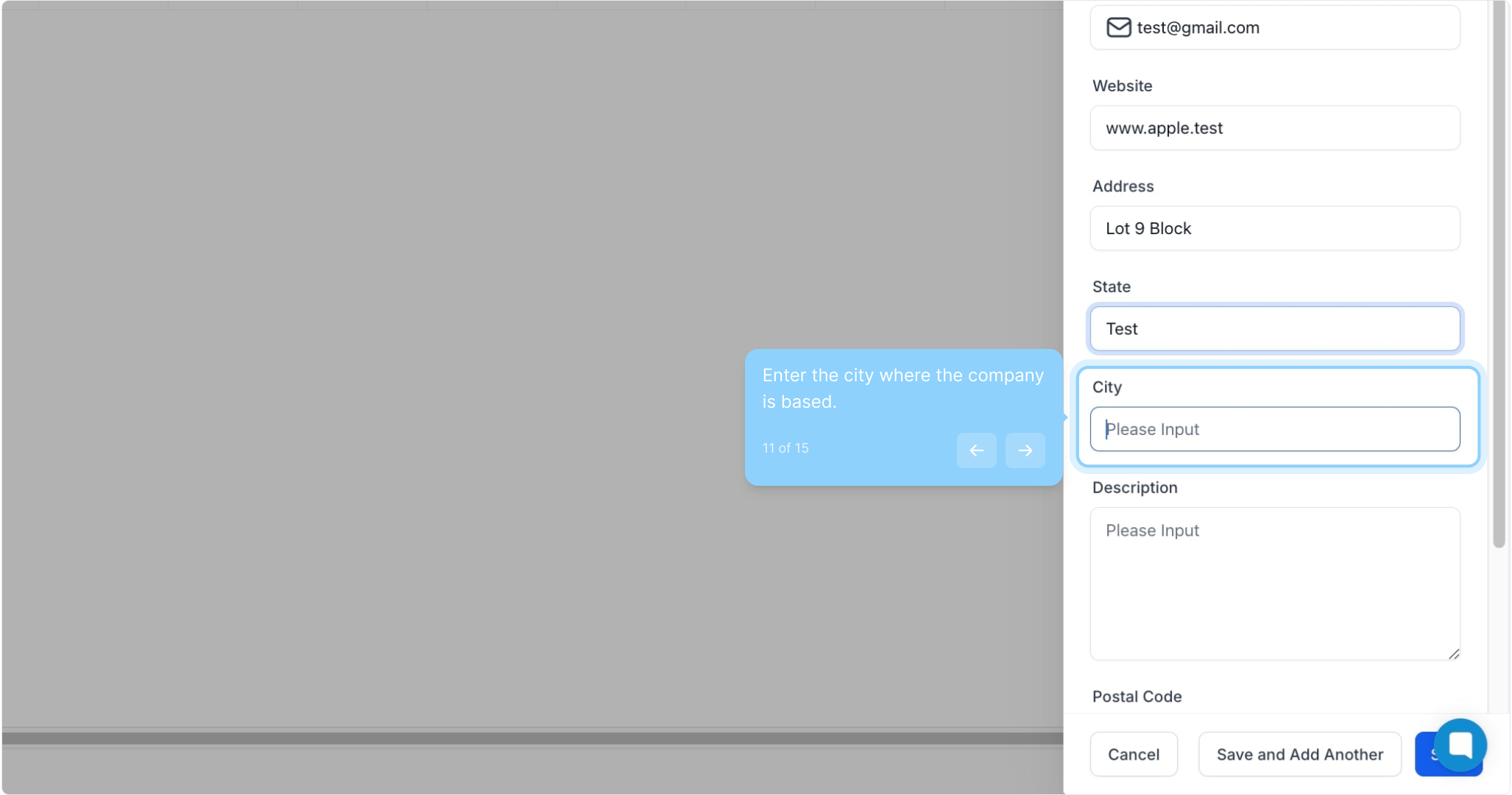
11. Enter the city where the company is based.
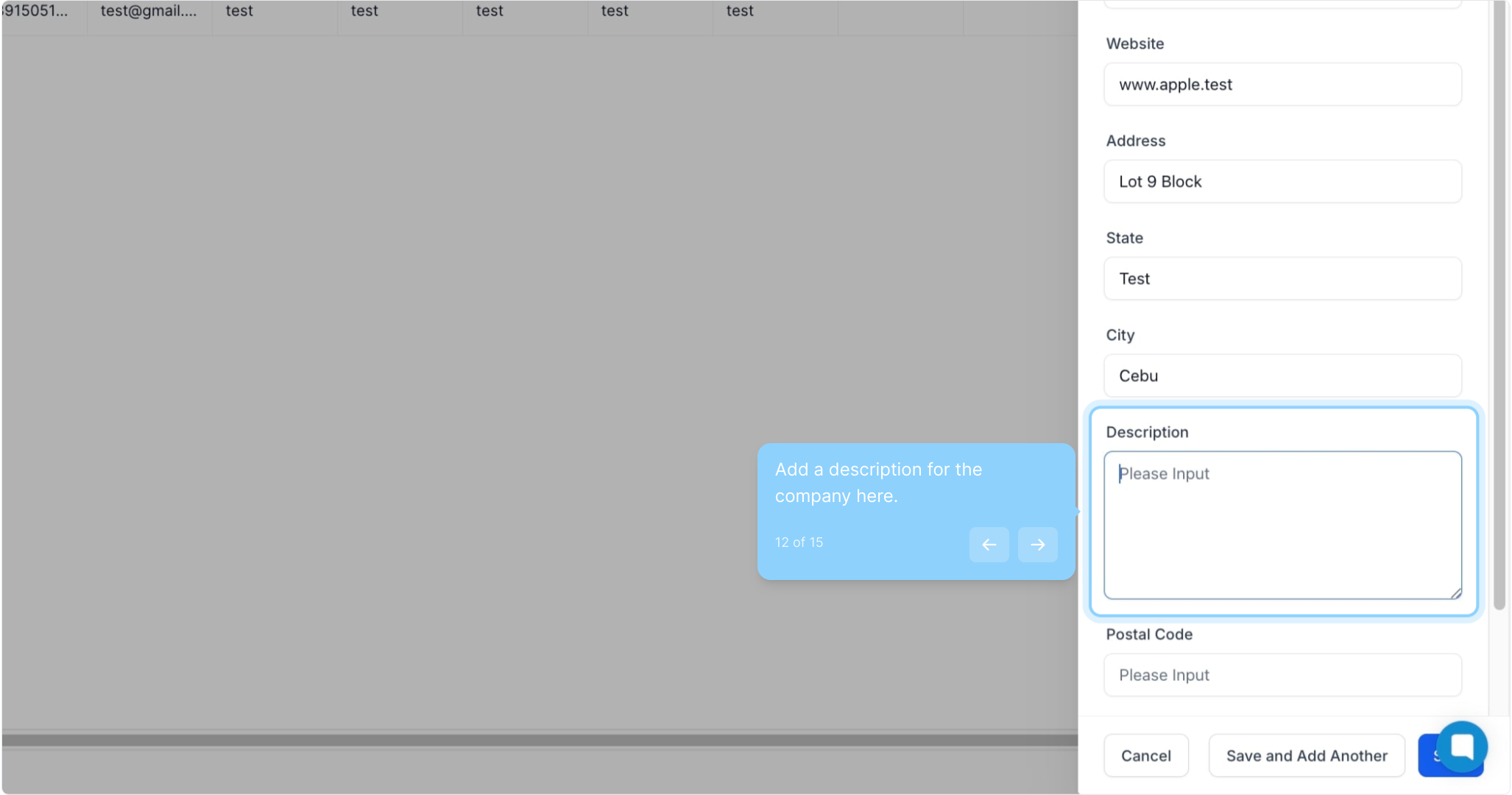
12. Add a description for the company here.
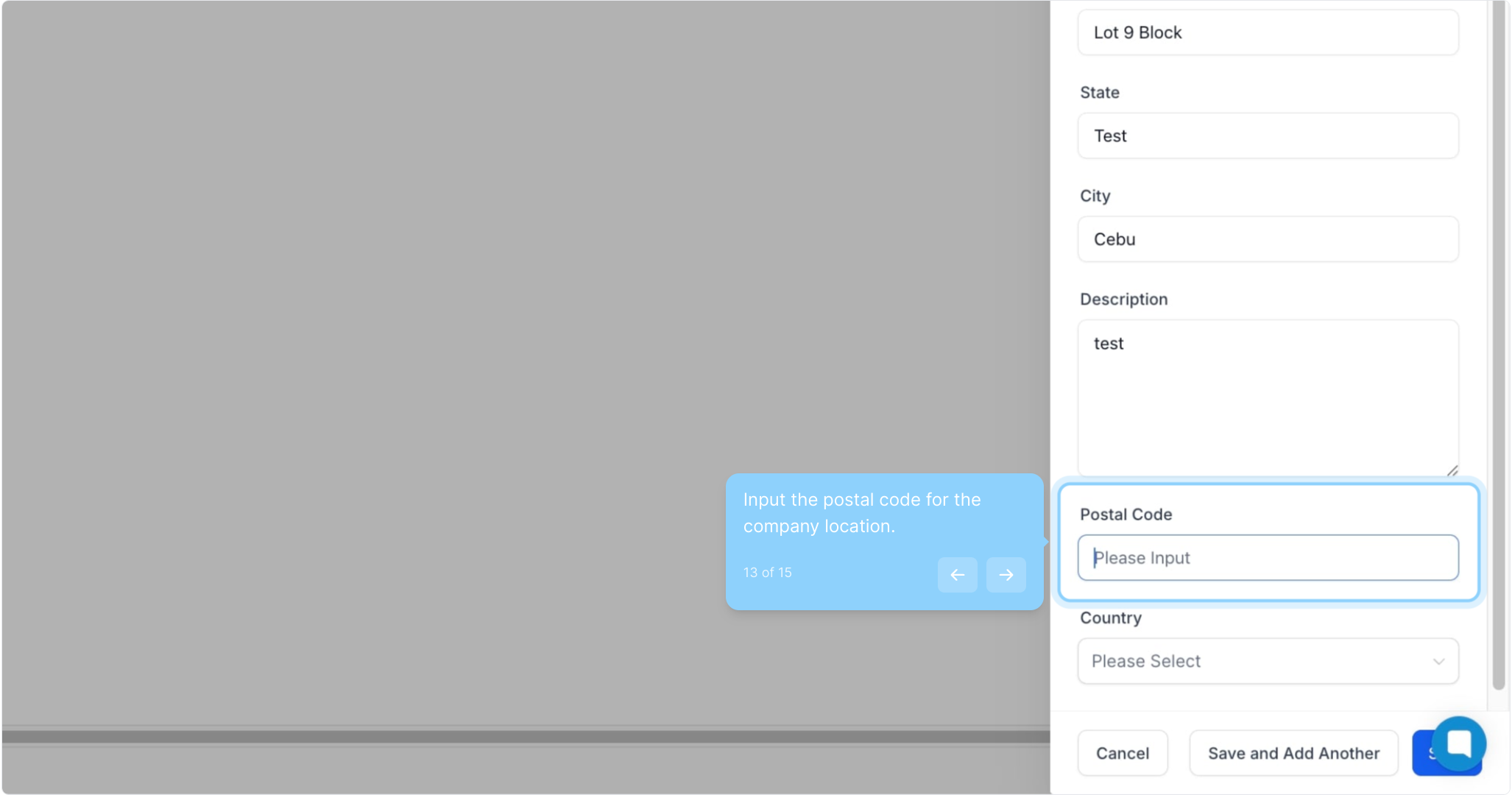
13. Input the postal code for the company location.
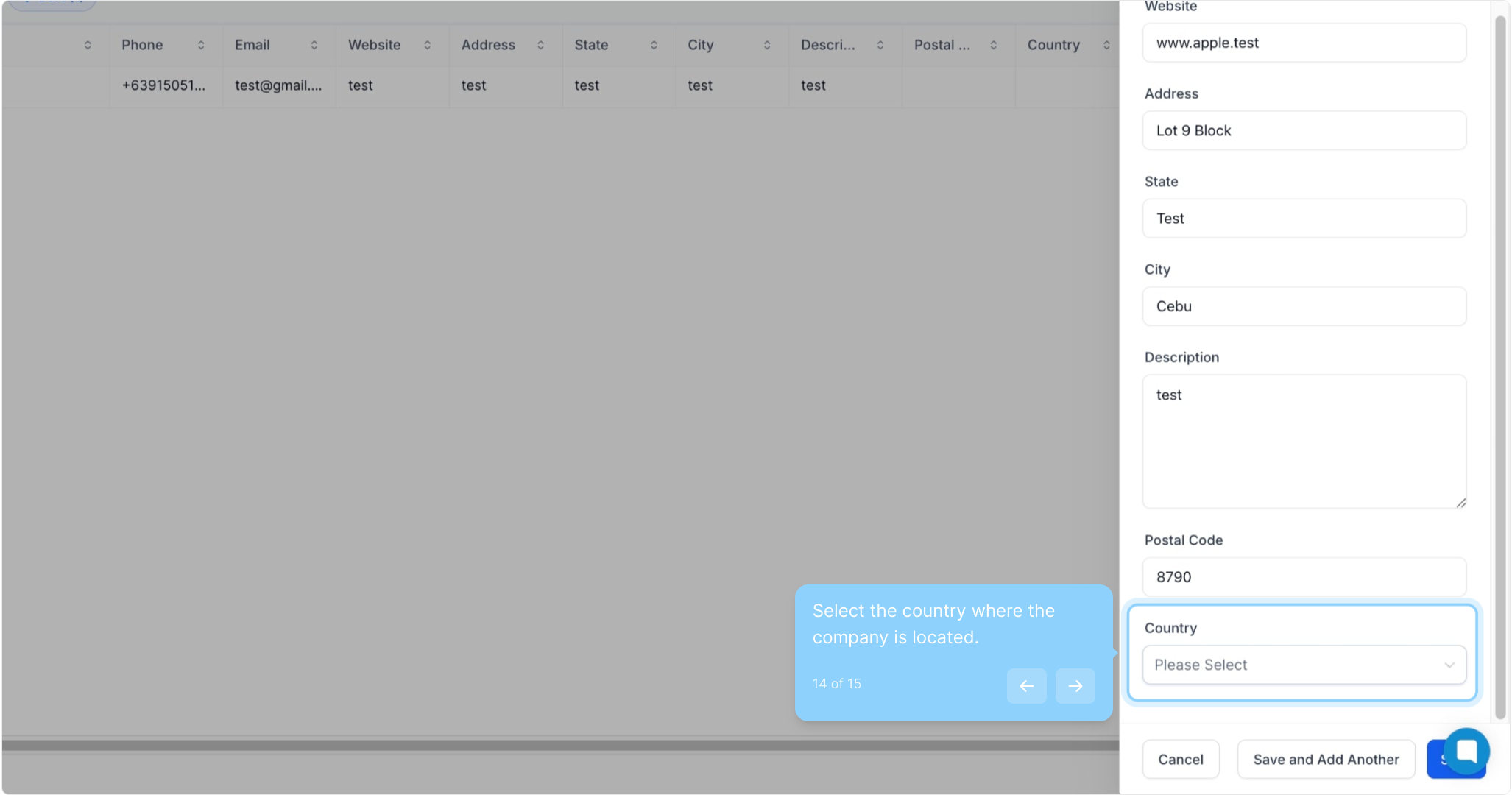
14. Select the country where the company is located.
15. Finally, click on "Save."
Did this answer your question?
😞
😐
😁
How to Create a New Company in Gobe Creativ | Gobe Creativ