Help center
How to Manually Mark as Read or Unread | Gobe Creativ
All collections
Inbox
How to Manually Mark as Read or Unread
How to Manually Mark as Read or Unread
Learn how to manually mark conversations as read or unread in CRM
1. How to Manually Mark as Read or Unread
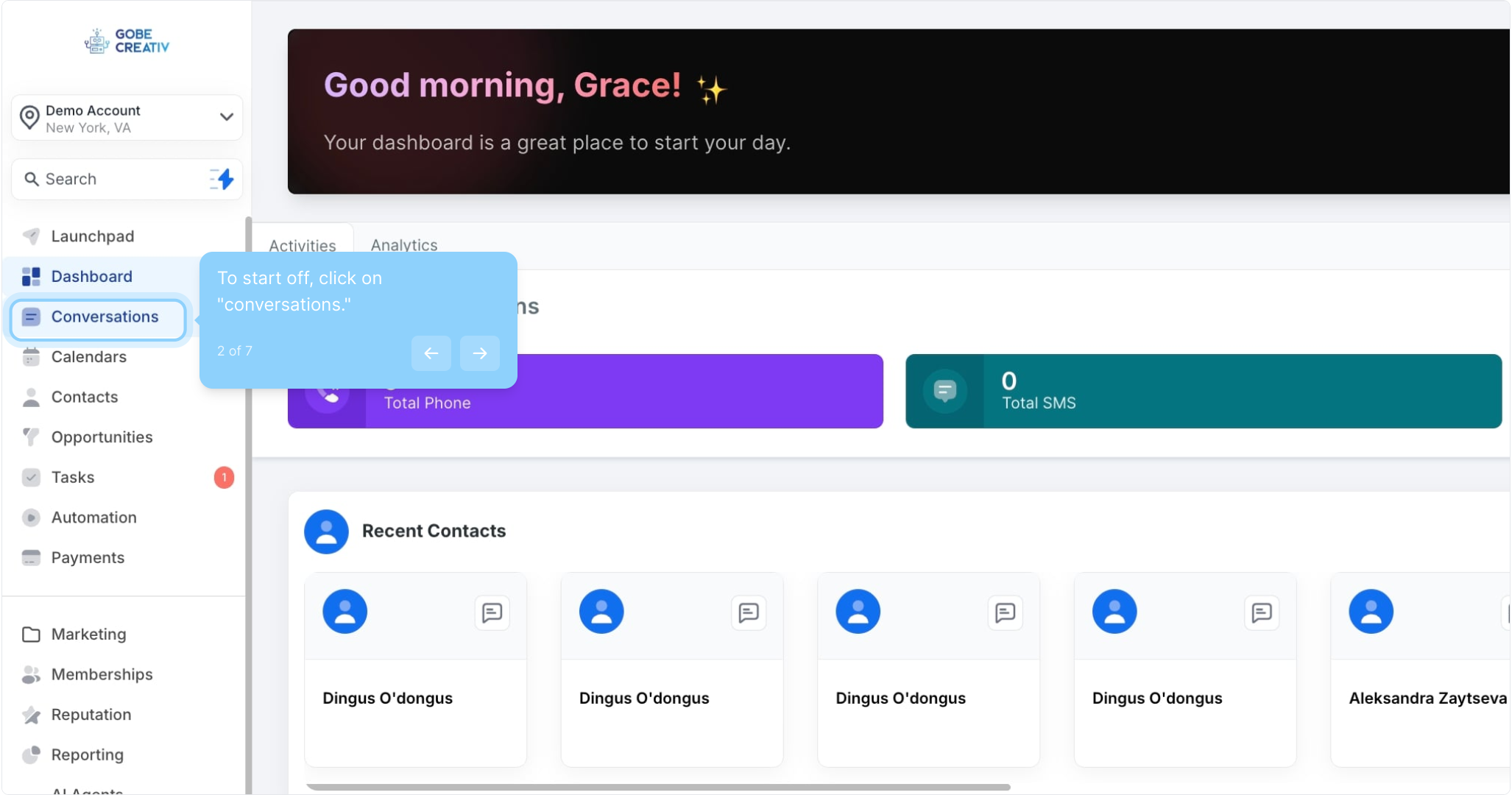
2. To start off, click on "conversations."
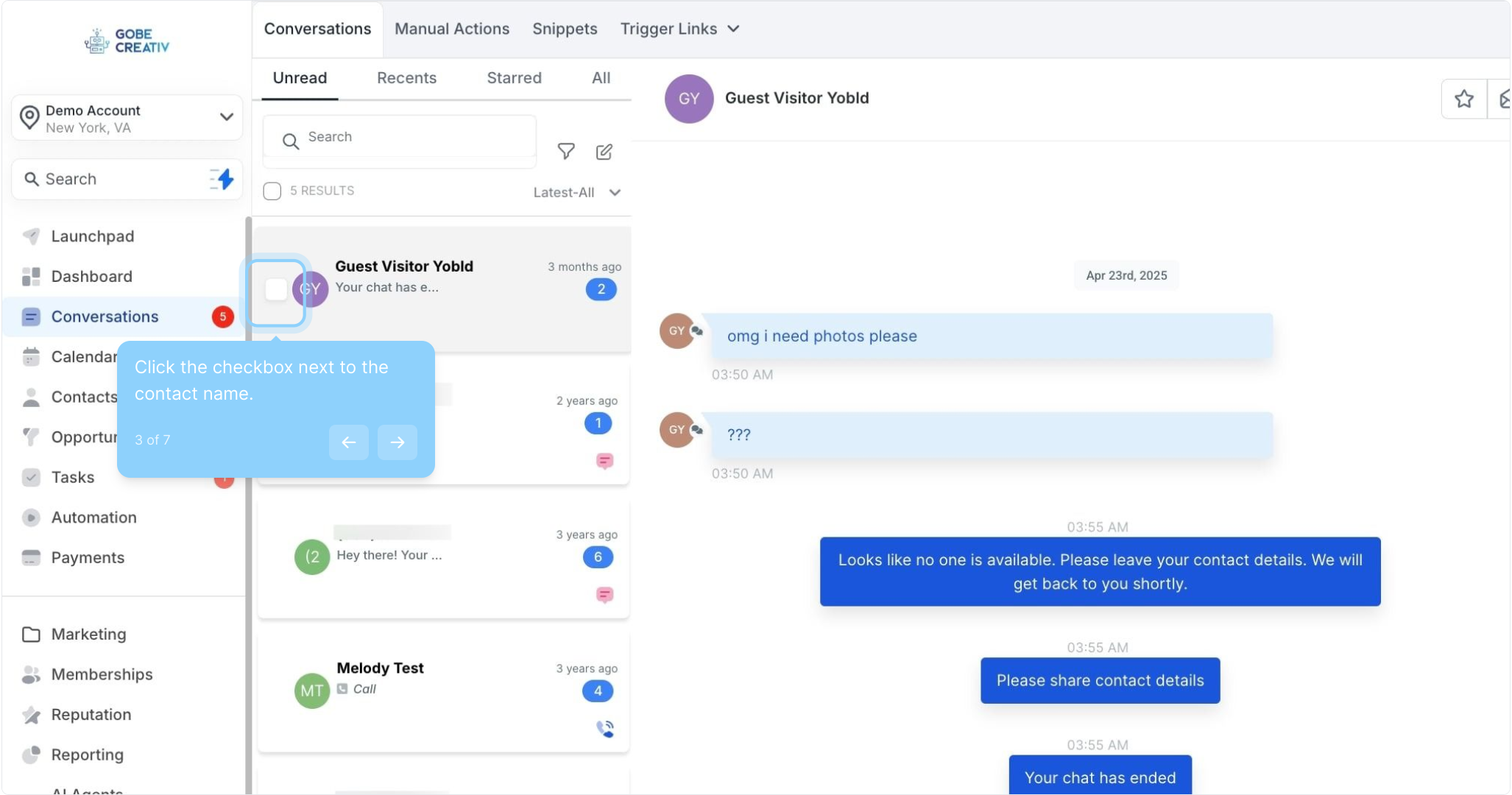
3. Click the checkbox next to the contact name.
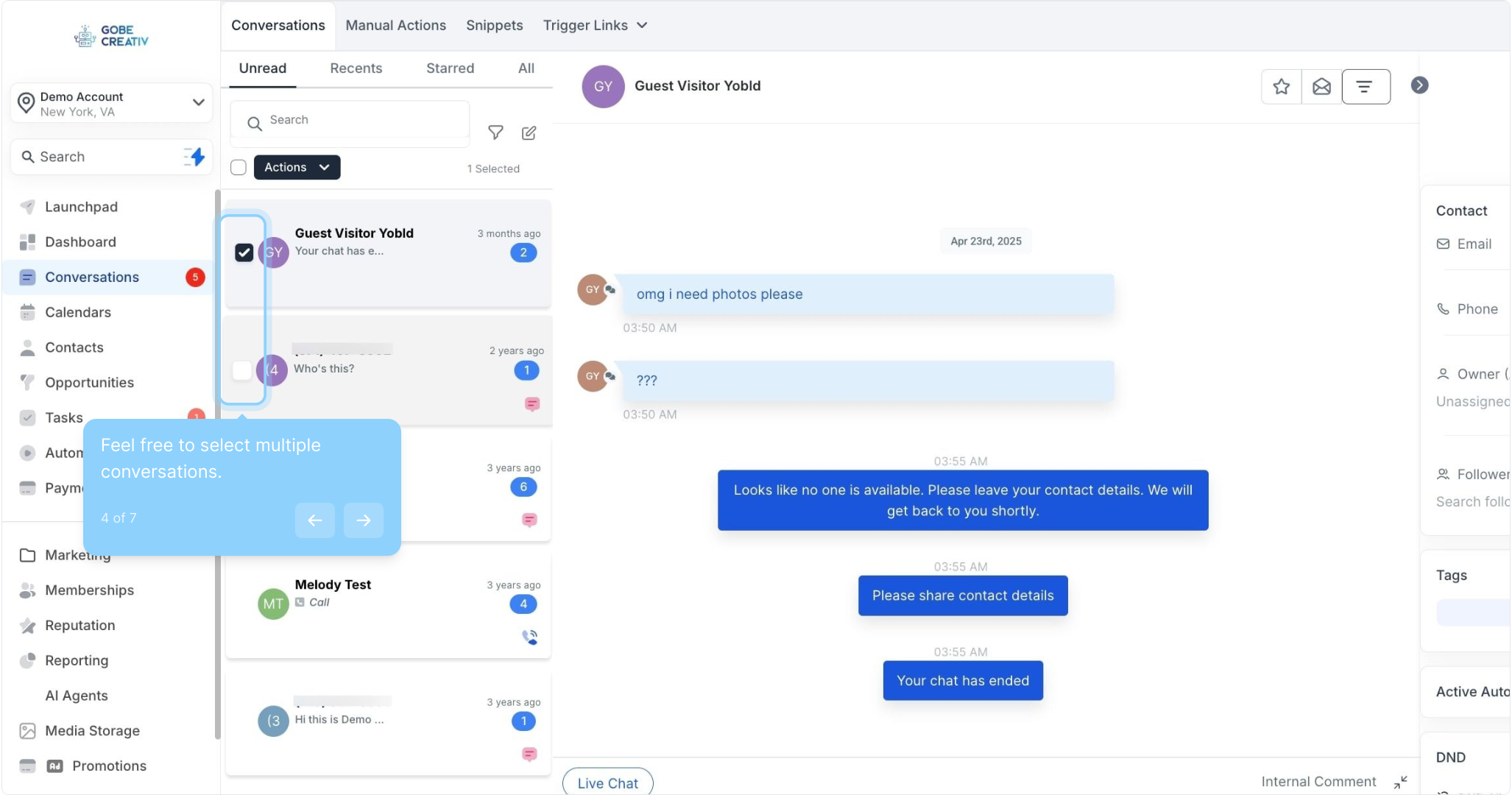
4. Feel free to select multiple conversations.
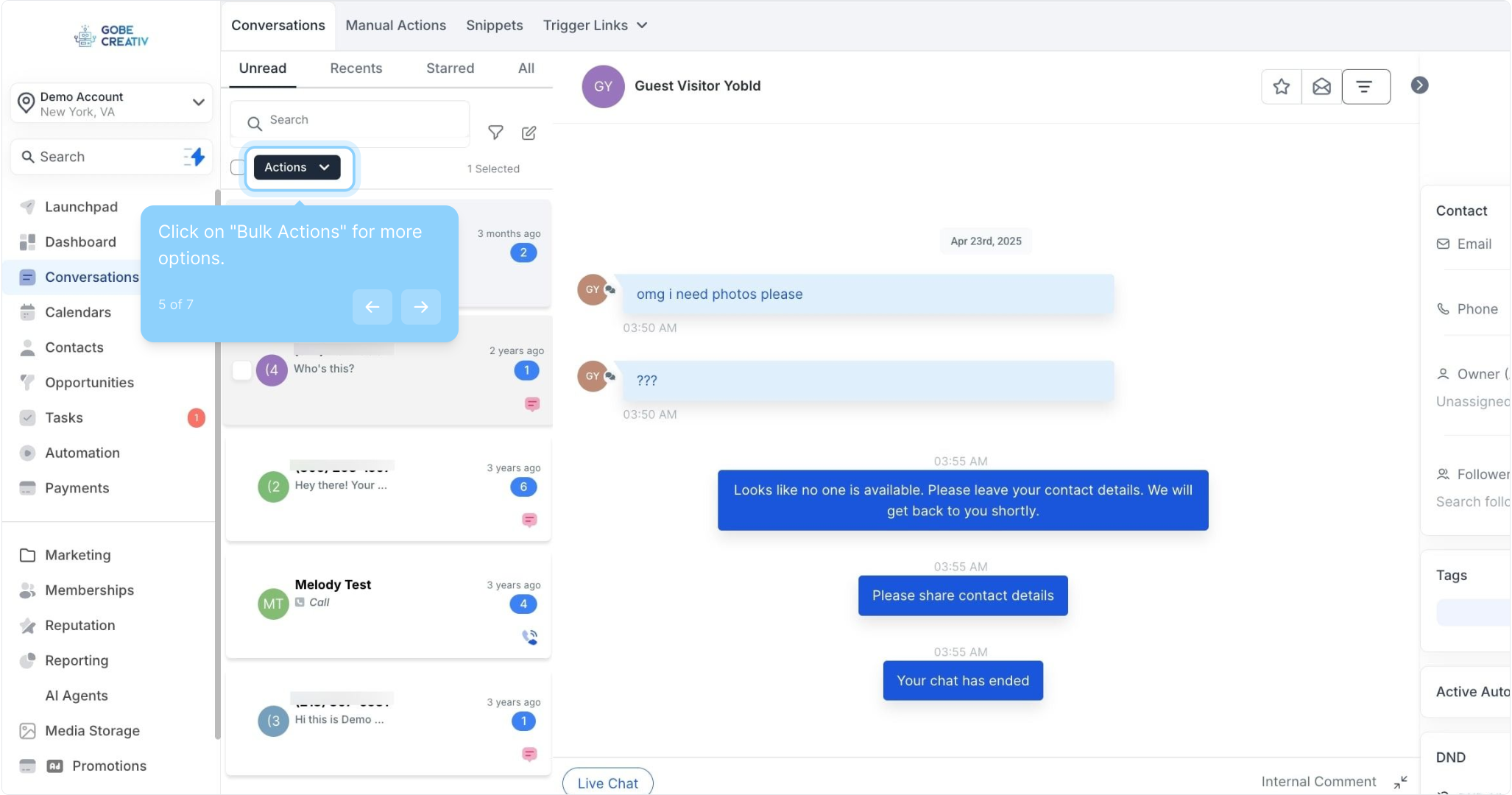
5. Click on "Bulk Actions" for more options.
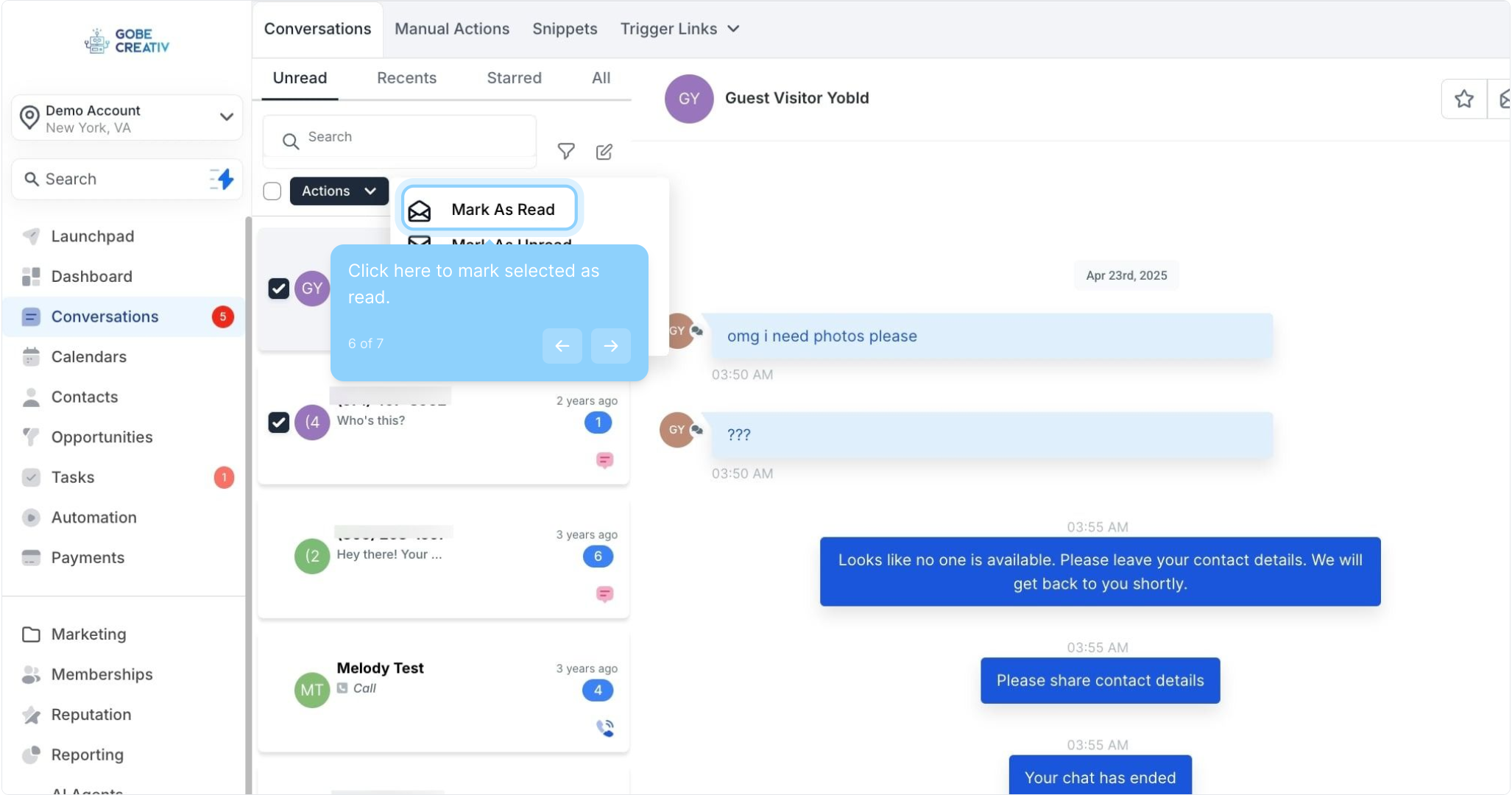
6. Click here to mark selected as read.
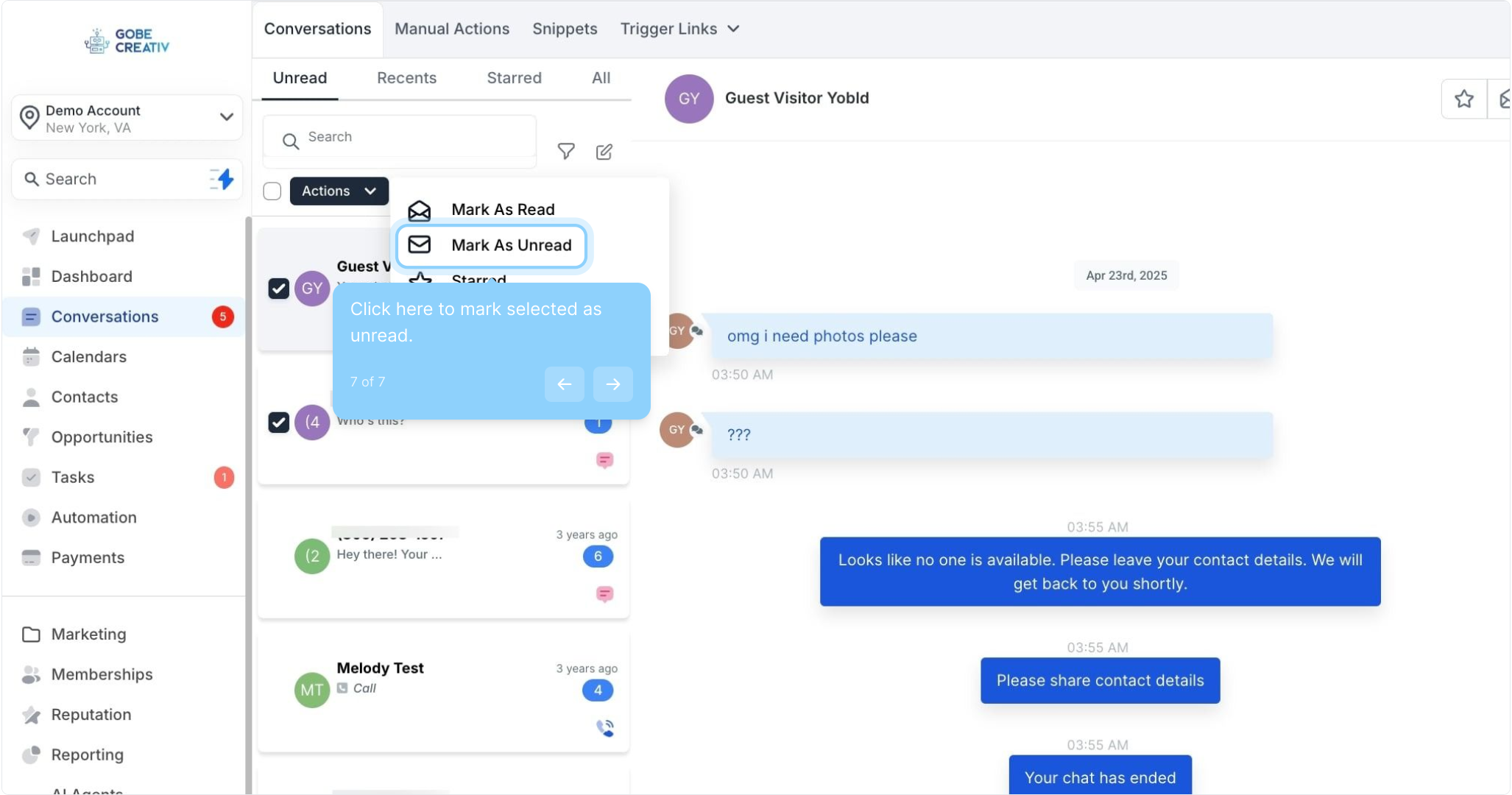
7. Click here to mark selected as unread.
Did this answer your question?
😞
😐
😁