How to Manually Set a Contact Owner and Add Contact Followers
Learn how to manually assign a contact owner for better lead management and add followers to keep your team in the loop. This guide walks you through the simple steps to update these fields within your CRM.
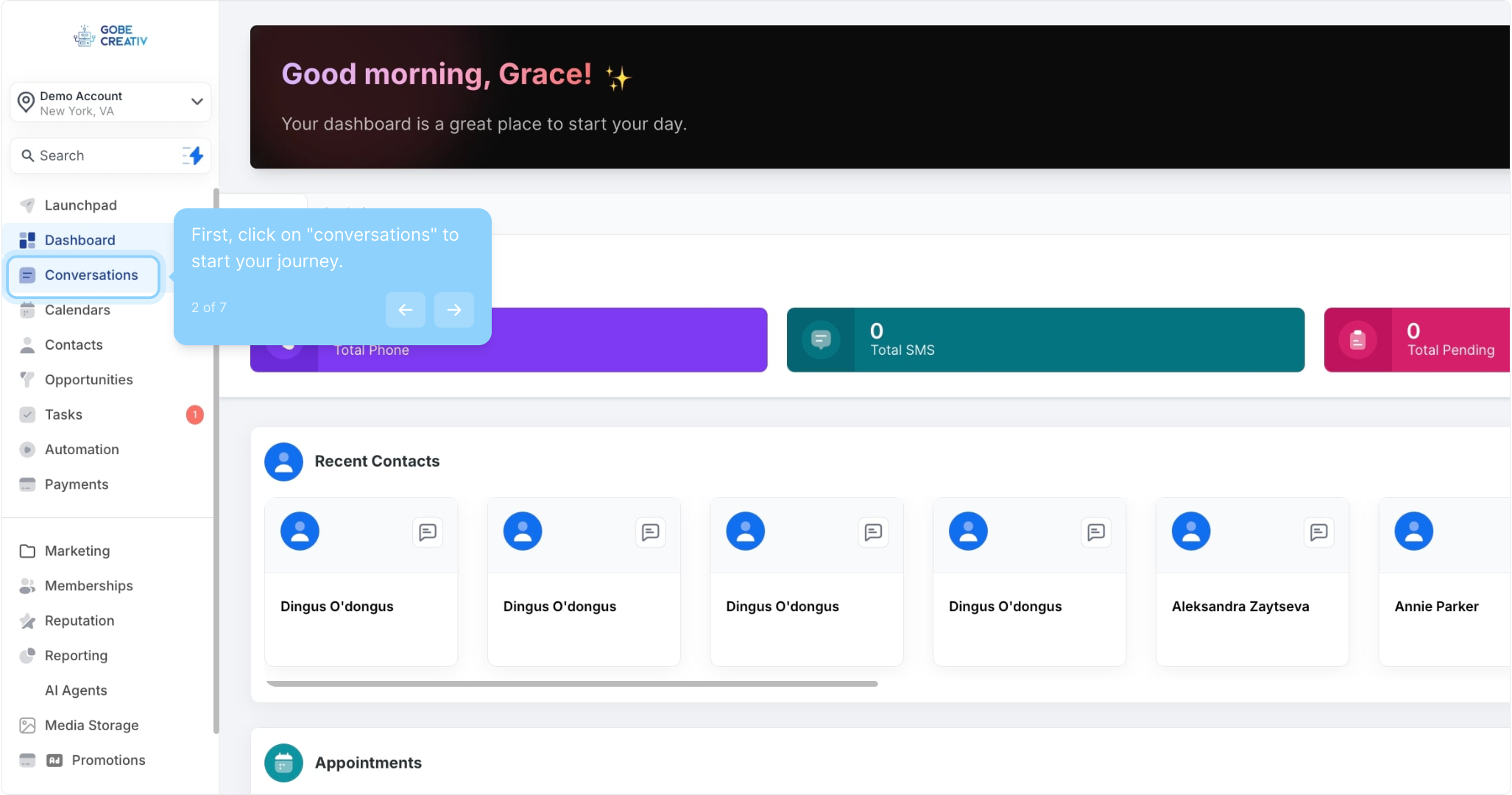
2. First, click on "conversations" to start your journey.
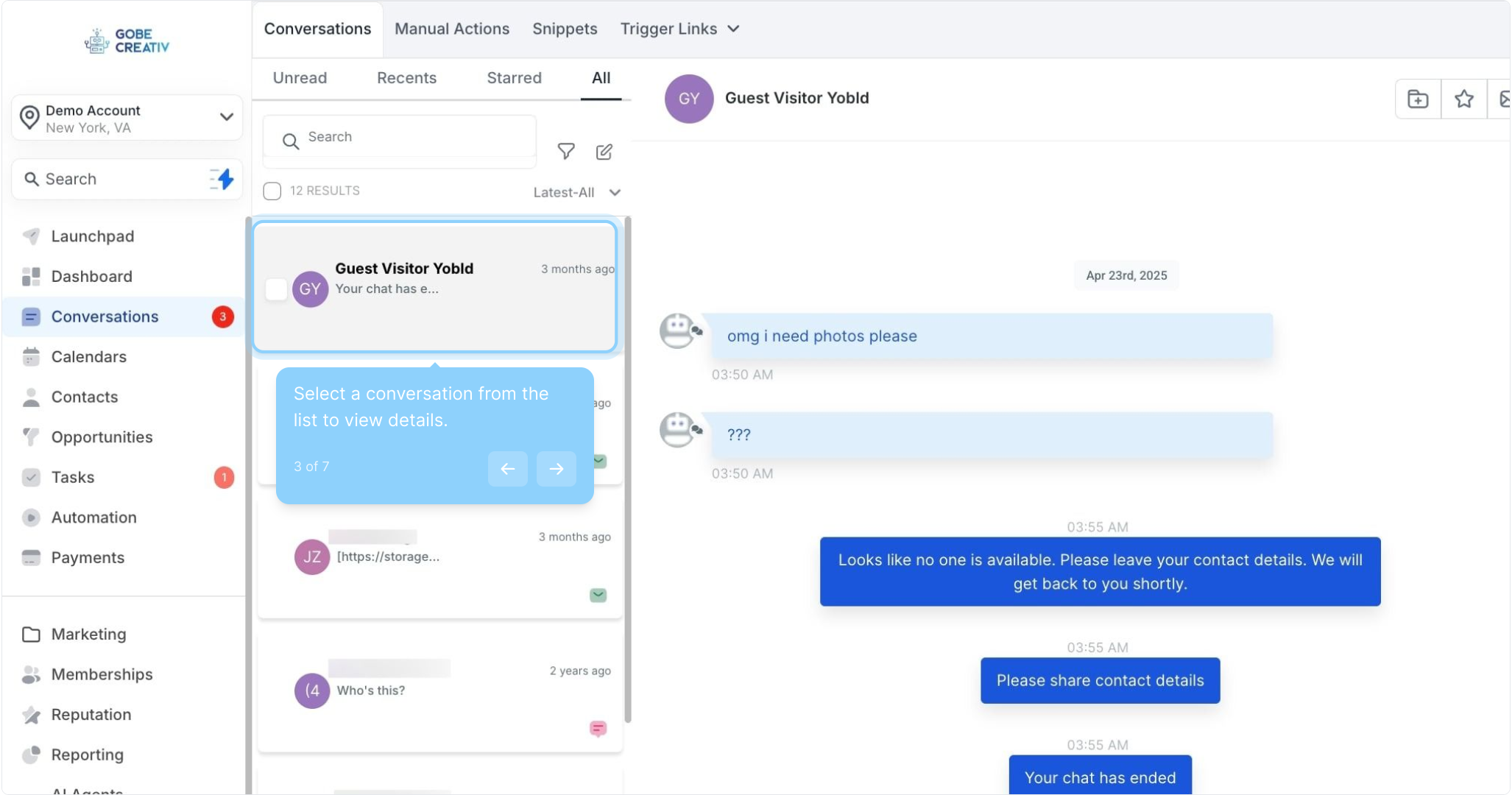
3. Select a conversation from the list to view details.
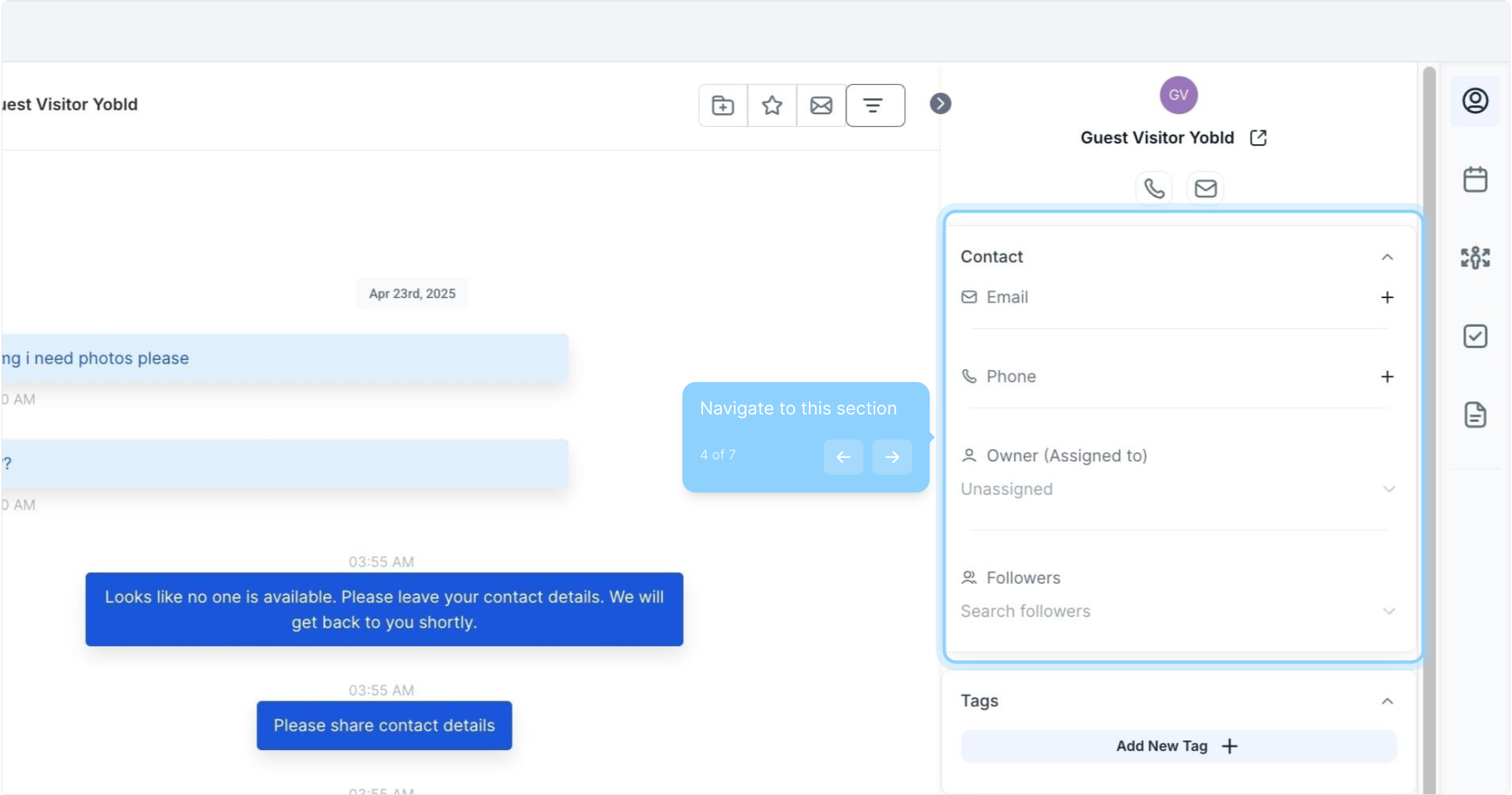
4. Navigate to this section
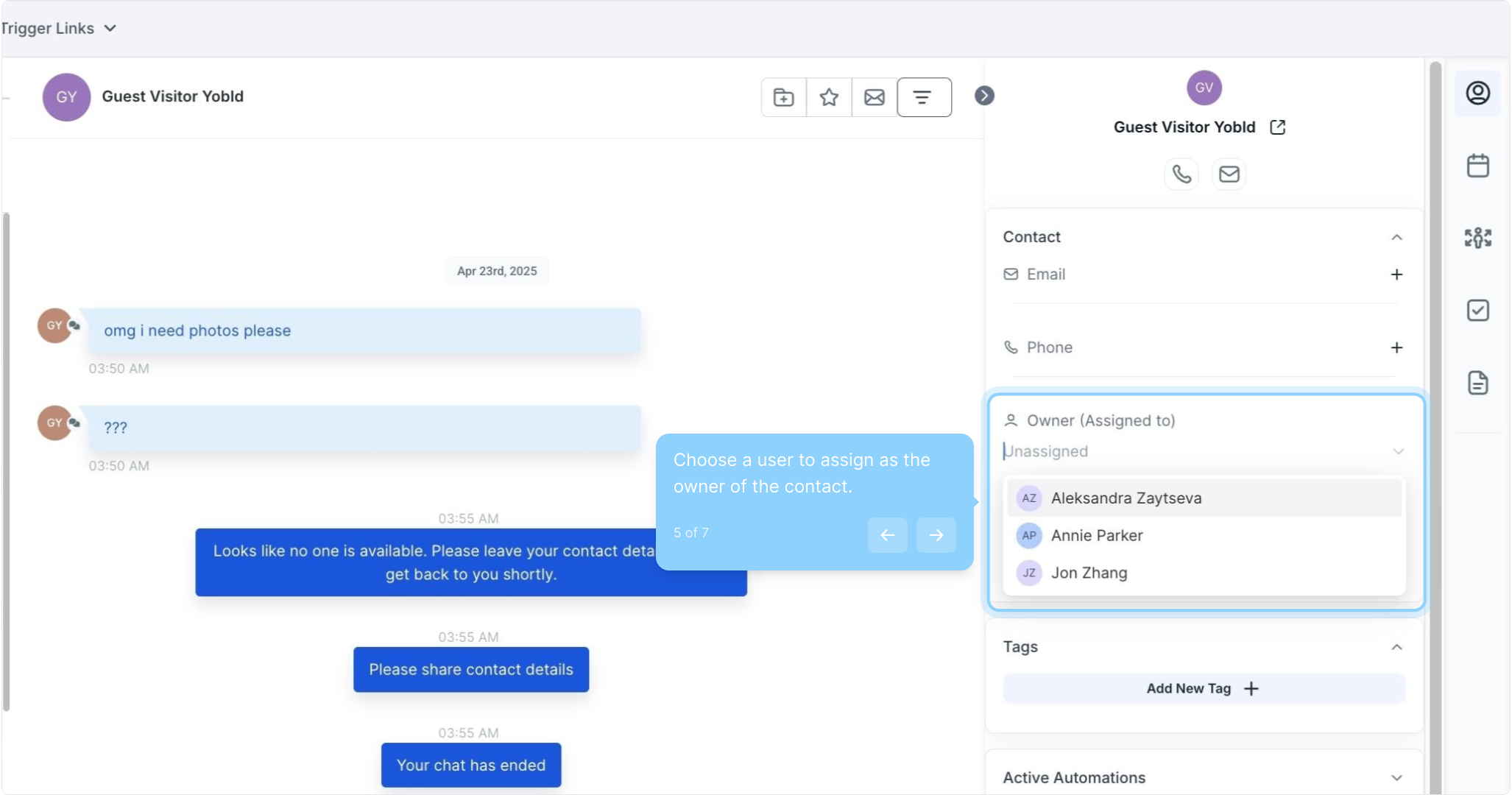
5. Choose a user to assign as the owner of the contact.
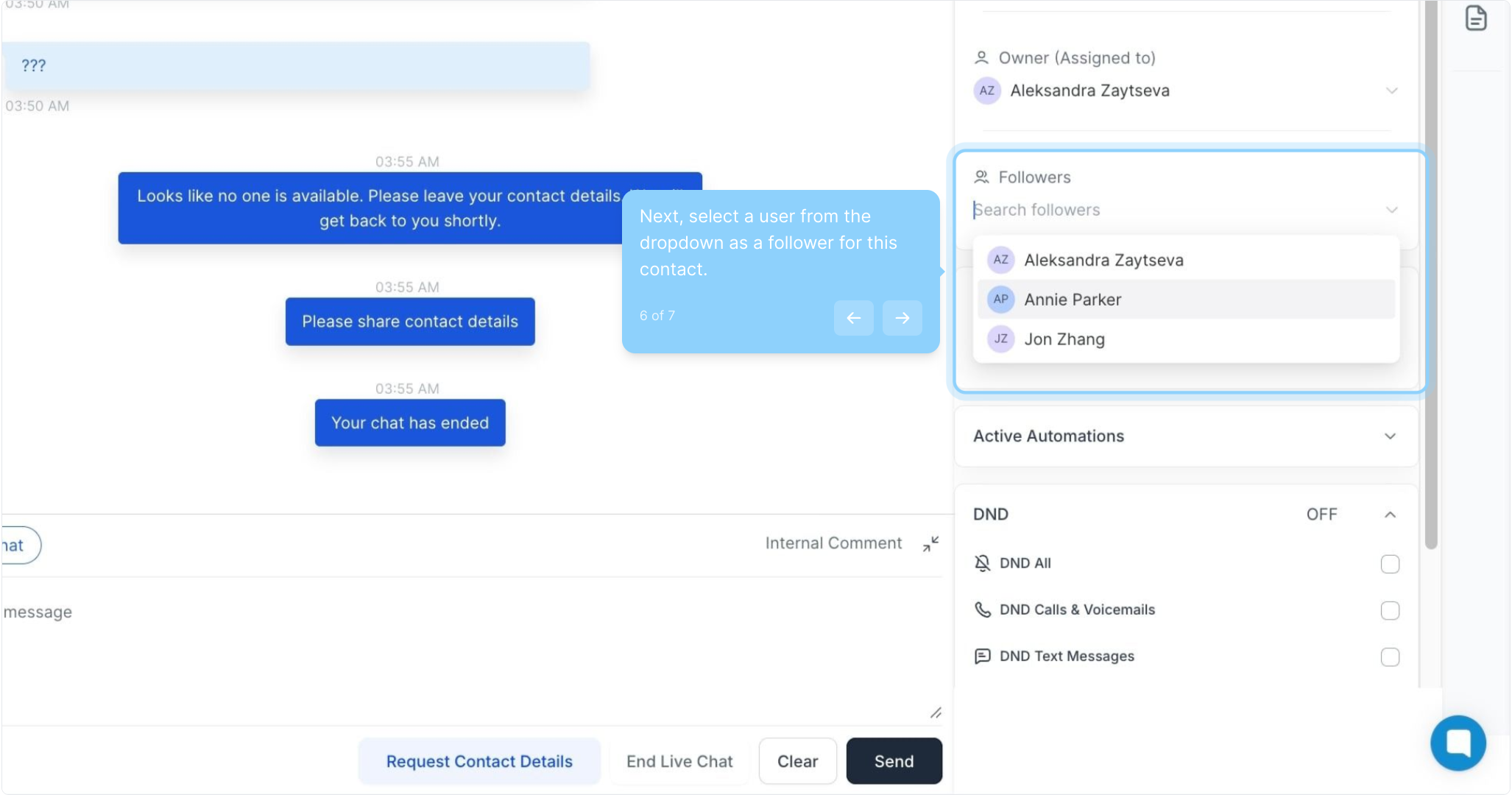
6. Next, select a user from the dropdown as a follower for this contact.
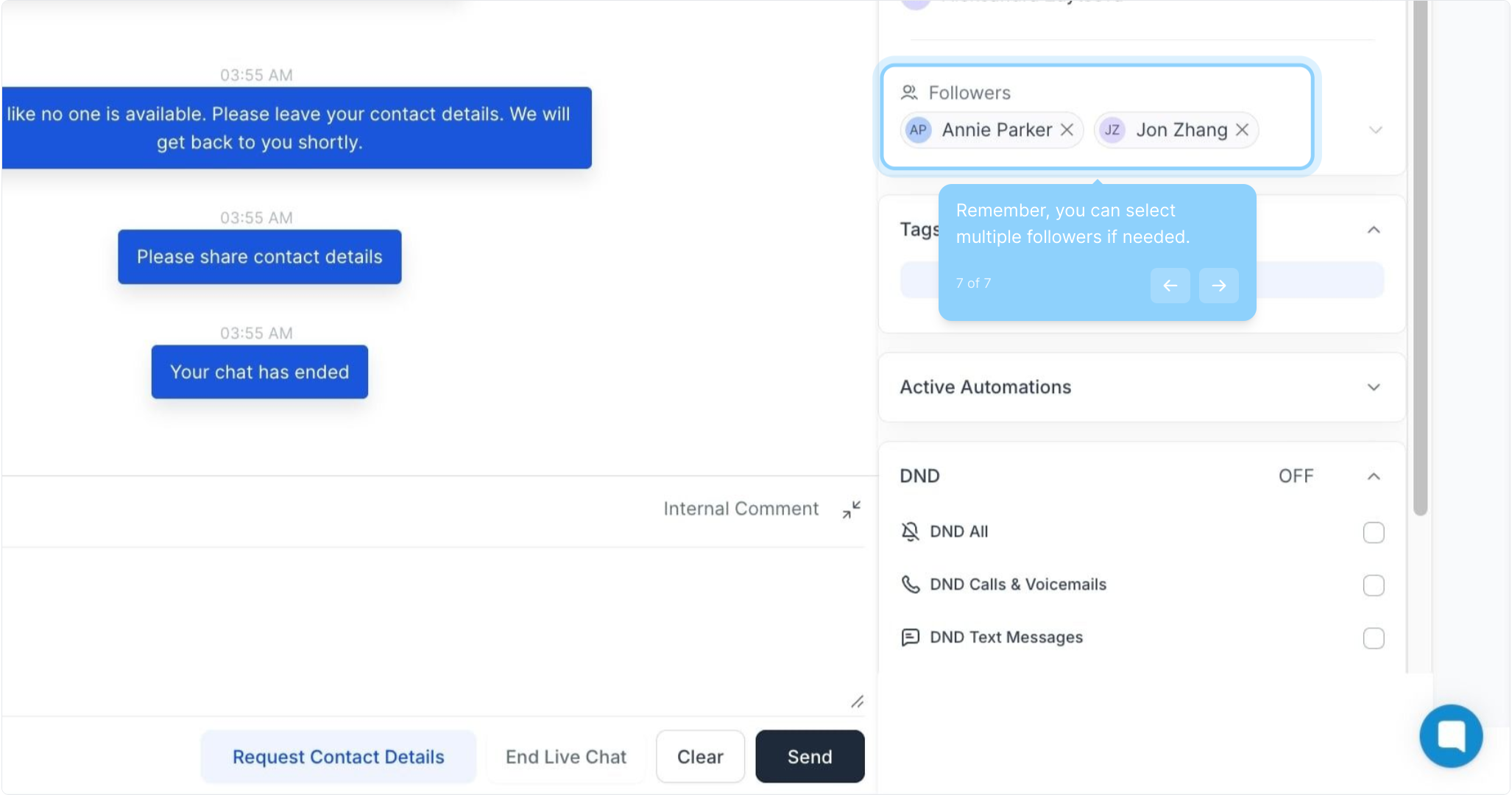
7. Remember, you can select multiple followers if needed.