Learn how to create text snippets in Gobecreativ for quick, reusable responses. This guide covers the simple steps to set up and organize your snippets efficiently.
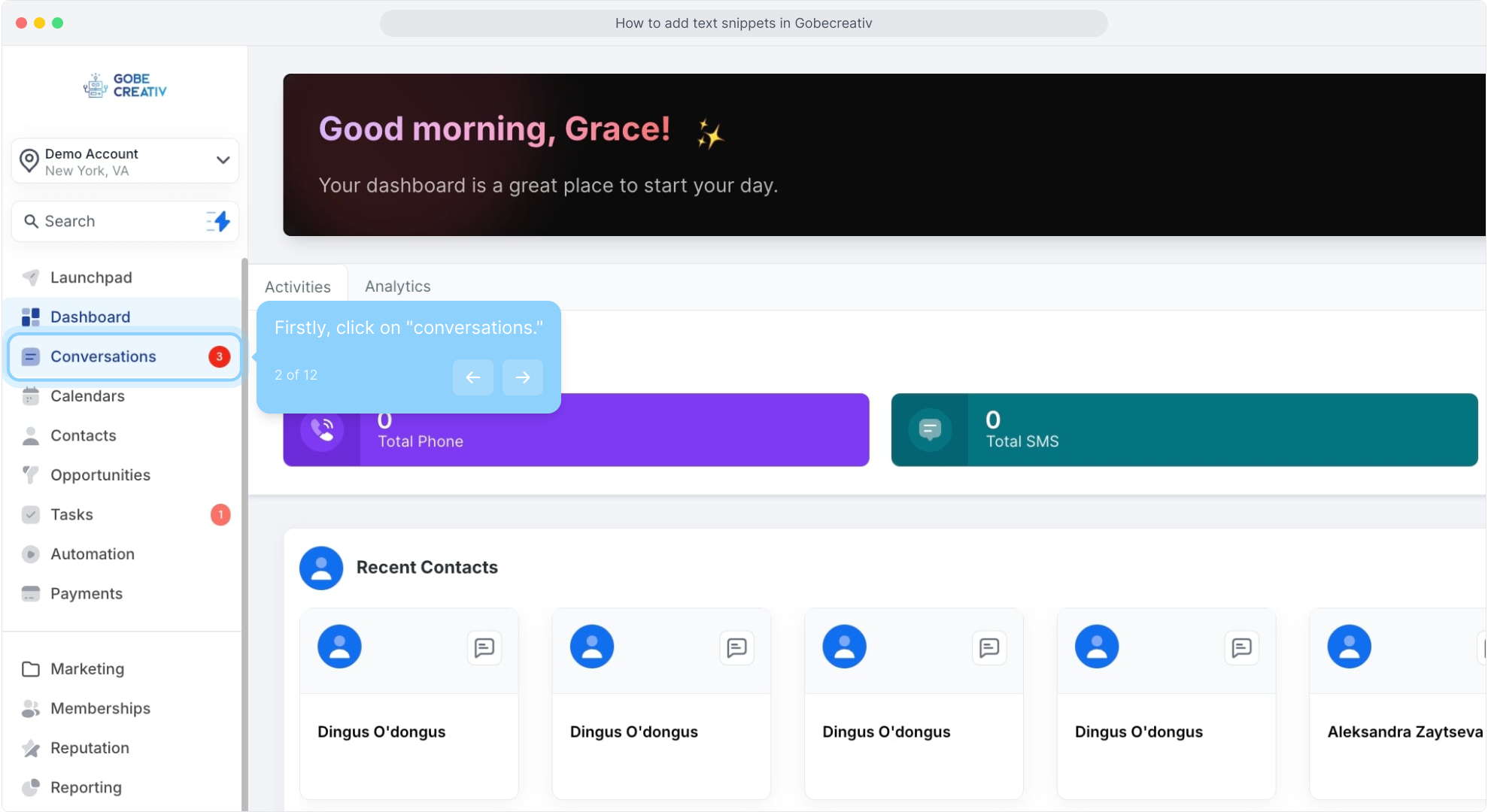
2. Firstly, click on "conversations."
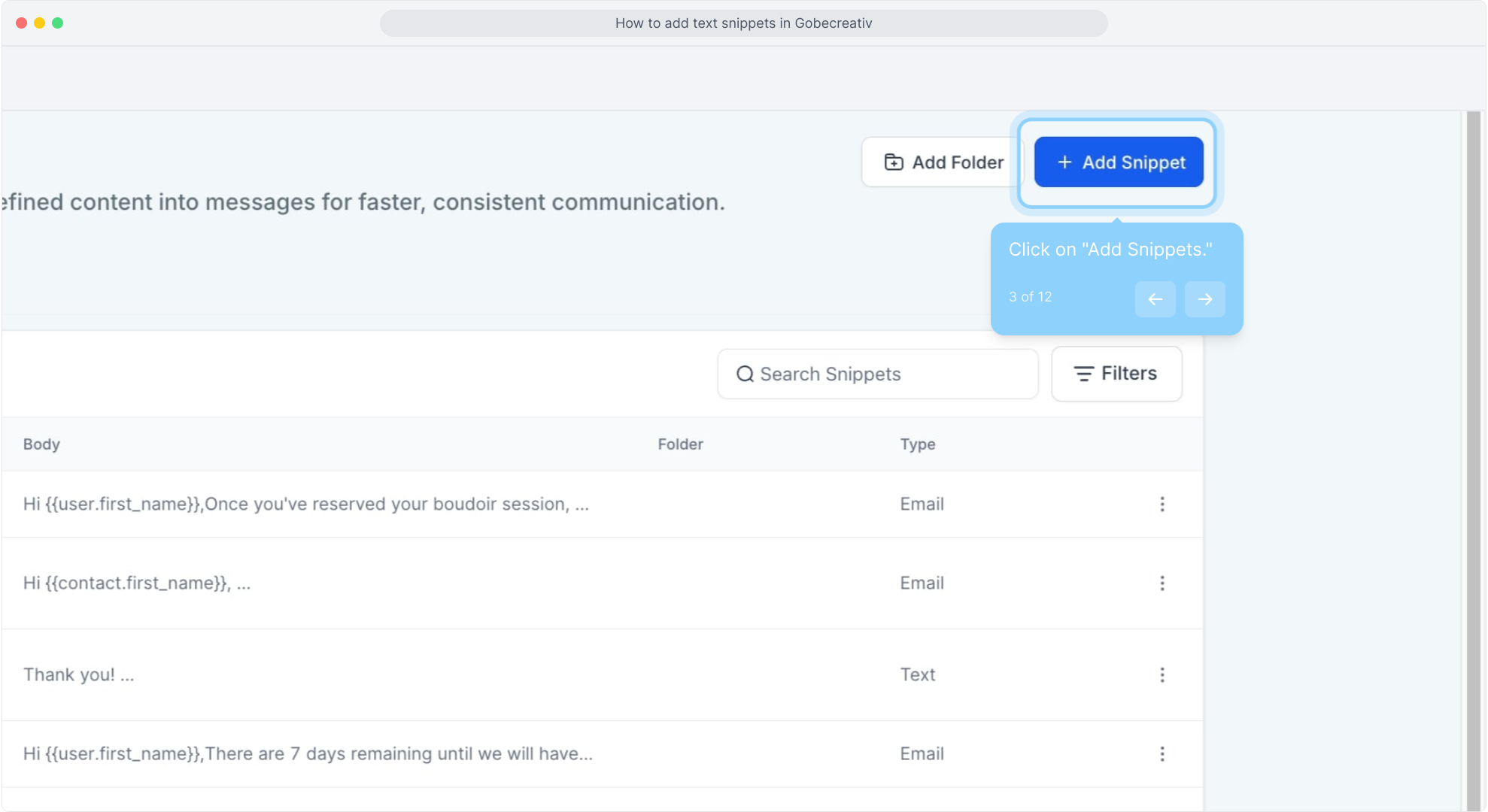
3. Click on "Add Snippets."
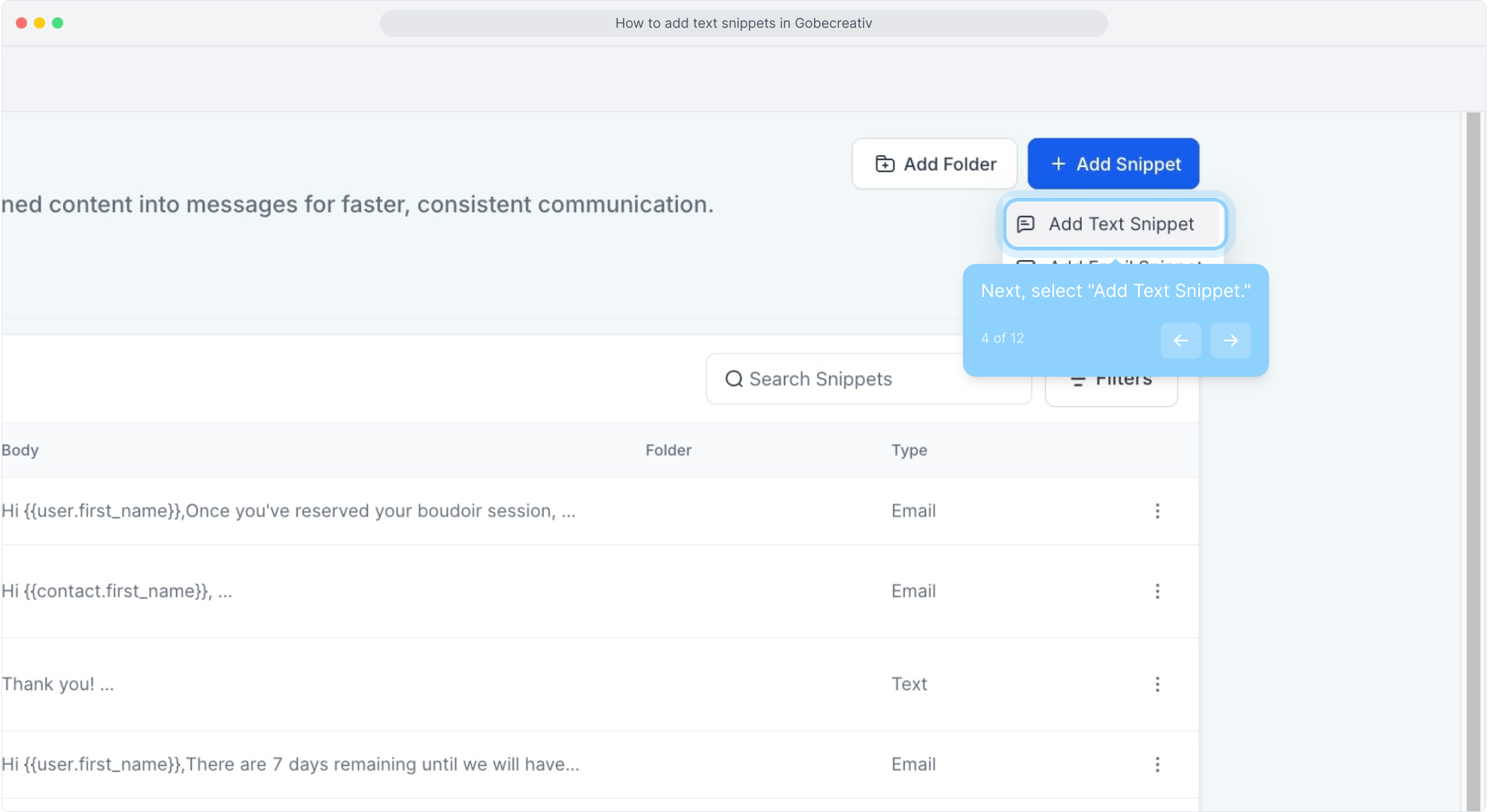
4. Next, select "Add Text Snippet."
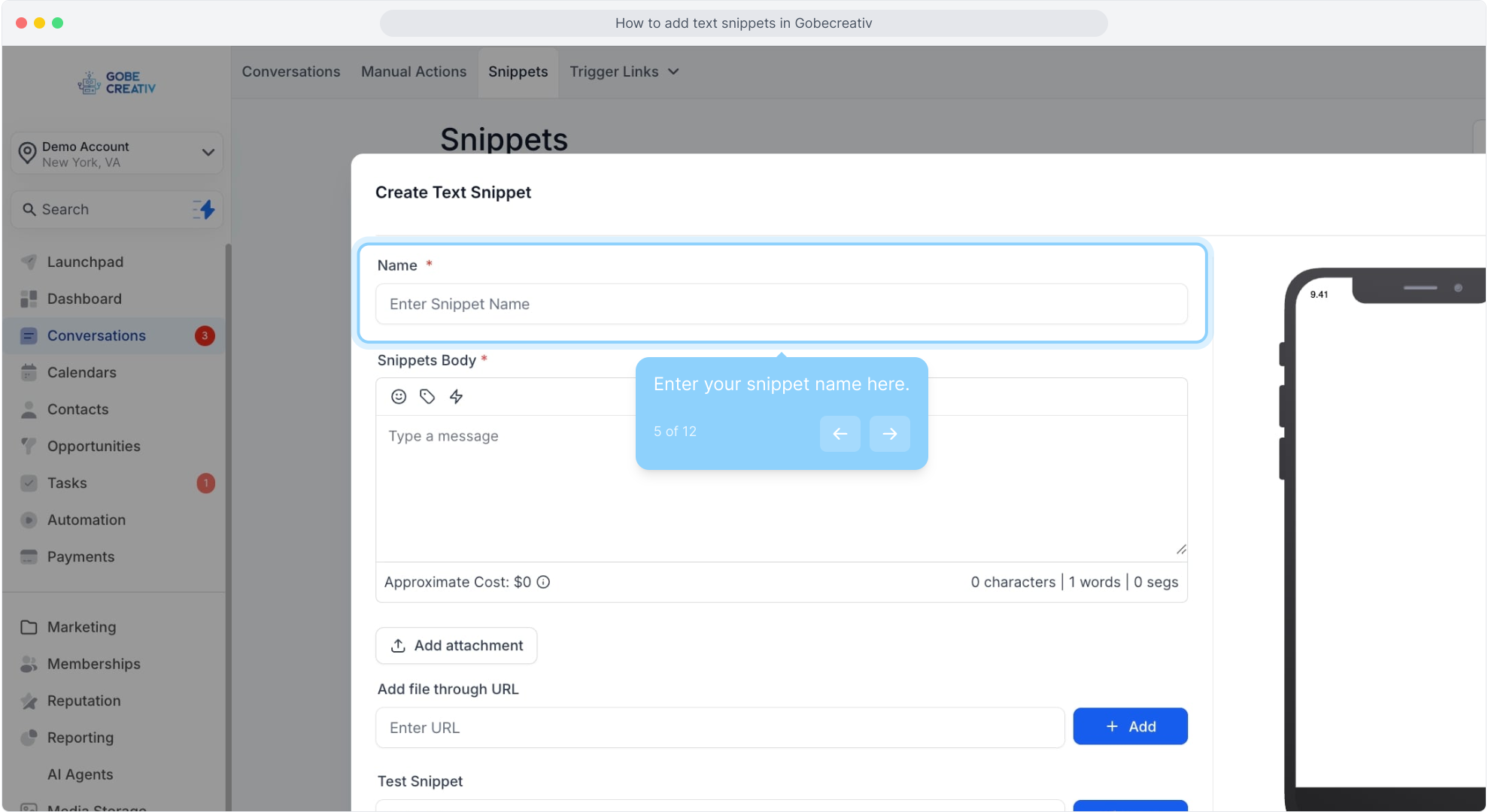
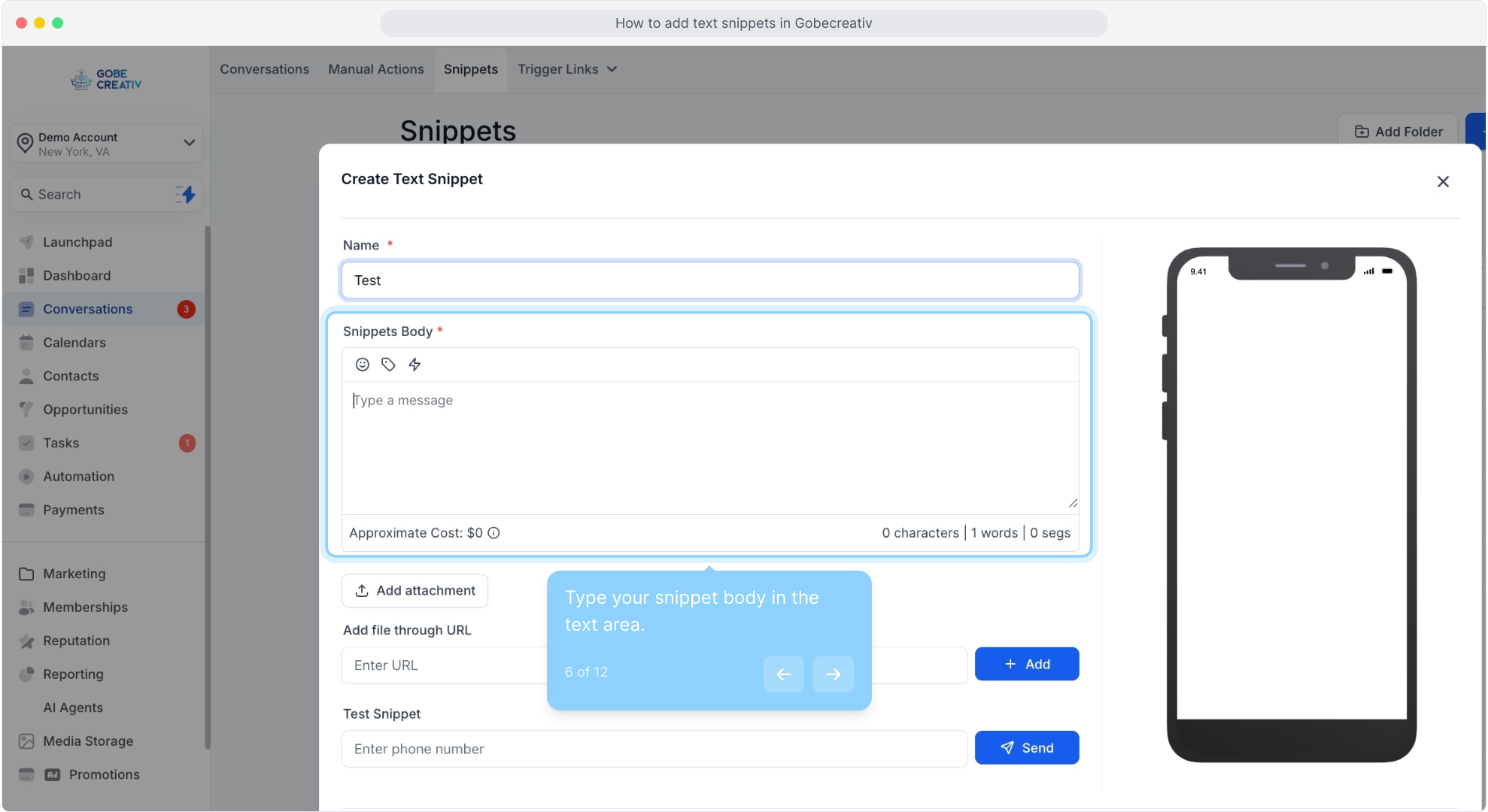
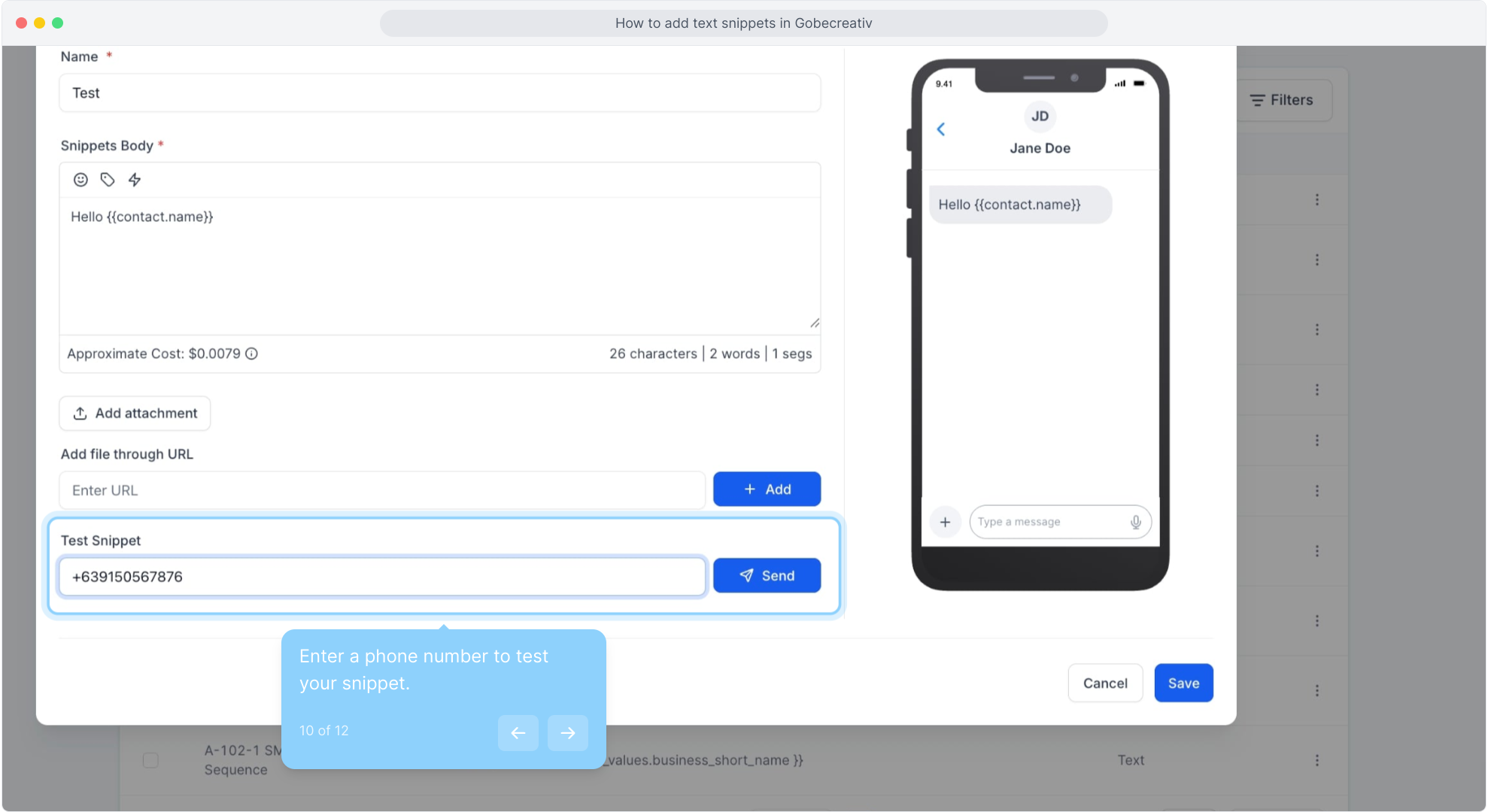
5. Enter your snippet name here.
6. Type your snippet body in the text area.
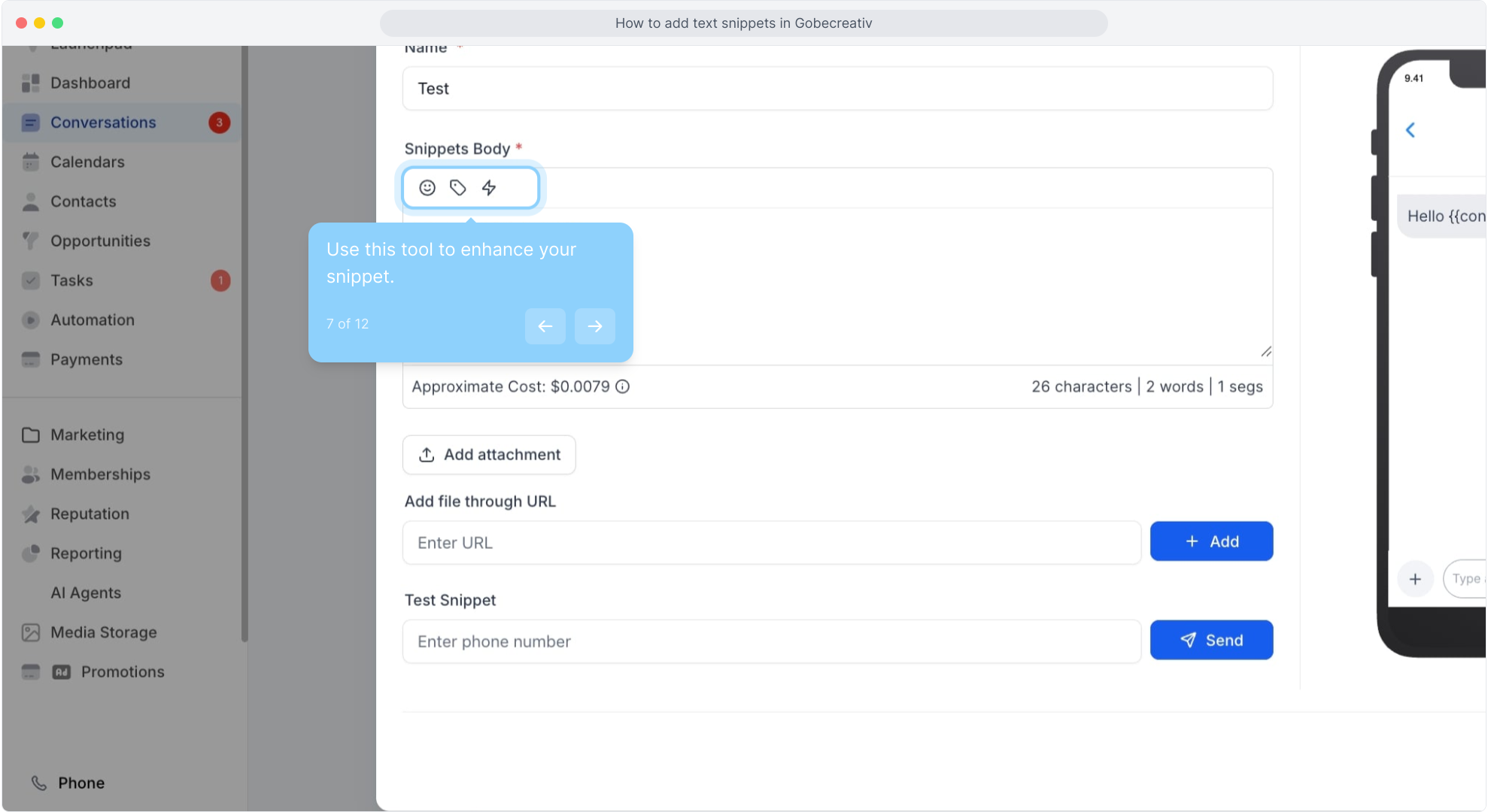
7. Use this tool to enhance your snippet.
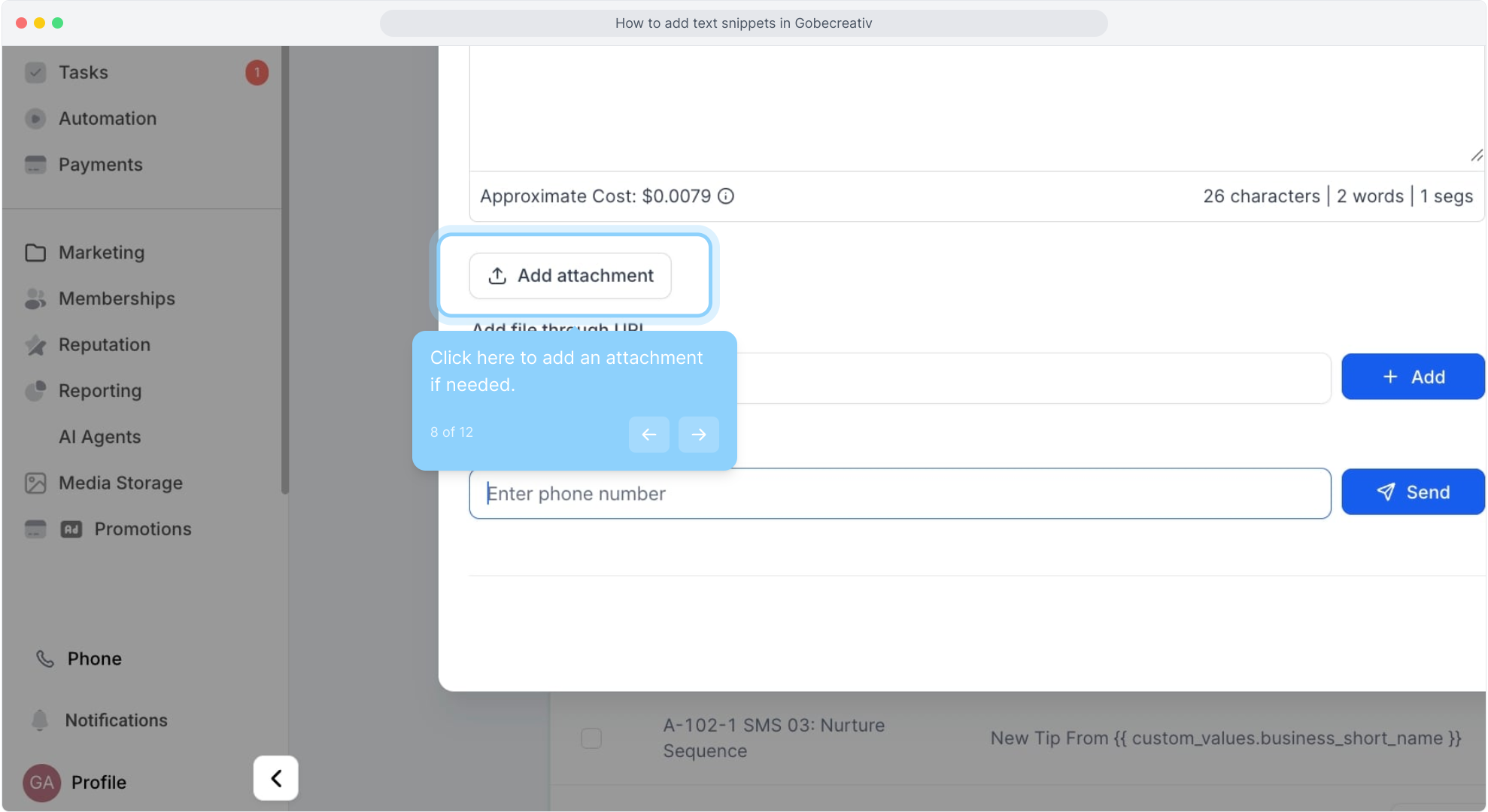
8. Click here to add an attachment if needed.
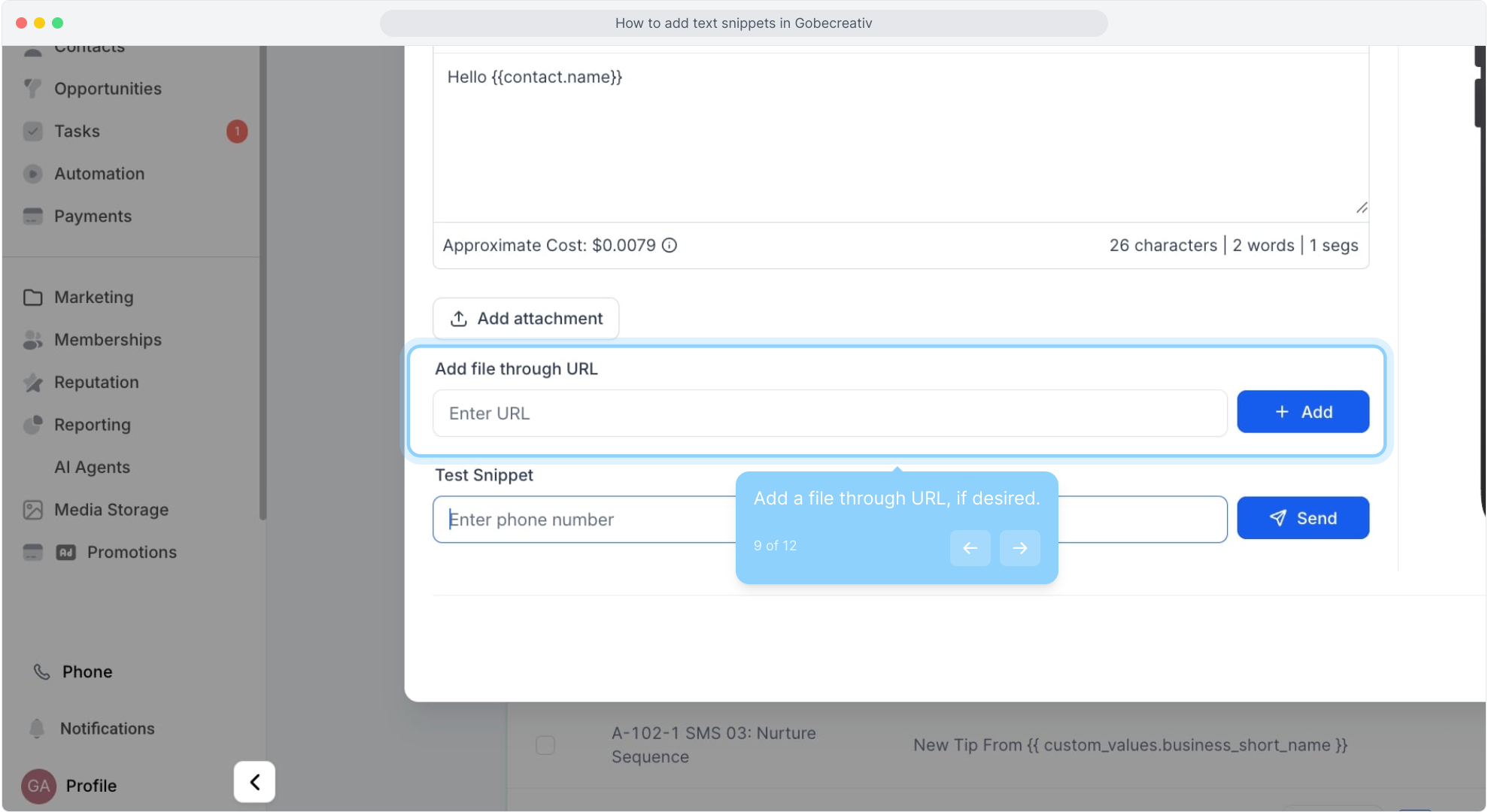
9. Add a file through URL, if desired.
10. Enter a phone number to test your snippet.
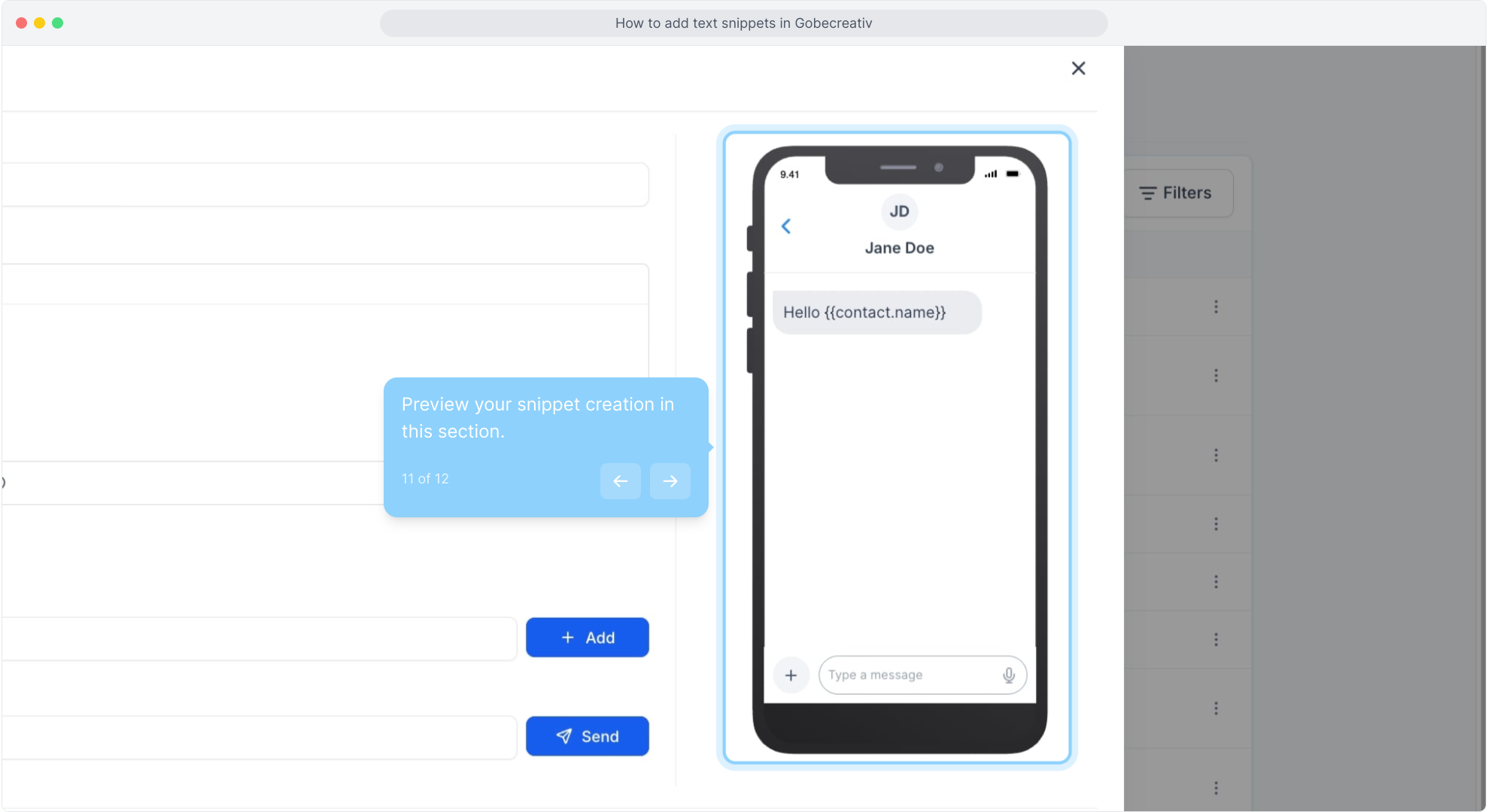
11. Preview your snippet creation in this section.
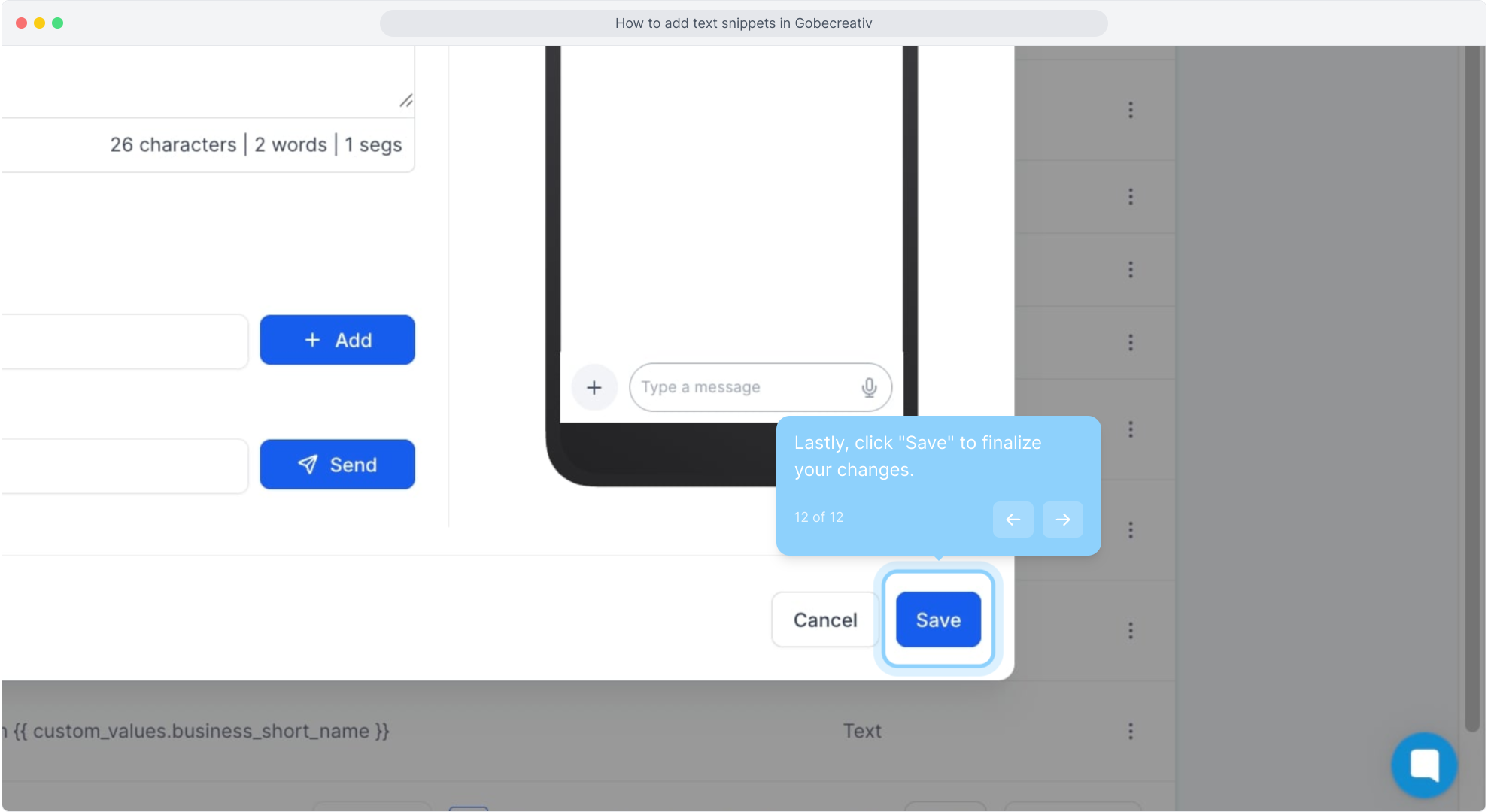
12. Lastly, click "Save" to finalize your changes.
Did this answer your question?
😞
😐
😁
How to add text snippets in Gobecreativ | Gobe Creativ